

If you run influencer campaigns across many social platforms, the right tool comes down to one thing: can it tie creator activity to revenue, not just reach and likes?
I’d narrow this list fast based on 3 checks:
- Channel coverage: Instagram, TikTok, YouTube, Facebook, X, LinkedIn, and more
- Attribution depth: UTMs, promo codes, affiliate links, pixels, and store data
- Reporting fit: exec dashboards, finance exports, creator-level views, and fraud checks
That matters because 53% of marketers still struggle to measure influencer ROI, while influencer spend keeps growing. And when brands spend $1 million+ per year, weak reporting becomes a problem fast.
Here’s the short version of the 10 tools covered in this article:
- CreatorIQ: best for large teams that need cross-channel reporting and governance
- Traackr: best for enterprise benchmarking and market comparisons
- HypeAuditor: best for audience fraud checks before you spend
- Upfluence: best for affiliate and e-commerce revenue tracking
- GRIN: best for DTC brands that want creator-to-sale reporting
- Aspire: best for campaign workflows plus attribution
- Sprout Social: best if you want influencer reporting inside your social suite
- Modash: best for lean creator reporting with Shopify tie-ins
- Social Status: best low-cost reporting dashboards and exports
- Influencity: best for flexible reporting plus audience overlap checks
Influencer Marketing Analytics and Reporting | CreatorIQ
sbb-itb-2ec70df
Quick Comparison
| Tool | Best for | Main angle |
|---|---|---|
| CreatorIQ | Enterprise teams | Cross-channel dashboards and attribution |
| Traackr | Global brands | Benchmarking and score-based reporting |
| HypeAuditor | Vetting creators | Fraud checks and audience quality |
| Upfluence | E-commerce brands | Affiliate, promo code, and Amazon sales tracking |
| GRIN | DTC brands | Creator-level sales attribution |
| Aspire | Mid-market and enterprise | Workflow plus sales and paid media reporting |
| Sprout Social | Social teams | Influencer data inside broader social reporting |
| Modash | Lean DTC teams | Shopify-linked campaign tracking |
| Social Status | Small teams and agencies | Budget dashboard exports |
| Influencity | Flexible teams | Reporting, search, and audience overlap |
If I had to boil the article down to one point, it’s this: big creator databases and pretty dashboards matter less than clear revenue reporting in U.S. dollars. Pick the platform that shows what each creator and channel did for sales, margin, or return. For help scaling these efforts, consider partnering with an AI-performance marketing agency.
What to Look for in Multi-Channel Influencer Reporting
Before you pick a tool, get clear on what your reporting needs to do. Most U.S. teams need more than follower counts and like totals. They need reporting that stands up when finance or leadership asks about performance marketing ROI.
That’s where a lot of tools fall short. Some reports look polished on the surface, but they don’t give you numbers you can back up. The tools below vary in depth, and these are the things that separate surface-level reporting from reporting you can defend.
Cross-platform tracking should bring native platform data, UTMs, and affiliate links into one dashboard. That way, you can compare reach, impressions, clicks, engagement, and revenue across Instagram, TikTok, YouTube, and other channels without jumping between tabs. It also makes budget shifts a lot easier.
Channel-level views should let you compare platforms side by side with shared KPIs like CPM, CTR, and revenue per click, all normalized to USD. If one platform is driving cheaper traffic but another is bringing in more sales, you want to see that fast.
Creator-level performance matters just as much as campaign totals. You need post-level data for each influencer, including engagement, clicks, attributed revenue, ROAS, and CPE. That’s the kind of detail that helps with renewals, rate negotiations, and whitelisting calls.
Still, creator data only goes so far if attribution doesn’t connect back to revenue. Attribution needs more than UTMs. You’ll want a setup that layers UTMs, promo codes, affiliate links, and pixel tracking. Then set a 7-, 30-, or 90-day window and keep it consistent, so your results stay comparable.
Two features often get ignored, but they matter a lot: audience quality checks and historical comparisons. Say a creator’s audience is only 20% U.S.-based, but your brand sells ONLY in the United States. On paper, that creator may look big. In practice, their reach is far smaller than their follower count suggests.
Look for tools that flag:
- Suspicious followers
- Unusual growth spikes
- Weak engagement authenticity
You should also look for tools that compare performance across campaigns over time, not just inside a single report. Trends matter. A creator who did well once may not keep doing well, and a platform that looked weak last quarter may start pulling its weight later.
The best tools also make it simple to export clean CSVs or dashboards for marketing, finance, e-commerce, and agency teams.
Use these criteria to judge the tools below.
Quick Comparison of All 10 Tools
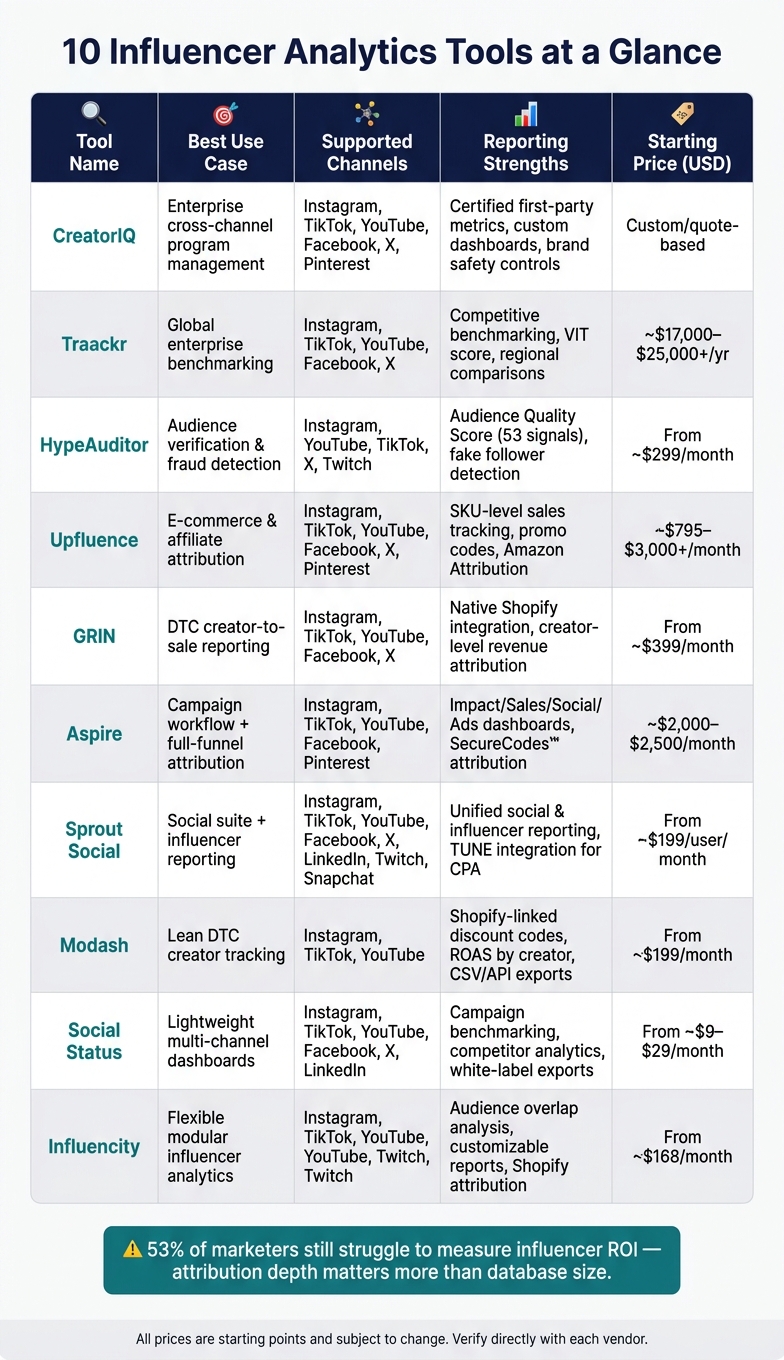
10 Best Influencer Analytics Tools: Side-by-Side Comparison
Use this table to line up each tool with the reporting jobs covered above. All pricing is in USD.
| Tool | Best Use Case | Supported Channels | Reporting Strengths | Pricing Model |
|---|---|---|---|---|
| CreatorIQ | Enterprise cross-channel program management | Instagram, TikTok, YouTube, Facebook, X, Pinterest | Certified first-party metrics, custom cross-channel dashboards, brand safety controls | Custom/quote-based (annual contract) |
| Traackr | Global enterprise IRM and benchmarking | Instagram, TikTok, YouTube, Facebook, X | Competitive benchmarking, standardized cross-channel KPIs, regional campaign comparisons | Custom/quote-based (annual contract) |
| HypeAuditor | Audience verification and fraud detection | Instagram, YouTube, TikTok | Audience authenticity scores, fake follower detection, engagement quality reports | Custom/quote-based |
| Upfluence | E-commerce and affiliate attribution | Instagram, TikTok, YouTube, Facebook, X, Pinterest | Affiliate and promo code revenue tracking, creator-level ROI, Amazon workflow integration | Modular, mostly quote-based; third-party ranges from about $795/month to $3,000+/month |
| GRIN | Creator CRM for DTC e-commerce brands | Instagram, TikTok, YouTube, Facebook, X | Native Shopify integration, sales-per-creator reporting, affiliate and gifting workflows | Tiered SaaS, from about $399/month up to about $1,799/month |
| Aspire | Campaign workflow and creator marketplace | Instagram, TikTok, YouTube, Facebook, X | Deliverables vs. actuals tracking, UGC licensing, cross-channel campaign summaries | Custom/quote-based (annual contract) |
| Sprout Social | Social-suite reporting with influencer integration | Instagram, TikTok, YouTube, Facebook, X, Twitch, Snapchat | Cross-network engagement trends, unified social and influencer reporting, exportable dashboards | Custom/quote-based |
| Modash | Scalable creator discovery and campaign tracking | Instagram, TikTok, YouTube | Audience breakdowns, engagement rate estimates, export-ready campaign data | Tiered SaaS; starts around $199/month billed annually or $299/month billed monthly; enterprise custom |
| Social Status | Lightweight multi-channel social dashboards | Instagram, TikTok, YouTube, Facebook, X, LinkedIn | Campaign benchmarking, cross-channel profile comparisons, quick stakeholder exports | Free tier and paid plans from about $9–$29/month |
| Influencity | Flexible modular influencer analytics | Instagram, TikTok, YouTube | Customizable analytics reports, campaign summaries, structured search and IRM features | Tiered SaaS from about $168/month to about $998/month |
A few pricing patterns stand out right away. CreatorIQ and Traackr sit in the quote-based enterprise camp. GRIN and Modash are more transparent, with published starting prices. Social Status is the budget pick by a mile.
One quick note: treat all listed prices as starting points, not fixed totals.
The tool-by-tool reviews below show how each platform handles reporting once you get into the day-to-day work.
1. CreatorIQ
CreatorIQ gives enterprise teams one place to track influencer performance across major social platforms. It pulls creator, media, and commerce data into a single dashboard, and campaign metrics update multiple times per day.[4][18]
If your team needs revenue attribution, you can connect Google Analytics or CRM tools to track revenue, add-to-cart events, and other KPIs in USD with multi-touch attribution.[16][17] Reports break down performance by creator, campaign, channel, and content type. That makes it easy to compare conversion rate and average order value across channels.[4][17][18]
Custom dashboards give different teams the numbers they care about. Marketers can track CPA, ROAS, and revenue, while brand teams can focus on engagement and lift.[16] You can also filter by date range, paid vs. organic, creator tier, and market, then export the data to Looker or Power BI.[4][19][15][20][12]
For benchmarking, CreatorIQ uses data from more than 1 million creators and 20,000 brands across 15 key performance metrics.[22] Its Share Of Metrics Suite standardizes competitive comparisons with Share of Voice, Share of Exposure, Share of Engagement, and Share of Influence.[23]
Audience quality gets extra support through authenticated accounts and first-party data, which can help cut down inflated follower counts.[21] Pricing is custom, though third-party sources say plans start at about $2,350 per month on an annual contract.[24][25]
2. Traackr
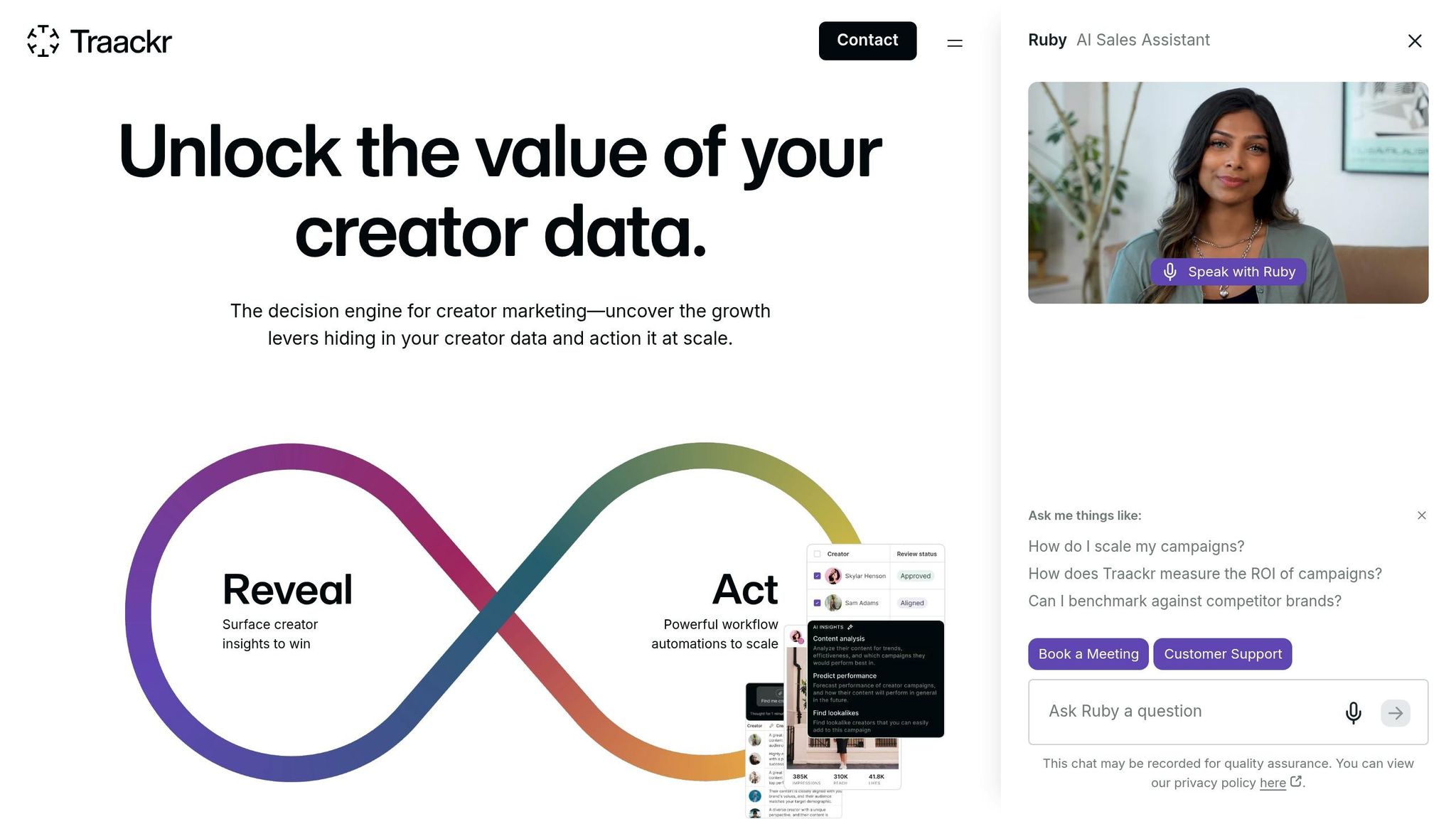
Traackr is a good fit for teams that need benchmarking and reporting in the same place. It pulls multi-channel performance data into one view, so teams can compare paid, organic, boosted, and non-boosted results side by side.[31] That makes it easier to see which channels are worth more budget.
It also ties influencer touchpoints to traffic, conversions, and ROI.[27][26] A good example is Groupe SEB, which used Traackr to connect influencer activity to D2C sales across five UK campaigns, working with 50+ creators and driving 29K+ clicks.[3]
Where Traackr starts to stand apart is benchmarking. It uses a VIT score – Visibility, Impact, Trust – and category leaderboards to show how a brand compares with competitors.[33][28] Its benchmark panels cover more than 1,000 beauty brands and 600+ fashion brands across the U.S., U.K., and France.[33]
For audience quality, Traackr gives each creator a quality score from 1 to 100. It also breaks audiences into real people, influencers, mass followers, and suspicious accounts, which helps separate inflated reach from actual audience quality and supports better spending calls.[32]
Pricing is quote-based, with reported annual starting points around $17,000 to $25,000+.[30][29]
3. HypeAuditor
When picking the right creator matters just as much as the reporting, HypeAuditor gives teams a way to check audience quality before money goes out the door. It’s a social-first analytics and discovery tool built for vetting creators across Instagram, YouTube, TikTok, X, and Twitch. In a multi-channel setup, that means cleaner side-by-side creator comparisons before budget is locked in.
Its biggest strength is audience fraud detection. HypeAuditor’s proprietary Audience Quality Score (AQS) runs from 1 to 100 and looks at 53 signals, including follower growth spikes, engagement irregularities, and comment authenticity, to spot suspicious activity.[35][37] HypeAuditor’s fraud detection flags most fraudulent activity, including bot followers and manipulated engagement.[35][37]
For e-commerce teams, HypeAuditor connects with Shopify, Magento, and WooCommerce to track clicks, orders, and revenue by creator.[36][38] That helps with creator-level attribution, though it doesn’t cover full-funnel reporting.
Reports and dashboards can be exported as PDF, XLS, or CSV.[40][41] There are also competitor and market analysis modules, which help teams judge campaign results against the market instead of looking at numbers in a vacuum.[39][42]
Pricing starts at $299/month.[34] If your team needs more than audience checks, the next tool moves further into affiliate and commerce attribution.
4. Upfluence

Upfluence is built around creator-level sales attribution across multi-channel campaigns. It pulls reporting from Instagram, YouTube, Facebook, TikTok, X, and Pinterest, which makes it easier to compare channel performance in one place.[52][51]
It also connects natively with Shopify, Amazon, WooCommerce, BigCommerce, and Magento. That means brands can track sales down to the SKU level and tie promo codes back to individual creators.[54][55][56][57] If Amazon is a big part of your mix, Upfluence uses Amazon Attribution to link creator content straight to Amazon sales, with no fee on tracked sales.[57][59]
The reporting side is pretty straightforward. Dashboards show revenue, ROAS, AOV, clicks, and conversion rate at both the creator and campaign level.[53][49][58] You can export reports as PDF, XLS, and PPT files, or share them with links. Just note that deeper data fields are capped each month based on plan limits.[43][44][46][45][47]
On the audience side, Upfluence estimates engaged-follower share and breaks audience data out by age, gender, and location. It also adds a confidence indicator, so you can get a sense of how reliable that audience data is.[49][48][50]
Best for e-commerce and affiliate teams that need creator-level sales attribution.
5. GRIN
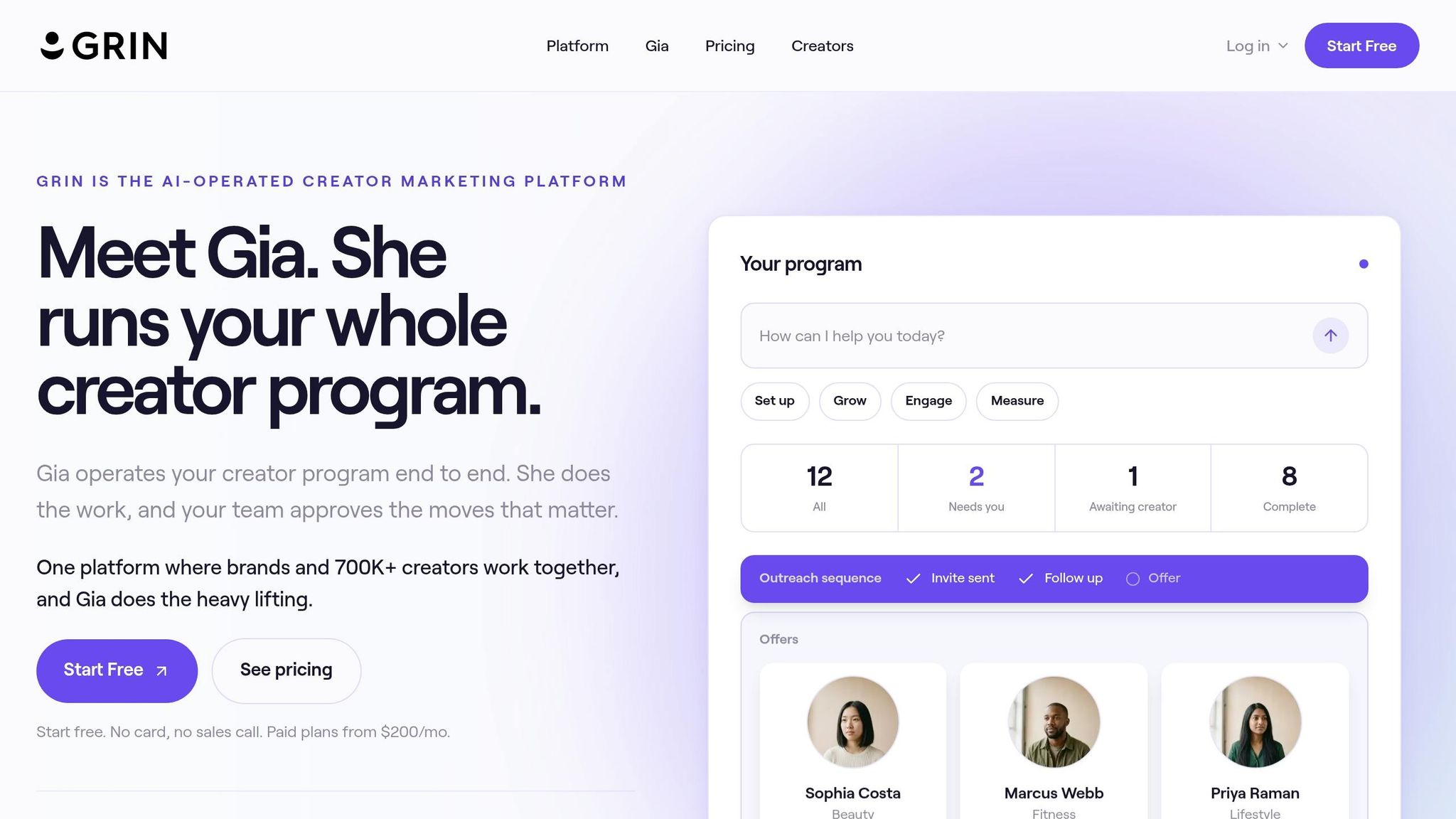
If direct sales attribution matters more to you than broad influencer CRM, GRIN is one of the best fits for DTC brands. It connects influencer activity to sales across Instagram, TikTok, and YouTube, and it works with Shopify, WooCommerce, and Magento for USD revenue reporting.[62][64][65][66]
GRIN’s big strength is revenue attribution at the creator level. Each creator gets a trackable link and promo code. When a customer checks out, GRIN pulls in order value, products, and revenue, then ties that data back to the exact influencer who drove the sale.[61][62][64][65] That means the dashboard doesn’t just show surface-level activity. It connects orders, products, conversions, and revenue to each creator, which is what many e-commerce teams care about most.
Its campaign dashboards can be exported in three views: KPI summary, influencer breakdown, and content breakdown.[68] The influencer breakdown shows email, total content, views, engagement rate, products, revenue, and conversions for each creator. The content breakdown goes down to the post level, including reach, likes, comments, shares, and story interactions.[68] You can export all three views as CSV files for custom analysis.
Audience quality checks are part of the package too. GRIN flags possible fake followers and shows engagement rate as a quality signal.[67][69] That helps teams spot creators who look strong on paper but don’t drive clicks or sales. A high follower count can look great at first glance, but if click-to-conversion rates are weak, those creators can be filtered out before you put more money behind them.[63][65][66]
GRIN holds a 4.7/5 rating from 147 reviews on Capterra and 4.5/5 from 483 reviews on G2. Users often point to campaign organization, UGC management, and reporting as strong points.[70][71] Pricing starts at $999/month.[10][71]
The trade-off is pretty clear. If you want deeper analysis, you may still need to export data into outside tools. Some users also mention slower load times and limits in reporting as pain points.[60][63][72]
Best for: U.S. e-commerce and DTC brands that need creator-level sales attribution.
If sales attribution stops being the main goal and campaign workflow becomes the bigger issue, the next tool is more focused on day-to-day operations.
6. Aspire
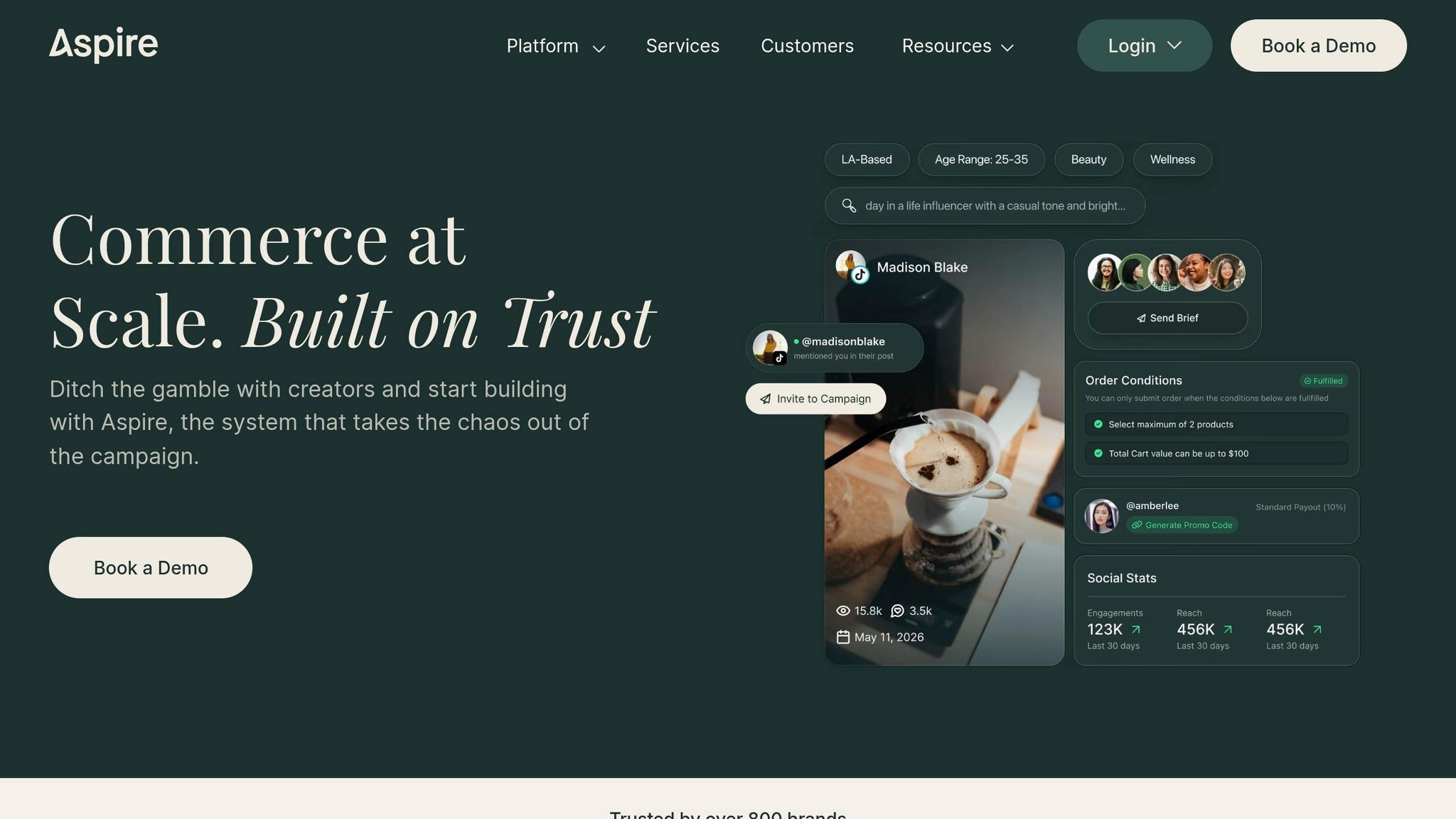
Aspire brings creator discovery, campaign management, and reporting into one place. It tracks activity across Instagram, TikTok, YouTube, Facebook, and Pinterest, and it includes native integrations for Meta, TikTok, and Pinterest.[79][84][90] That matters because teams can line up short-form video, Stories, and static posts in a single report instead of jumping between tools. Aspire then breaks performance into dashboards made for sales, social, and paid media teams.
Its attribution setup is tied to unique affiliate links, SecureCodes™, and UTM parameters for each creator.[87][88] If you run on Shopify or WooCommerce, revenue data flows straight into the platform, so you can see exactly which creator led to which sale.[87][89] In plain English: it connects creator activity to revenue across channels, not just likes, views, or other top-line numbers.
That reporting flows into four dashboards: Impact, Sales, Social, and Ads.[78] The Impact Dashboard rolls content value, awareness, engagement, and sales into one dollar amount.[79][80] The Sales Dashboard ties revenue back to creator activity across channels. The Social Dashboard shows which posts, creators, and formats are doing the most work.[78][86] And the Ads Dashboard adds paid media metrics like ROAS, CPC, and CPM for teams that boost creator content with ad spend.[85]
You can stay high-level with executive summaries or go deeper with post-level drilldowns, then export charts or share screenshots in internal decks.[81][82][83] That makes Aspire easier to use across the business, from the team in the weeds to the people who just want the headline numbers.
The case studies help show the platform at work. Lovesac grew from 5–8 to 30–40 influencer relationships per month with Aspire and generated 18.5 million impressions, 577,000 website clicks, and a 4X campaign ROI.[76] iHerb scaled to 300+ localized creators and hit a 479% campaign ROI across 11.8 million impressions.[77]
Aspire is built more for mid-market and enterprise teams than small brands. Pricing usually starts around $2,000–$2,500 per month on an annual contract, not including creator spend.[73][74][75] It fits best for e-commerce brands and agencies that want full-funnel attribution and reports they can hand to stakeholders without much extra cleanup.
7. Sprout Social
If your team already runs social through Sprout, its influencer reporting slides right into that same setup. It supports Instagram, Facebook, X (Twitter), TikTok, LinkedIn, YouTube, Pinterest, Threads, and Bluesky, so teams can stack up Reels, TikToks, and Shorts in one report.[91][92][95][97]
Sprout also connects creator activity to clicks, conversions, and revenue by using affiliate links, UTMs, and pixel tracking. Through TUNE, teams can assign creator-level links and track CPA, conversion rate, and revenue in USD.[94][96] That matters because it helps you judge creators by dollars brought in, not just likes and comments.
On the reporting side, Sprout’s Report Builder and Premium Analytics give teams a drag-and-drop setup with filters for campaign tags or content type, plus custom date ranges.[92][98] Reports can be exported to PDF or spreadsheets, and they can stay up to date through shareable live links.[98][95]
It also comes with competitive benchmarking, which tracks follower growth, engagement, publishing volume, and hashtag performance against selected competitor profiles.[99] For audience analysis, Sprout shows Instagram demographics like age, gender, and top locations.[100] That makes it more useful for audience fit than fraud detection.[92][93]
Pricing starts at about $199 per user/month on the Standard plan. Professional and Advanced plans run about $299 and $399 per user/month when billed annually.[104][105] Premium Analytics, advanced filters, and extra Report Builder options sit on higher tiers.[101][102][103] Sprout makes the most sense for brands and agencies already using it as their social media hub and wanting influencer reporting added on, rather than teams shopping for a dedicated influencer-first platform.
8. Modash
Modash is a good pick for teams that want creator-level reporting without getting buried in an enterprise-style workflow. It supports Instagram, TikTok, and YouTube, and it pulls campaign data into one dashboard automatically.[106][107][109] That keeps the setup lean and makes day-to-day reporting easier to manage.
Its database includes 350M+ creator profiles, and you can search creators with about 1,000+ followers. That matters if you’re running programs across micro, mid-tier, and macro creators at the same time.[11][115][108][2]
On the commerce side, Modash’s Shopify integration helps brands create unique discount codes and affiliate links for each creator. From there, teams can track clicks, orders, and revenue straight from store data.[9][115] The dashboard also breaks out ROAS, CPM, and revenue by creator and by channel.[109][111]
Modash also sorts followers by quality, which helps teams spot suspicious audiences fast.[114][7] Add in filters for location, gender, and interests, and you can check whether a creator’s audience lines up with your U.S. target demographic before you spend a dollar.[107][14][108]
If your team needs cleaner reporting files, campaign data can be exported to CSV or Excel, and higher plans come with larger export limits.[6][113] Teams that want deeper integration can use Modash’s developer API to send influencer performance data into BI tools like Looker, Tableau, or Power BI. That makes it easier to combine creator data with paid media or CRM data for unified attribution modeling.[108][111][112]
Modash works especially well for DTC e-commerce brands and affiliate-heavy programs that need to connect influencer spend to orders and revenue. Agencies can also use it for client reporting built around conversions, not just reach.[14][9][109][110]
9. Social Status
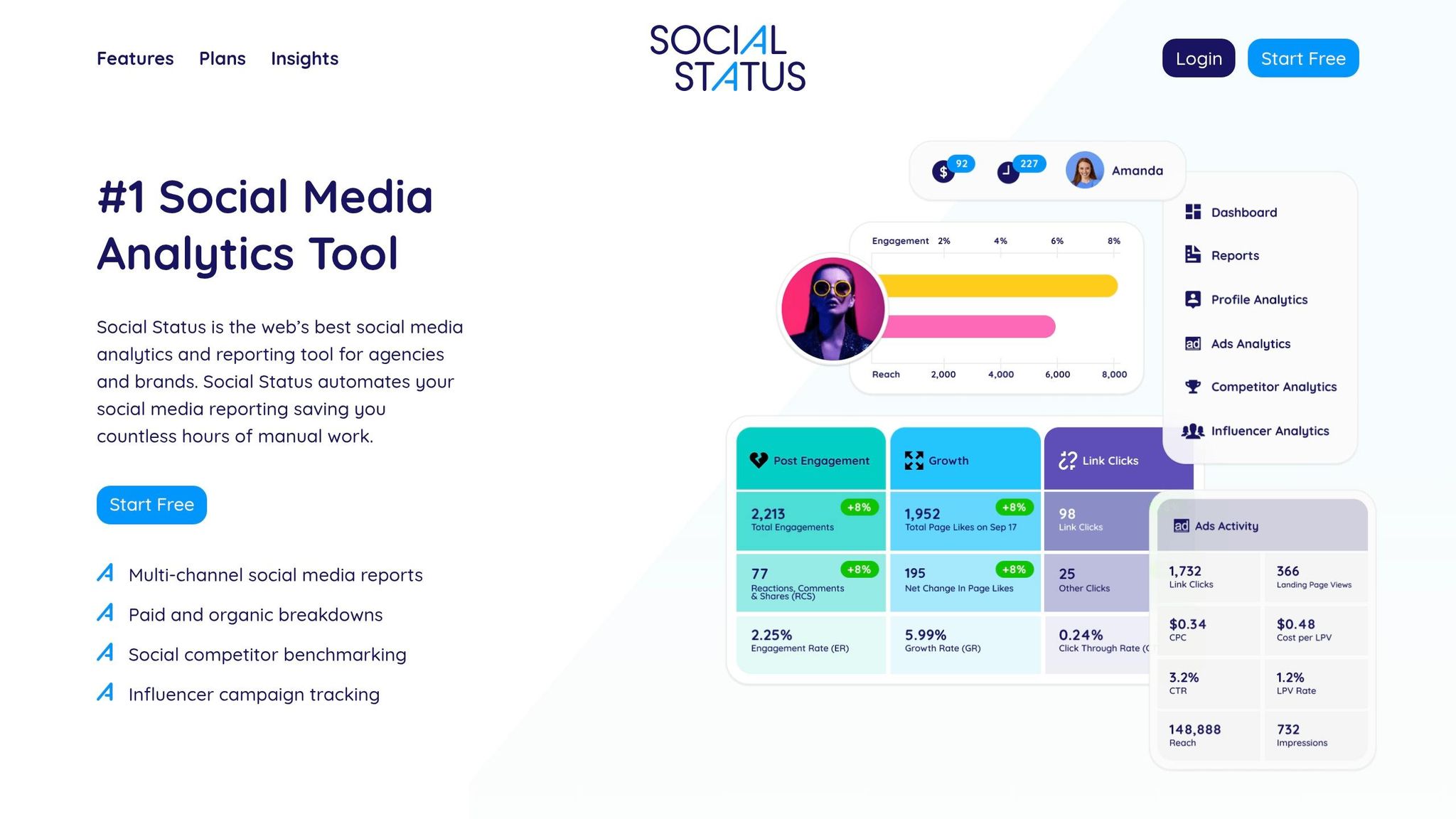
Social Status is a lightweight pick for multi-channel influencer reporting across Facebook, Instagram, TikTok, YouTube, LinkedIn, and X.[1][117][8][123][124] That mix makes sense for U.S. brands running creator campaigns across more than one platform. It’s a good fit for teams that want clean reports without the weight of an enterprise-style setup.
Most of its reporting value comes from four modules: Profile Analytics, Ads Analytics, Competitor Analytics, and Influencer Analytics.[118][117][124][126][127] The Influencer Analytics module is the standout here. It lets you add creator profiles in read-only mode and pull post-level data like impressions, engagement, and Instagram Stories stats without asking creators for screenshots or manual updates.[116][117][119] For agencies, that can save a lot of back-and-forth each month.
Social Status also gives you monthly benchmarks for organic and paid posts across Facebook, Instagram, YouTube, LinkedIn, and X.[128] Those benchmarks cover metrics like engagement rate, reach rate, video view rate, and click-through rate by platform. In plain terms, you get a clear baseline for how each channel is doing.
The Competitor Analytics module lets you track any public brand profile and compare engagement, posting frequency, content strategies, and reaction sentiment across platforms.[117][121][124][125] That’s useful when you want to see not just how your campaigns performed, but how they stack up against other brands in the same space.
Export options include PDF, PPTX, Google Slides, CSV, and XLSX.[117][120][8][124] Higher-tier plans add white-label and automated reports.[120][122] One thing to know up front: Social Status is analytics-only, so it doesn’t include publishing or engagement tools.[118][119]
For teams that want more flexible influencer analytics and deeper search, the next tool goes further.
10. Influencity
Influencity works well for teams that want multi-channel creator reporting and audience-quality checks in the same tool. It supports Instagram, TikTok, YouTube, and Twitch, and it also includes owned-channel coverage through Social Hub.[136][137] The platform pulls live creator content, including Stories, into a single campaign dashboard.[136][139]
Its reporting setup centers on discovery, campaign tracking, and reporting.[130][129] Inside Reports, you can compare TikTok, Instagram, and YouTube creators side by side. That includes post-level metrics like reach, impressions, engagement, clicks, audience growth, and revenue.[143][5] On the attribution side, Influencity supports UTMs by creator and connects with Shopify to track add-to-cart activity, purchases, and revenue.[13][132][140]
One feature that stands out is audience overlap analysis. You can run it on any public profile without creator opt-in, which helps teams avoid paying multiple creators to reach the same followers.[136][138][130][142] Put simply, it helps you build a cleaner roster and get a less muddied view of multi-channel performance. The discovery database covers 200M+ to 400M+ creator profiles, with 20–30+ filters for interests, demographics, engagement rate, and location.[5][138][139][141]
Influencity also lets you build reports for different stakeholders, whether that’s finance, brand, or agency teams, and share them through live links or exports.[136][139][143][144] Higher-tier plans add more profile analyses, campaign boards, and multi-user access.[131] Pricing starts at about $168/month, with higher plans adding Shopify, more analyses, and more user access.[13][133][134][135]
That range gives teams more room to line up the tool with enterprise reporting, ecommerce attribution, fraud checks, or lighter dashboard needs.
Which Tool Fits Your Use Case
The right pick depends on what your team needs from reporting day to day, not just which tool packs in the most features. The summaries above make it easier to match each platform to the job it handles best.
Enterprise Cross-Channel Reporting
CreatorIQ is a strong fit for large, multi-brand teams that need one place for reporting and oversight. Traackr makes sense for teams focused on benchmark-based measurement. Sprout Social works well if you want influencer reporting built into your current social stack.
E-Commerce and Affiliate Attribution
GRIN, Upfluence, Aspire, and Modash fit teams that need to connect creators to revenue through links, discount codes, and Shopify-linked sales.
Audience Verification and Fraud Detection
HypeAuditor is the clearest choice for audience verification. Modash and Influencity offer lighter verification features inside broader campaign workflows.
Social-Platform Reporting
Sprout Social is a good fit for teams that want influencer reporting in the same place as owned and paid social reporting.
Lightweight Scalable Analytics
Modash, Social Status, and Influencity fit smaller teams that want practical reporting without the extra weight of enterprise tools.
Use Case Pros and Cons at a Glance
Here’s the fastest way to compare fit, core strength, and the main drawback.
| Use Case | Best Fits | Main Strength | Main Tradeoff |
|---|---|---|---|
| Enterprise Cross-Channel | CreatorIQ, Traackr, Sprout Social | Centralized dashboards | Higher budgets and more setup |
| E-Commerce Attribution | GRIN, Upfluence, Aspire, Modash | Revenue tracking | Less robust across multiple business units |
| Audience Verification | HypeAuditor, Modash, Influencity | Fake-follower checks | Not a full campaign management replacement |
| Social-Platform Reporting | Sprout Social | Unified social reporting | Less specialized for creator-only workflows |
| Lightweight Scalable | Modash, Social Status, Influencity | Fast, practical reporting | May not scale for complex attribution needs |
Conclusion
After comparing these tools, the choice comes down to measurement fit. The best option is the one that lines up with your reporting model.
Start by narrowing your list based on:
- Channel coverage
- Attribution depth
- Dashboard integrations
One stat is hard to ignore: 53% of marketers still struggle to determine influencer marketing ROI[145]. In many cases, that’s a measurement issue, not a tool issue. So the main filter should be attribution quality, not a long feature list.
A huge creator database sounds nice on paper. But it matters less than clear profit-level reporting. Pick the tool that can show revenue, not just activity.
FAQs
How do I choose the right influencer analytics tool for my team?
Start with your team’s goals and the decisions you need to make. Then check whether the tool can pull multi-channel data into one place through reliable integrations, steady UTM rules, clear metric definitions, and refresh schedules that line up with your campaign pace.
You’ll also want to make sure it fits your attribution needs and gives you dashboards you can tailor to your team. Drill-downs and alerts matter here too. Last, compare the numbers against native platform reporting, and confirm the setup is documented and easy to audit.
What attribution methods matter most for tracking influencer ROI?
Choose your attribution method based on what you want to learn and how messy or simple your customer journey looks.
For many businesses, position-based attribution is a solid pick when you have fewer than 300 monthly conversions. If you’re getting around 300 to 1,000, linear or time-decay models usually make more sense. And once you’re above 1,000 conversions per month, data-driven models tend to give you the sharpest read on what’s pulling its weight.
It also helps to use custom attribution windows of 7, 14, or 30 days. That gives you a better shot at tracking delayed purchases and the impact of influencers that happens after the first click, not just in the moment.
When do I need an enterprise tool instead of a lower-cost option?
Consider an enterprise-level tool when your marketing work gets too complex for basic, lower-cost options.
This usually happens as you scale and need things like advanced attribution, predictive analytics, more sophisticated modeling, or support for large amounts of data across many channels.
It can also make sense when you need strong role-based security, compliance features, and smooth integration with a complex enterprise tech stack.
Growth-onomics offers tailored data analytics and dashboard solutions as those needs grow.