


Exit-intent popups are a simple yet effective way to stop visitors from leaving your website without taking action. They appear when a user is about to leave, offering incentives like discounts or free resources to re-engage them. Here’s why they matter and how they work:
- Why They Work: Exit popups can convert 10–15% of leaving visitors into leads or customers. Businesses like Shockbyte and Skates.co.uk have seen conversion boosts of 13.73% and 10.97%, respectively, by using these popups effectively.
- How They Work: Using algorithms, they detect behaviors like mouse movement towards the close button or inactivity on mobile devices to trigger popups at the right moment.
- Key Elements: Success depends on a clear offer, visually appealing design, and personalization. For example, countdown timers can increase leads by 300%, while tailored messages based on user behavior lead to higher engagement.
Start by crafting popups with strong offers, clean designs, and personalized messages. Test and refine continuously to maximize results.
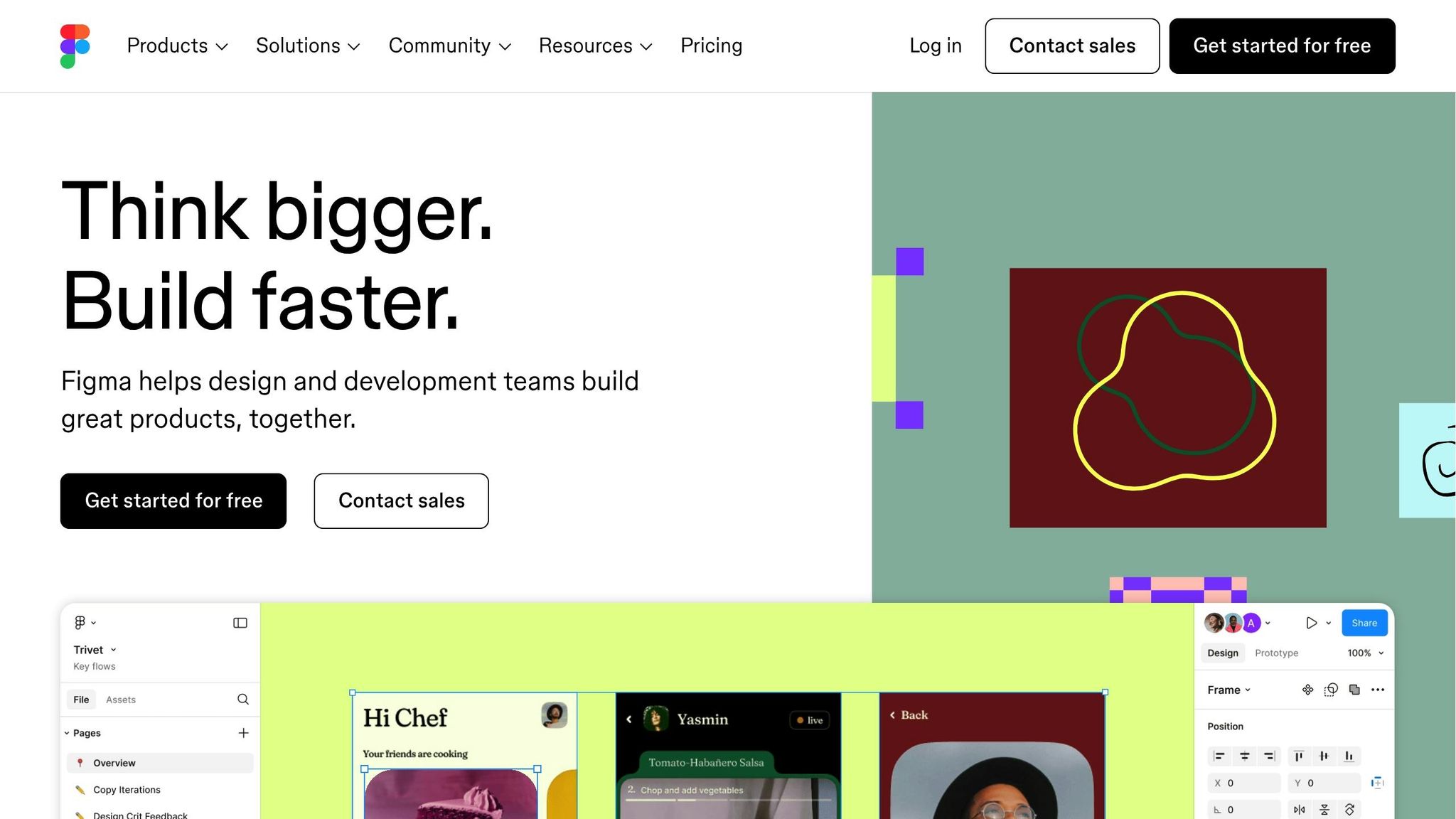
Design exit intent popups that convert: Figma tutorial
Core Elements of Effective Exit-Intent Popup Design
Exit-intent popups combine strategic offers, appealing visuals, and personalized messaging to grab attention and drive action. When done right, these popups can significantly boost conversions. In fact, the top-performing campaigns convert up to 19.63% of visitors, compared to an average of 2.87%. Let’s break down the key components – clear offers, thoughtful design, and smart personalization – that make these popups stand out.
Creating a Clear and Direct Offer
The success of any exit-intent popup starts with a strong, straightforward offer. It should align with your marketing goals and directly address your audience’s needs. Whether it’s a discount, a freebie, or exclusive content, the value must be obvious and enticing.
Craft headlines that highlight benefits, create urgency, or even surprise the reader. For example, OddBalls used a visually striking popup with a discount code to generate $50,000 in sales through onsite notifications. Pixelme.me took a different approach, offering a surprise deal that converted 4.7% of users into subscribers – proving that curiosity can be just as effective as a clear-cut discount.
Your call-to-action (CTA) button is equally important. Keep the text concise and action-oriented, like "Claim 20% Off" or "Download Now." Interestingly, including an opt-out option can increase conversions by 30–40%.
Design and Visual Appeal
The design of your popup plays a critical role in catching the user’s eye and encouraging interaction. Colors, typography, and layout all work together to create a cohesive and engaging experience.
- Colors: Use a palette of 3–5 colors, including your brand’s primary color, a supporting secondary color, and an accent color that makes the CTA pop. Make sure text contrasts well with the background for easy readability.
- Typography: Stick to 2–3 fonts that complement each other – one for headlines and another for body text. Use font sizes and spacing (1.4–1.6 times the font size) to create a clear hierarchy.
- Layout: Organize content using F- or Z-patterns, and don’t underestimate the power of white space to reduce clutter. Place the CTA button in a prominent spot and test different colors to find what works best. A responsive design across devices can also lift conversions by 10–15%.
Adding visual elements, such as images of people or product demos, can build trust and help users imagine the benefits of your offer. Once the design grabs attention, personalization can make the message even more effective.
Personalization and Targeting
Personalization transforms generic popups into tailored experiences that resonate with visitors. By leveraging user behavior, demographics, or context, you can make your offers more relevant and compelling.
Dynamic variables, like a user’s name or location, can add a personal touch. Behavioral targeting allows you to display popups based on specific actions – such as offering first-time visitors a welcome discount, rewarding loyal customers, or nudging cart abandoners to complete their purchase.
You can also customize popups based on the page the user is visiting. For instance, show related product suggestions on product pages or offer content upgrades to blog readers. Tailoring messages by traffic source is another effective strategy; for example, you might create unique popups for visitors coming from social media or search engines. Kinobody used targeted popups for upcoming product waiting lists, converting 39.87% of visitors who interacted with the links.
The key to successful personalization is layering your strategies. Start with basic segmentation and refine your approach as you gather more insights into your audience’s preferences. This way, your popups become not just attention-grabbers but also meaningful tools for engagement.
Best Practices for Exit-Intent Popups
To make your exit-intent popups truly effective, it’s crucial to balance engaging design, strategic offers, and a smooth user experience. These practices will help you fine-tune your approach, ensuring your popups not only grab attention but also drive meaningful conversions.
Creating Urgency with Time-Sensitive Offers
Urgency is a powerful motivator. When visitors feel like they might miss out on something valuable, they’re more likely to act quickly. This psychological principle, often tied to scarcity, can be applied effectively in exit-intent popups. Limited-time offers, countdown timers, and urgency-focused language (like "today only", "last chance", or "% off") can create the push users need to take action.
Countdown timers, in particular, are a visual way to highlight urgency. For example, Cosmetics Capital saw a 300% increase in leads by incorporating a countdown timer into their popups. The message is clear: if users leave now, they’re walking away from a great opportunity.
Simplifying User Experience
A clutter-free popup is key to keeping users focused. Each popup should have one clear objective – whether it’s collecting email addresses, promoting a sale, or encouraging social media engagement. Too many options can overwhelm users, ultimately reducing the chances they’ll take any action.
Make your call-to-action (CTA) button stand out with contrasting colors and a size that’s easy to click, especially on mobile devices. Use direct, action-oriented text, such as "Get My Free Guide", rather than vague phrases like "Submit."
At the same time, respect user preferences by including an easy way to dismiss the popup. A visible "X" button or a polite "No thanks" option helps avoid frustration. Also, ensure your popups are mobile-friendly. Test your designs across various devices to confirm they display properly and function smoothly for all users.
Timing is another important factor. While exit-intent popups are typically triggered when users are about to leave, you can experiment with delays or scroll-based triggers to display the popup at just the right moment. Regular testing will help you find the sweet spot for when and how your popups appear.
Testing and Analyzing Performance
The key to successful exit-intent popups is constant refinement. As Yaniv Navot, CMO of Dynamic Yield, puts it:
"The only way to deliver the most effective exit popups is through constant analysis, testing, and using data to gain a better understanding of your user base."
A/B testing is an excellent way to fine-tune your strategy. Compare different elements, such as headlines, offers, or button colors, by dividing your traffic evenly between a control version (A) and a variation (B). Track metrics like interaction rates, conversions, and overall site behavior to identify what works best.
For example, Shockbyte, a game server hosting company, doubled their sales conversions by optimizing their exit popups. Similarly, Reliablesoft.net achieved a 300% increase in conversion rates with a well-placed popup.
Digging into data can reveal patterns, such as how mobile users interact differently from desktop users or which traffic sources respond best to specific offers. As user behavior evolves, regularly reviewing your data and testing new ideas will help you stay ahead and maintain strong results. Optimization isn’t a one-time task – it’s a continuous process.
sbb-itb-2ec70df
Measuring and Optimizing Popup Performance
Once your exit-intent popups are live, the real work begins – measuring their performance and fine-tuning them to turn more visitors into customers. The insights you gather will be the backbone of every improvement, helping you make data-driven decisions that maximize conversions.
Key Metrics to Monitor
To optimize your popups effectively, you need to track the right metrics. At the heart of it all is conversion rate – the percentage of visitors who complete your desired action. Whether it’s signing up for an email list, making a purchase, or downloading a resource, this metric tells you how well your popup is doing its job.
For context, a solid conversion rate for exit-intent popups typically falls between 2% and 5%. If your rate is below 2%, it’s time to revisit your messaging, offer, or design. On the flip side, a conversion rate above 5% suggests your popup is hitting the mark with strong copy, targeting, and offers.
Beyond conversion rate, here are other metrics worth monitoring:
| KPI Metric | Description |
|---|---|
| Conversion rate | Percentage of visitors who take the desired action after seeing the popup. |
| Bounce rate | Percentage of visitors who leave the site without interacting with the popup. |
| Engagement rate | Tracks how many visitors interact with the popup instead of ignoring it. |
| Recovery rate | Measures how many visitors were retained as leads or sales due to the popup. |
Another useful metric is click-through rate (CTR), which shows how many visitors clicked your popup’s call-to-action compared to the total number of impressions. Speaking of impressions, tracking how often your popup appears helps you calculate performance ratios and understand its reach.
For e-commerce businesses offering discount-based popups, revenue attribution is crucial. Keep an eye on how much revenue is generated directly from popup conversions to evaluate your return on investment (ROI) and refine your budget allocation. Exit-intent popups can recover up to 13.5% of visitors who were about to leave, so these metrics can reveal significant revenue opportunities.
Making Data-Driven Design Improvements
The metrics you collect aren’t just numbers – they’re a roadmap for improving your popups. By systematically testing and tweaking your designs, you can turn insights into results.
A/B testing is a great place to start. Experiment with different headlines, call-to-action buttons, and overall designs to see what resonates most with your audience. For meaningful results, split your traffic evenly between variations and rely on statistical significance to guide your choices.
Design adjustments can also make a big impact. Play around with color schemes, layouts, and imagery to align better with your brand and boost conversions. Pay special attention to your call-to-action button – its color, size, and wording can make or break your popup’s performance.
Timing is another factor worth experimenting with. While exit-intent is the primary trigger, testing different sensitivity levels or combining exit triggers with time-based or scroll-based options can help you find the sweet spot.
Targeting is where personalization shines. Use data like browsing behavior, referral source, or location to tailor your popups to specific audience segments. Personalized messages often resonate more than generic ones, leading to better results.
Don’t forget about mobile visitors. With mobile traffic on the rise, your popups need to look and function perfectly on smaller screens. Use concise copy, optimize form fields for touchscreens, and test mobile performance separately to uncover device-specific opportunities.
How Growth-onomics Can Help
Even with the right metrics and strategies, optimizing popups can be complex. That’s where Growth-onomics comes in. Their team combines expertise in data analysis, user experience design, and conversion optimization to help you get the most out of your popups.
Growth-onomics digs deep into your data to uncover patterns you might miss, analyzing user behavior across different segments, devices, and traffic sources. Their UX specialists ensure your popups enhance the overall experience, balancing conversion goals with visitor satisfaction.
They also integrate customer journey mapping into their approach, ensuring your popups fit seamlessly into your broader strategy for acquiring and retaining customers. Whether you’re looking to grow your email list, boost e-commerce sales, or lower acquisition costs, Growth-onomics tailors strategies to meet your specific goals.
With their help, you can implement proven, data-backed methods to turn more abandoning visitors into loyal customers.
Conclusion: Key Takeaways for Exit-Intent Popup Success
Exit-intent popups are a smart way to turn visitors who are about to leave your site into customers, all without disrupting their browsing experience. When executed effectively, they can significantly improve your conversion rates.
Core Design Principles That Drive Results
A well-designed exit-intent popup should deliver a clear, compelling offer that directly addresses user needs. Whether it’s a discount, a free guide, or access to exclusive content, make sure the value is obvious and easy to understand.
The design of your popup is just as important as the message. Keep it clean and consistent with your brand, and use visuals that quickly reinforce your offer. A strong call-to-action (CTA) is essential – make it short, direct, and action-oriented. Use bold colors and clear text to draw attention to your CTA button without overwhelming the overall design.
Personalization can take your popups to the next level. By segmenting your audience based on behavior, location, or browsing habits, you can deliver messages that feel tailored to the individual. For example, using dynamic elements like a person’s name, their cart contents, or specific products they’ve viewed can make the popup feel more relevant and engaging.
Timing and targeting are equally important. Focus your popups on high-conversion pages and use behavioral triggers or geolocation to ensure your offers are relevant. Research shows that websites collect emails up to 11 times faster when they use well-designed exit-intent popups. However, this only works if the popups provide real value to visitors.
These principles aren’t just about improving popups – they’re about aligning them with broader strategies that fuel long-term business growth.
Turning Popups Into a Growth Tool
By applying these design fundamentals, exit-intent popups can do more than grab attention – they can drive measurable results. The technology works by identifying the exact moment a visitor is about to leave, giving you one last chance to share your message.
The most effective popups are built on a foundation of strategic targeting and user-focused design. But the real secret lies in continuous testing. Experiment with different headlines, visuals, and CTAs to uncover what resonates most with your audience. Keep your offers fresh and relevant, and always rely on data to guide your decisions.
When integrated into your broader customer journey, exit-intent popups can convert 10%–15% of abandoning visitors into paying customers.
Ultimately, thoughtfully crafted exit-intent popups serve as a bridge between visitor interest and customer action. They respect the user experience while delivering real value, creating a win-win scenario for both you and your audience. By focusing on your visitors’ needs and consistently refining your approach, you’ll not only boost conversions but also lay the groundwork for ongoing growth and stronger customer relationships.
FAQs
What’s the best way to time and trigger exit-intent popups for higher conversions?
The secret to making exit-intent popups work lies in showing them at just the right moment – when a visitor is about to leave your site. This often happens when their mouse moves toward the close or back button, they’ve been inactive for a while, or they scroll back to the top of the page. These actions hint that they’re about to leave, making it the ideal time to catch their attention.
To get the most out of these popups, try A/B testing different timing and trigger strategies. Play around with factors like how long to wait before displaying the popup or focus on specific pages where users are more likely to exit. This kind of testing lets you gather insights about your audience and fine-tune your approach to boost conversions.
How can I personalize exit-intent popups to better engage users based on their behavior or demographics?
How to Personalize Exit-Intent Popups
Personalized exit-intent popups are a smart way to grab attention and drive conversions before users leave your site. To make these popups truly effective, focus on factors like user behavior (such as pages they’ve browsed or time spent on your site), location, referral source, and even their purchase history. For example, you could highlight region-specific discounts, suggest products based on what they’ve been looking at, or show messages that align with their interests.
Personalization can take many forms, like displaying exclusive offers, tailored content, or calls-to-action that reflect a user’s past activity. These thoughtful touches not only make the popup feel more relevant but also foster a stronger connection, increasing the chances they’ll respond positively.
What are the best ways to measure the success of my exit-intent popups, and which metrics should I focus on to optimize them?
To gauge how well your exit-intent popups are performing, keep an eye on metrics that show user engagement and conversions. Here are some key performance indicators to focus on:
- Conversion Rate: This tells you how many visitors complete the desired action, like signing up for a newsletter or making a purchase.
- Click-Through Rate (CTR): Measures the percentage of users who interact with the popup by clicking on it.
- Bounce Rate Reduction: Shows how effective the popup is at keeping users from leaving your site too soon.
- Revenue Impact: Evaluates how much the popup contributes to your overall sales or revenue.
You should also track email capture rates to see how well your popups are gathering leads and monitor cart abandonment reduction to determine if they’re helping recover potential lost sales. These insights can help you fine-tune your popup strategy to better meet user needs and preferences within the U.S. market.
