

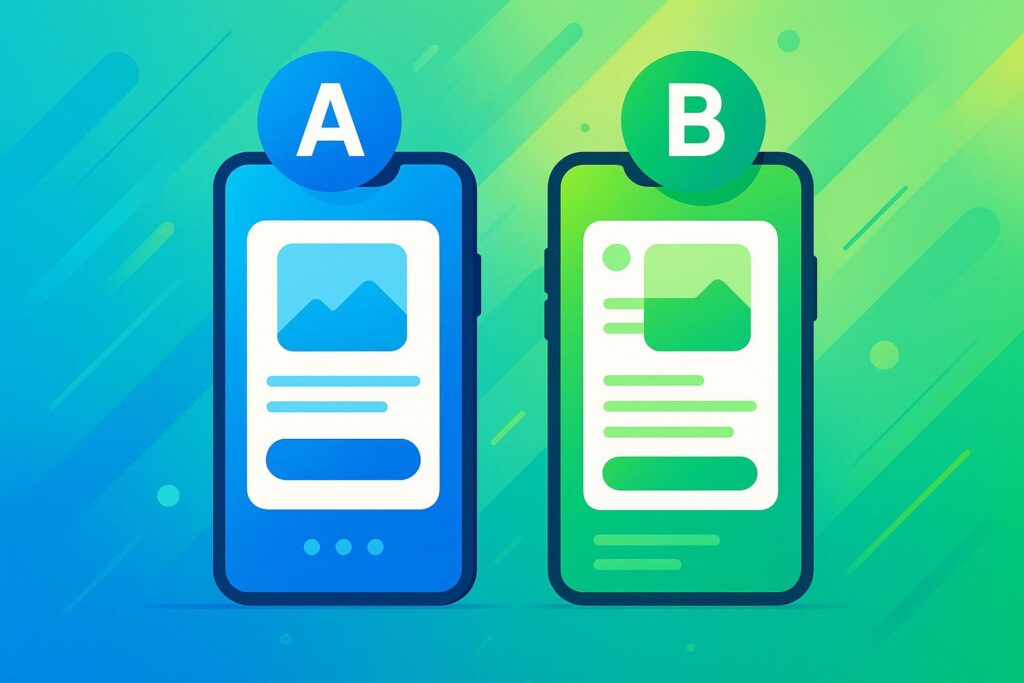
Mobile app A/B testing helps businesses improve user experiences by experimenting with app elements like buttons, layouts, or features. It’s a data-driven way to boost conversion, engagement, and retention rates. Companies like Facebook and Google use A/B testing to stay competitive, and it’s particularly useful for U.S. businesses navigating a crowded app market.
Key Takeaways:
- Why It Matters: 25% of apps are abandoned after one use. A/B testing can reduce risks and improve retention through small, measurable changes.
- How It Works: Split users into groups, test variations, and measure key metrics like conversion rates.
- Compliance: U.S. businesses must navigate complex privacy laws (e.g., CCPA, COPPA) while collecting user data for testing.
- Tools: Platforms like Firebase, LaunchDarkly, and Optimizely offer solutions for testing UI changes, features, and user behavior.
- Best Practices: Focus on clear hypotheses, segment users, and test one variable at a time. Avoid altering tests midway or skipping compliance measures.
A/B testing, when done right, drives app performance and reduces costly mistakes. Success relies on careful planning, the right tools, and continuous learning.
A/B Test Like a Pro #1: Preparing for A/B Testing
Basic Concepts and Requirements for A/B Testing
Before jumping into your first mobile app A/B test, it’s essential to understand the core principles that make testing worthwhile. Getting these basics down will help you avoid wasting time and resources.
Basic Terms You Need to Know
Every A/B test starts with the control and the variant. The control is your app’s current version, while the variant is the modified version you want to test.
Statistical significance is the measure that tells you whether your test results are reliable or just random. Most businesses aim for a 95% statistical significance. This means there’s only a 5% chance that the results happened by accident. Without hitting this threshold, your findings won’t be trustworthy.
Your hypothesis is essentially your educated guess about what might happen. It should be specific and measurable, giving you a clear goal to test against.
Sample size is the number of users you need for meaningful results. Too few users, and your results won’t be statistically valid. Too many, and you’re just burning time and resources. The ideal sample size depends on your current conversion rates and the size of the change you’re testing.
User segments allow you to see how different groups respond to changes. For instance, new users may react differently than returning users, or iOS users may behave differently than Android users. Segmenting your audience gives you deeper insights beyond overall results.
Bias can ruin your test if randomization isn’t handled properly. For example, testing during a holiday season could skew results compared to a regular week. Ensuring random and unbiased group assignment is critical for accurate findings.
Once you’ve got these terms down, you’re ready to tackle the technical aspects of A/B testing.
Technical Setup for A/B Testing
Mobile app A/B testing requires a solid technical foundation. Unlike web-based A/B testing, which is often client-side, mobile app A/B testing is typically server-side. This approach provides greater control and enables more complex tests beyond simple UI tweaks.
SDK integration is one of the first technical hurdles. You’ll need to integrate software development kits for both iOS and Android. Choosing a lightweight SDK is crucial to avoid performance issues.
Analytics and event tracking are non-negotiable. You need precise tracking for actions like button clicks, page views, or completed purchases. Without accurate data, your test results won’t mean much.
Feature flags are a game-changer for mobile testing. They let you roll out and roll back features instantly without waiting for app store approvals. This flexibility is invaluable for running tests and managing risks.
To save time, ensure your testing tools integrate seamlessly with your existing analytics, marketing, and sales platforms. For example, a restaurant chain discovered high drop-off rates during password setup by analyzing session replays. Updating the screen to show password requirements upfront led to a noticeable improvement in conversions.
"Being confident in what you don’t know is the start of any successful A/B testing campaign." – Jane Leung, Content Director, UXCam
Compliance and U.S. Considerations
Once you’ve nailed the basics, it’s time to address compliance – especially important for businesses operating in the U.S.
U.S. privacy law is a complex patchwork of federal, state, and local regulations. Unlike Europe’s GDPR, the U.S. lacks a single, comprehensive privacy law. Instead, you’ll need to navigate varying rules depending on your state and industry.
California is leading the way with laws like the California Consumer Privacy Act (CCPA). Updated regulations began enforcement on March 29, 2024, and by July 29, 2025, more than a dozen states had enacted similar consumer data privacy laws.
Federal regulations also come into play for specific industries like finance, healthcare, and telecommunications. For example, the Federal Trade Commission updated the Children’s Online Privacy Protection Act (COPPA) in January 2025 to address technological advancements and improve online safety for children.
When it comes to data collection for A/B testing, balance is key. Start by identifying which laws apply to your business. Then, document how your tools handle data – how it’s collected, stored, and used.
Consumer protection laws are increasingly being used to enforce privacy standards. Issues like biometric privacy, text messaging, and online monitoring are becoming major risk areas.
To stay compliant, create a clear plan. This should include new policies, employee training, and stronger data security measures. Regularly review your processes to spot potential risks and ensure your tools align with current laws. Staying updated on legal changes and re-auditing your systems is critical.
By building a culture of responsible experimentation, you can navigate these challenges while still gaining valuable insights from your tests.
Growth-onomics offers tools to align your data strategies with U.S. regulations, making it easier to optimize your app while staying compliant.
Step-by-Step Guide to Running A/B Tests for Mobile Apps
A well-structured A/B testing process balances scientific accuracy with the practical needs of your business. Here’s how to do it.
Planning and Creating Your Hypothesis
Every effective A/B test begins with identifying the right problem to tackle. Use data and user insights to pinpoint areas for improvement.
Gather insights from analytics, surveys, and support tickets. Dive into your app analytics to locate drop-off points, analyze user surveys for recurring pain points, and review heatmaps to identify where users face challenges. Customer support tickets can also uncover patterns worth testing.
For example, Sykes Holiday Cottages used this approach to resolve a usability issue. Product Owner Renan Medeiros relied on Contentsquare‘s mobile app heatmaps to discover users frequently tapping a non-clickable search button. Further analysis showed users often returned to the homepage, likely to refine their searches. This insight led to an A/B test adding a clickable search button, which improved the user experience.
Develop a hypothesis that connects the problem, solution, and expected outcome. A good hypothesis clearly states what you’re changing, why, and the expected result. For instance: "By making the search button clickable on our property listing page, we expect to reduce homepage returns by 25%, as users will no longer need to restart their searches."
"Without A/B testing you’ll be shipping changes blindly, which can be dangerous."
– Lucia van den Brink, Founder of Increase-Conversion-Rate.com and Women-in-Experimentation.com
Use a framework to prioritize your hypotheses. The PIE framework is a helpful tool for evaluating potential tests:
| PIE Framework Area | Description |
|---|---|
| Potential | How much improvement could be achieved? |
| Importance | How valuable is the traffic to the page(s)? |
| Ease | How simple is it to implement the test? |
Focus on ideas that score well across all three areas. A test with high potential but significant complexity may not be worth the effort when simpler opportunities exist.
Target meaningful user behavior changes. The best tests don’t just tweak aesthetics – they address user motivations and barriers. Build your hypothesis on evidence, not assumptions, to gain actionable insights into user behavior.
Once your hypothesis is ready, move on to setting up your test.
Running Tests and Collecting Data
With a clear hypothesis in hand, choose the right testing method for your mobile app. Testing apps can be trickier than websites, so careful planning is essential.
Decide between server-side and client-side testing.
- Server-side testing: Ideal for testing complex functionality. For example, an e-commerce app could compare two recommendation algorithms – one based on recent searches and another using purchase history – by serving each version to different user groups.
- Client-side testing: Best for UI and UX tweaks. For instance, a music streaming app might experiment with button placement or color changes using feature flags to adjust the interface without a full app update.
"App testing is much more complicated than experimenting on the web. First of all, the code has to be written by Android or iOS devs; secondly, the change has to be released to the app store and downloaded by the user, which makes the experimentation program slow."
– Lucia van den Brink, Founder of Increase-Conversion-Rate.com and Women-in-Experimentation.com
Segment your users effectively. Not all users will react the same way to changes. Segment by behavior, demographics, and device type to uncover trends that might be hidden in overall results.
"Define a segment and even context. Don’t expect all users to have the same needs and behavior."
– Johann Van Tonder, CEO, AWA digital
Randomize test groups and calculate sample size. Ensure test groups are assigned randomly and aim for a 95% confidence level (p-value ≤ 0.05) to ensure reliable results. Plan your sample size in advance to avoid inconclusive data.
Track key events and monitor data collection. Set up analytics to measure actions like button clicks, screen views, and conversions. Verify that tracking works across iOS and Android before launching your test.
Account for external factors. Events like holiday sales or marketing campaigns can skew results. Document these influences and consider their impact during analysis.
Analyzing Results and Making Changes
Once you’ve collected enough data, it’s time to analyze and act on the results.
Ensure each test modified only one variable. Break down results by user segments such as demographics or location to uncover insights. This can help explain why a variation performed better or worse.
Evaluate both statistical significance and practical impact. A result might be statistically significant but offer limited business value. Focus on the lift rate – the difference in conversion rates between variations – to assess its true impact.
Consider outside factors. Seasonal trends, marketing efforts, or even the novelty of a change can influence results. Keep these in mind as you interpret the data.
Document all outcomes, including failures. Every test, whether successful or not, provides valuable lessons about user behavior.
Roll out winning changes gradually. Start with a small group of users and expand slowly. This phased rollout helps your team address any unexpected issues.
"Generalizing any A/B testing result based on just one single case would be considered a false assumption. By doing so, you would ignore your specific vertical space, target audience, and brand attributes."
– Yaniv Navot, Vice President of Marketing at Designer Yield
Plan your next test before finishing the current one. A/B testing is an ongoing process. Each experiment builds on the insights from previous ones, driving continuous improvement.
For expert guidance, Growth-onomics offers data analytics and performance marketing services to help you achieve measurable results while staying compliant with U.S. regulations.
sbb-itb-2ec70df
Tools and Resources for Mobile App A/B Testing
Once you’ve set up the technical foundation for A/B testing, the next step is choosing the right tool to analyze and act on your data. With mobile apps facing an 85.65% cart abandonment rate, selecting an effective A/B testing platform can make a significant difference in your app’s performance.
Popular A/B Testing Tools Overview
Here’s a breakdown of some widely-used A/B testing tools and what they bring to the table:
Firebase A/B Testing
Perfect for developers already using Google’s ecosystem, Firebase offers a free Spark plan, ideal for startups or small businesses testing basic features. It integrates seamlessly with Google Analytics, is easy to set up, and has minimal impact on app performance. Firebase supports both iOS and Android, making it a solid choice for simple UI tweaks and feature rollouts.
LaunchDarkly
Known for its focus on feature flags, LaunchDarkly starts at $8.33/month for its Starter plan. It allows instant feature toggling and supports testing across iOS, Android, web, and server-side environments. This tool is great for teams needing precise control over feature releases.
Optimizely
Optimizely offers cross-platform feature flagging and experimentation for mobile apps, websites, and server environments. While it provides a free 7-day trial to explore basic functionality, its full mobile app plans start at $36,000/year. Optimizely also supports integration with data warehouses and offers SDKs for iOS and Android.
VWO
VWO focuses on mobile app optimization with advanced segmentation capabilities. Enterprise plans are billed annually, starting at around $1,000/month for tracking 10,000 users, with options to scale up. It boasts a 4.2/5 rating on Gartner Peer Insights and features a lightweight, open-source SDK.
AB Tasty
Combining UX analytics, experimentation, personalization, and feature flag management, AB Tasty has earned a 4.4/5 rating on Gartner Peer Insights. Pricing is customized based on your unique user count and other specific needs. Its dashboard is designed for optimizing conversion rates.
Apptimize
Specializing in cross-channel A/B testing, Apptimize supports iOS, Android, web, and OTT applications, making it a versatile option for businesses with diverse digital platforms. It offers free feature flagging, with advanced features available through custom pricing. Apptimize also holds a 4.4/5 rating on Gartner Peer Insights.
Taplytics
Taplytics provides both client-side and server-side testing along with feature management. Its Pro plan starts at $500/month and is designed to streamline workflows for mobile app optimization.
| Tool | Platform Compatibility | Ease of Integration | Starting Price (USD) |
|---|---|---|---|
| Firebase A/B Testing | iOS, Android | High | Free |
| LaunchDarkly | iOS, Android, Web, Server | Medium | $8.33/month* |
| Optimizely | iOS, Android, Web, Server | Medium | $36,000/year |
| VWO | iOS, Android, Web, Server | High | ~$1,000/month |
| AB Tasty | iOS, Android, Web | High | Custom quote |
| Apptimize | iOS, Android, Web, OTT | Medium | Custom pricing |
| Taplytics | iOS, Android | Medium | $500/month |
*Note: Higher-tier plans are required for full experimentation features.
How to Choose the Right Tool for Your Business
The best tool for your app depends on your goals, technical expertise, and budget. Here’s how to narrow down your options:
- Define Your Use Cases
Think about what you want to test. E-commerce apps might focus on optimizing checkout flows and product recommendations, while gaming apps often need tools for testing user engagement and complex features. Social media apps may prioritize interface changes and content discovery experiments. - Evaluate Integration with Your Tech Stack
Consider how well the tool fits with your existing analytics, CRM, and marketing platforms. For teams comfortable with code-based implementations, tools like Firebase or LaunchDarkly are excellent for server-side testing. If you prefer a visual interface with minimal coding, VWO or AB Tasty might be a better fit. - Assess SDK Performance
Mobile apps are sensitive to performance issues like slower load times and increased battery usage. During trials, check the SDK size and RAM usage of each tool. A 2017 Google study revealed that bounce rates jump by 90% when loading times hit 5 seconds. - Match Your Budget to Your Needs
Startups with limited traffic may benefit from free or low-cost options like Firebase or LaunchDarkly’s basic plan. Mid-sized businesses with higher testing volumes might invest in tools like VWO or Optimizely. Enterprises can explore tailored solutions from vendors like AB Tasty or Apptimize. - Focus on Reporting and Statistical Models
Look for tools that offer real-time reporting, segmentation, and data export capabilities. Whether the tool uses Frequentist or Bayesian statistical models, ensure it aligns with your team’s needs for accuracy and insights. - Test Customer Support
Responsive support is critical when running experiments. VWO’s 99% customer satisfaction rating highlights the importance of this factor. During your trial, schedule demos, ask technical questions, and observe response times to gauge the quality of support.
Best Practices and Common Mistakes to Avoid
Running effective A/B tests takes more than splitting your traffic and hoping for the best. With mobile apps generating substantial revenue and becoming an integral part of daily life, precision in testing is essential.
Building on the technical setup and execution steps, here’s a closer look at key practices to follow and pitfalls to avoid.
Proven Best Practices for A/B Testing
Start with Clear, Testable Hypotheses
Every test should begin with a well-defined hypothesis. Think of it as an "if-then" statement that outlines what you’re changing, why, and what outcome you expect. For example: "If we place the checkout button above the fold, conversion rates will increase by 15%."
Focus on One Change at a Time
Testing multiple elements at once makes it nearly impossible to pinpoint what’s driving the results. For instance, if you’re updating your app’s onboarding flow, tackle one screen or feature at a time instead of revamping the entire process. This method allows you to build on successful changes incrementally.
Ensure Statistical Significance
Before launching a test, use a sample size calculator to determine how many users you’ll need for reliable results. Stick to a 95% confidence level to reduce the chances of random outcomes skewing your data.
Map the Entire Customer Journey
Take a step back to understand how users interact with your app. Identify key decision points where changes could have the most impact. For example, Yatter found that a client offering stem cell therapy had high traffic but poor checkout conversions. By adding case studies and an explanatory video based on session replays, they boosted conversions by 10%.
Optimize for Mobile Behavior
Mobile users in the U.S. have specific expectations – fast load times, intuitive navigation, and thumb-friendly designs. Always test how your variations perform on mobile devices to ensure they meet these standards.
Segment Your Audience
Not all users behave the same way. Break down your audience by demographics or behavior. For example, compare new users to returning customers to see how each group responds to your changes.
Stick to a Consistent Test Duration
Run your tests for at least a week to account for variations in user behavior across weekdays, weekends, and peak activity times. Prematurely ending a test can lead to misleading results.
Common Mistakes to Avoid
Testing Too Many Variables at Once
Making multiple changes in a single test creates confusion about what actually caused the outcome. This wastes time and resources.
Altering Tests Midway
Once a test is live, resist the urge to change parameters like sample size, confidence levels, or traffic splits. Doing so undermines the reliability of your results.
Overlooking Privacy and Compliance
With privacy concerns growing, especially in the U.S., ensure you have proper consent before collecting personal data. Configure testing tools to run only after users have explicitly opted in, and rely on anonymous identifiers whenever possible.
"One of the most effective ways to prevent A/B tests or personalization from running before consent is to wrap those scripts in consent-based conditions, ideally managed through your CMP or Google Tag Manager."
- Nikos Tsirakis, Co-Founder at Pandectes
Jumping to Conclusions
A single test provides insights into a specific behavior but doesn’t tell the whole story. Avoid making sweeping changes based on one result. Instead, validate findings with additional tests and consider the broader impact on your app’s performance.
Failing to Document Your Process
Without proper documentation, you risk repeating mistakes or missing opportunities. Keep detailed records of your hypotheses, test setups, results, and lessons learned to build a knowledge base for future experiments.
Testing Nearly Identical Variations
When testing elements like app store icons or screenshots, ensure the differences are meaningful. Subtle tweaks often result in statistical noise rather than actionable insights.
Targeting the Wrong Audience
Before starting a test, be clear on who you’re trying to reach. For example, testing a checkout process on users who rarely make purchases won’t yield useful insights. Focus on segments likely to engage with the feature.
How to Keep Improving Your Tests
A solid testing strategy is an ongoing process of learning and adapting. Here’s how to build on your efforts:
Iterate on Wins
When a test produces positive results, use the winning variation as a foundation for further improvements. Even small adjustments – like tweaking colors or button placements – can lead to additional gains.
Learn from Failures
Negative outcomes are just as valuable as successes. For example, Bannersnack used session replays to discover that a new feature wasn’t being used because the button was too inconspicuous. After making it more prominent, feature adoption improved by 12%.
Adopt a Continuous Testing Mindset
A/B testing isn’t a one-and-done activity. Regularly prioritize high-impact areas such as onboarding, key features, and conversion funnels. With U.S. mobile users frequently switching between apps, an ongoing testing roadmap is vital.
Leverage Feature Flags
Feature flags allow you to quickly roll out new features to specific user segments while retaining the ability to roll them back if issues arise. This speeds up the testing process and minimizes risk.
Monitor Long-Term Effects
Some changes may deliver immediate benefits but have unintended long-term consequences. For example, Secret Escapes initially saw higher friction from mandatory sign-ins but later found the change improved user lifetime value and reduced acquisition costs. Keep tracking key metrics after implementing changes to understand their full impact.
Balancing speed with precision is the key to effective A/B testing. While rapid iterations are tempting, neglecting best practices can harm both user experience and business outcomes. A disciplined, continuous approach ensures your testing efforts lead to sustainable growth.
Summary and Next Steps
Mobile app A/B testing has become a cornerstone for growth strategies. By 2024, mobile apps generated close to $1 trillion in revenue, underscoring the need for data-driven decisions in an increasingly competitive market.
A Quick Recap of A/B Testing Basics
A/B testing transforms raw data into actionable growth strategies. The process begins with defining clear hypotheses and measurable goals before running any tests. This step ensures resources are used wisely and every experiment yields valuable insights.
Segmentation is key to obtaining unbiased results, whether you’re testing in-app features like checkout flows or external elements such as app store descriptions. Tools like feature flags allow for rapid experimentation and quicker iterations. Continuous testing is equally important, as it keeps your app aligned with evolving user behaviors. The payoff? Improved conversion rates, stronger user engagement, and tailored experiences that eliminate guesswork from feature development.
With these principles in place, expert assistance can elevate testing into a comprehensive growth strategy.
How Growth-onomics Can Support Your Growth
Effective A/B testing demands expertise in data analysis, optimization, and advanced methodologies – skills many businesses may not have in-house. Growth-onomics offers a data-first approach to mobile app growth, using cutting-edge tools to help brands unlock their full potential. Their guiding philosophy is simple:
"With Data as Our Compass We Solve Growth".
Growth-onomics provides a full suite of services, including funnel analysis, A/B testing, personalization, omnichannel marketing, and optimization. As they put it:
"Traditional marketing model is dead. A growth-oriented business model is what comes next!".
For mobile apps, their focus lies in refining user onboarding to increase revenue and enhancing user experiences through thoughtful UX design and conversion rate optimization. Their data analytics offer actionable insights, enabling businesses to make informed decisions.
FAQs
How can I make sure my mobile app A/B tests follow U.S. privacy laws like CCPA and COPPA?
To make sure your mobile app A/B tests align with U.S. privacy laws like CCPA and COPPA, start by creating a clear, easy-to-understand privacy policy. This policy should outline how user data is collected, used, and stored. If your app is aimed at children under 13, you’ll also need to secure verifiable parental consent before gathering any personal information.
From the beginning, take a privacy-first approach by building data protection measures directly into your testing process. Offer users control over their data, such as options to opt out of data collection or request data deletion. Finally, keep an eye on legal updates and routinely review your practices to ensure they remain compliant.
How can I segment users effectively during A/B testing to uncover valuable insights?
To get valuable insights from A/B testing, it’s important to segment users based on specific traits like behavior, demographics, device type, or engagement levels. For instance, you could group users by how often they use your app, their location, or whether they prefer iOS or Android.
By focusing on targeted segments, you can test how specific groups react to changes. This method helps you understand audience-specific responses, making your results more relevant and aligned with your app’s diverse user base.
How can I calculate the right sample size for my A/B test to ensure accurate results?
To figure out the right sample size for your A/B test, you’ll need to account for four main factors: baseline conversion rate, minimum detectable effect (MDE), significance level (often set at 0.05), and statistical power (commonly 0.8). These elements work together to ensure your test results are both reliable and meaningful.
For instance, if your baseline conversion rate is 4% and you’re aiming to detect a 1% improvement, you’d typically require around 2,800 samples per group. Online sample size calculators can make this calculation much easier. Keep in mind, running a test with too few samples might lead to unclear findings, while using an overly large sample size could waste valuable time and resources.
