


Tracking competitor display ad traffic lets you see what’s working in your industry, saving time and money on testing. By analyzing active ads, formats, placements, and offers, you can refine your own campaigns and improve results.
Here’s a quick summary of how to get started:
- Free Tools: Use platforms like Google Ads Transparency Center, Meta Ad Library, and TikTok Ad Library to view active ads and creative strategies.
- Traffic Insights: Tools like SimilarWeb provide traffic source breakdowns and engagement metrics to understand competitor ad performance.
- Campaign Analysis: SEMrush and AdBeat offer deeper insights, including ad spend estimates, publisher data, and historical trends.
- Landing Pages: Follow competitor ads to their landing pages to analyze layouts, copy, and conversion tactics.
Key Takeaway: Competitor ads reveal valuable information about their strategies. Use this data to optimize your own campaigns, improve targeting, and allocate budgets effectively.
Step-by-Step Guide to Tracking Competitor Display Ad Traffic
Step 1: Use SimilarWeb for Traffic Source Analysis
Start by entering your competitor’s URL into SimilarWeb’s Website Explorer. This tool provides a detailed breakdown of their traffic sources, including the percentage coming from display ads. With access to over 250 million display ads and data from 133 countries and more than 1 billion websites, SimilarWeb offers a robust foundation for your analysis.
Navigate to the "Display" section within the Competitive Tracker to explore real-time data on display traffic, engagement metrics, and ad creatives. You’ll find insights on publishers, ad formats, and campaign durations. Filters allow you to refine results by country (133 options), time period, or device type.
Want to compare multiple competitors? Use the "+Compare" feature to analyze up to four additional sites side-by-side. Additionally, the PPC Landing Pages tool helps pinpoint URLs generating the most display-ad traffic.
"I check website traffic trends, volumes, and geographic splits daily. SimilarWeb is easy to use and provides important data for when I’m researching new markets, optimizing campaigns, or renegotiating existing media partnerships." – Shiran Herzberg, Head of Media Partnerships, eToro
Seasonal trends are another key consideration. For example, traffic often spikes in November during Black Friday and holiday promotions. You can also set alerts to stay informed when competitors launch new ad creatives or start bidding on your branded keywords. The Brand Protection tool can help catch these shifts.
Once you’ve gathered these insights, move on to SEMrush for a closer examination of display ad campaigns.
Step 2: Analyze Display Ad Campaigns with SEMrush

SEMrush’s Display Ads Dashboard is another powerful resource for understanding competitor display traffic. Enter a domain – or use the "+ Add more competitors" feature to analyze multiple sites at once.
The Traffic Trend graph offers a snapshot of overall visitor counts, while the Trending Pages section highlights URLs experiencing sudden spikes or steady growth. Separate graphs for desktop and mobile traffic can reveal whether competitors prioritize specific devices, uncovering potential areas for mobile optimization. By studying these pages, you can identify successful offers and strategies.
For advanced insights, SEMrush Pro subscribers can upgrade to AdClarity. This tool provides estimated ad spend, detailed ad creatives (like videos and carousels), and publisher data from over 650,000 publishers across 50+ global markets. In one case, AdClarity uncovered that Starbucks spent about $12.2 million to generate 2.4 billion impressions across social channels.
You can also filter by ad format – HTML, image, or video – to see which types dominate your competitor’s campaigns. SEMrush uses AI to process raw clickstream data from over 200 million internet users, offering actionable insights.
Once you’ve identified campaign trends, head to the Google Ads Transparency Center for a closer look at active competitor ads.
Step 3: Find Competitor Ads in Google Ads Transparency Center
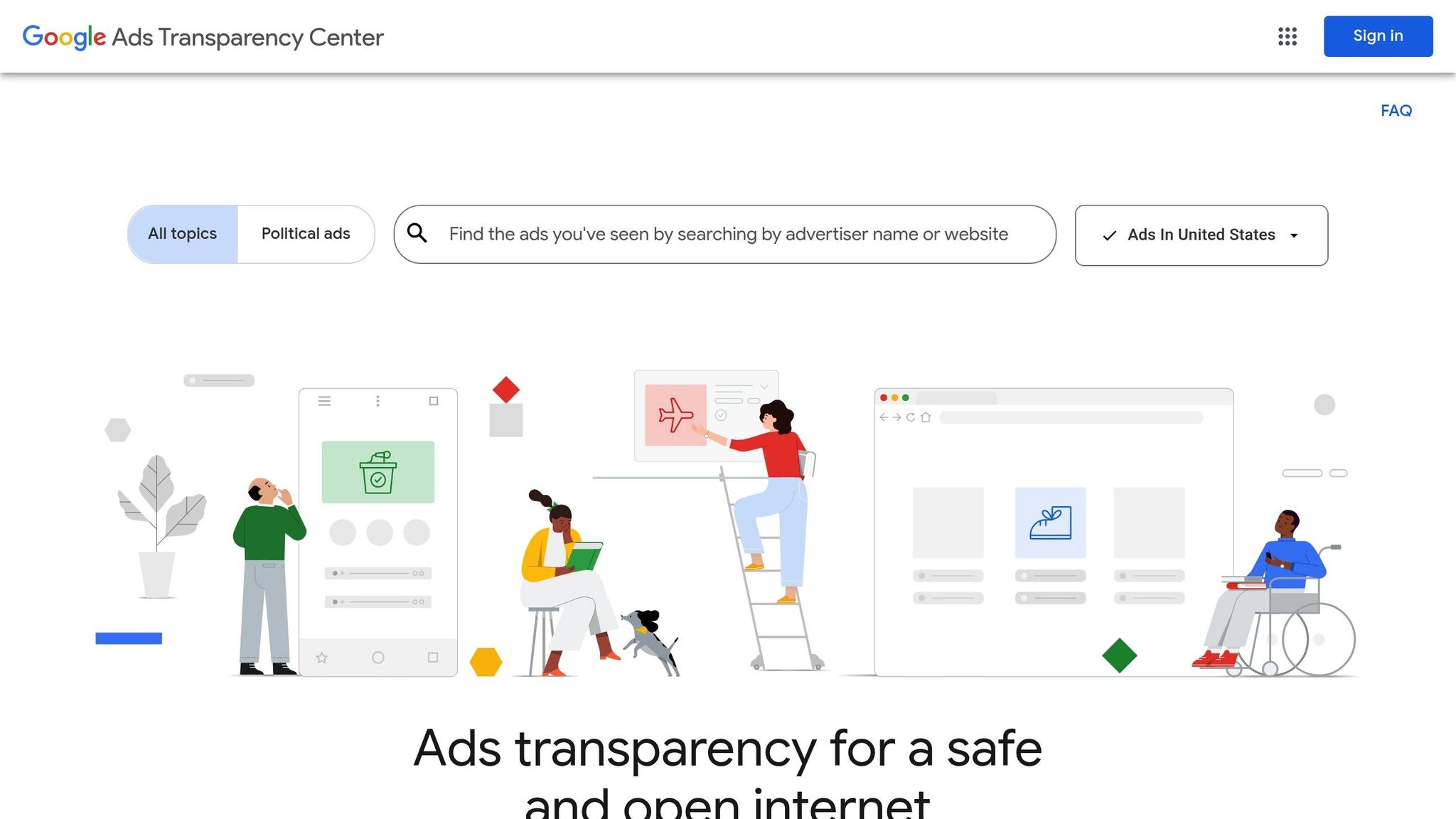
The Google Ads Transparency Center is a goldmine for discovering active ads. Simply search for your competitor by their company name or domain. This tool shows all ads running on Google Search, YouTube, and Discover. Use filters to narrow results by region, ad format (text, image, video), and platform.
For YouTube, you can even evaluate how brands use paid placements, sponsorships, and endorsements to drive engagement. However, keep in mind that while this tool reveals current creatives and messaging, it doesn’t provide historical data or spending estimates. For that, you’ll need to rely on other tools.
Step 4: Use Meta Ad Library and TikTok Ad Library
The Meta Ad Library offers a detailed view of all active ads across Facebook, Instagram, Messenger, and the Audience Network. Search by your competitor’s business name or Facebook page to uncover ad creatives, copy, and launch dates. Filters allow you to focus on specific platforms or ad types like images, videos, or carousels.
Over on TikTok, the Creative Center lets you explore active ads, engagement stats, and creative formats such as in-feed videos, branded effects, and top-view ads. Both libraries are free and update in real-time, but neither provides historical data or spending estimates.
For a deeper dive into ad spend and strategy, AdBeat is your next step.
Step 5: Use AdBeat for Detailed Display Ad Data
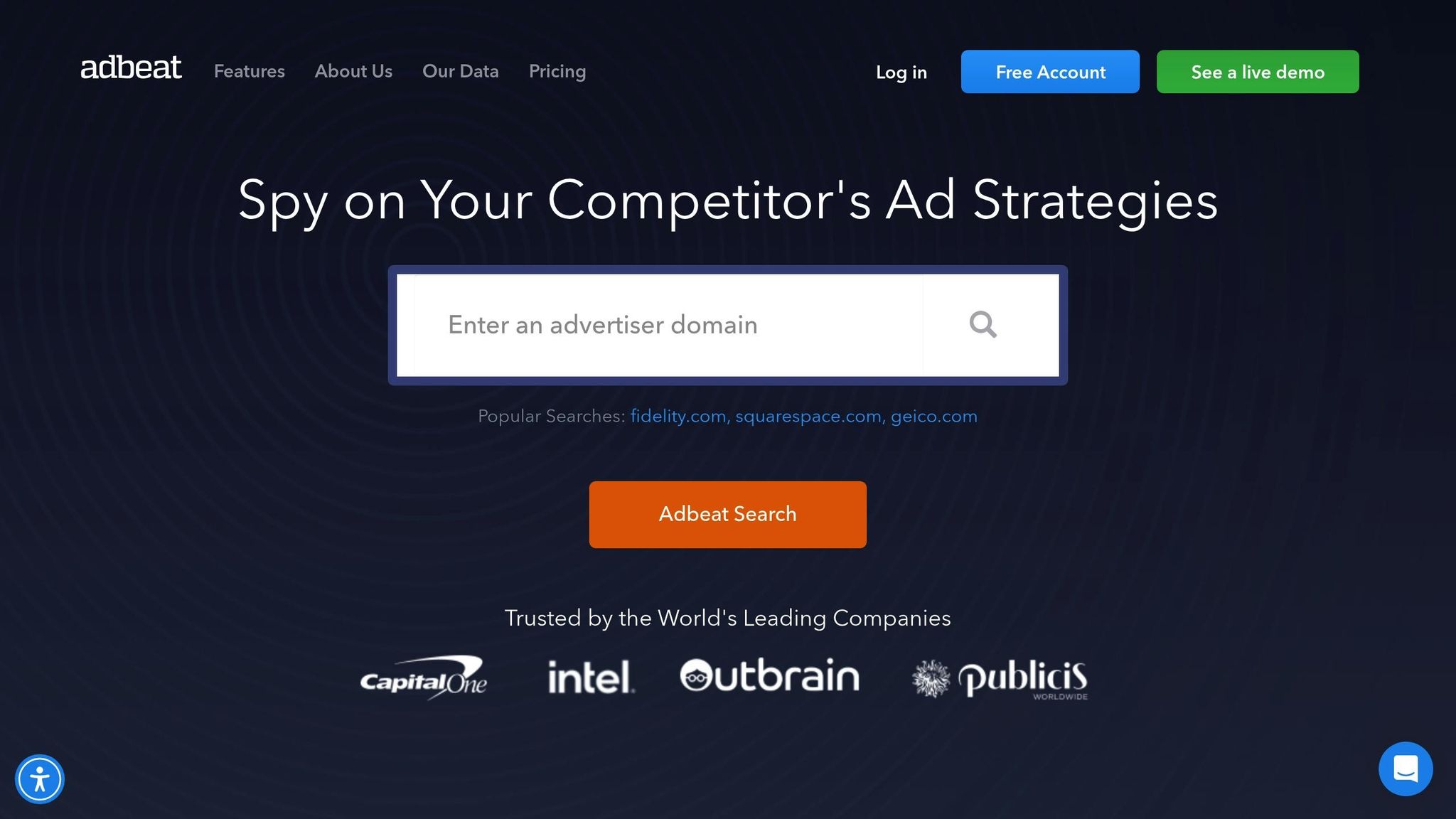
AdBeat scans 3 million pages daily, detecting around 8 million ads from over 1.1 million advertisers across 120+ top ad networks. Data updates every 48 hours, ensuring timely insights.
The "Top Ads" tab is particularly useful for reviewing flight dates, trends, landing pages, and the publishers hosting your competitors’ ads. AdBeat’s AccuAd™ technology even extracts content from complex formats like HTML5 and interstitials.
Want to know where your competitors are focusing their efforts? The "Top Publisher" tab reveals the websites they frequently use for display ads. You can also segment campaigns by specific products – an invaluable feature for analyzing larger brands with diverse offerings. AdBeat also provides insights into estimated ad spend, media buying strategies, and publisher preferences, giving you a clear picture of how competitors allocate their budgets.
How To See ALL of Your Competitor’s Ads & Ad Spend in 2025!
Tool Comparison for Display Ad Tracking
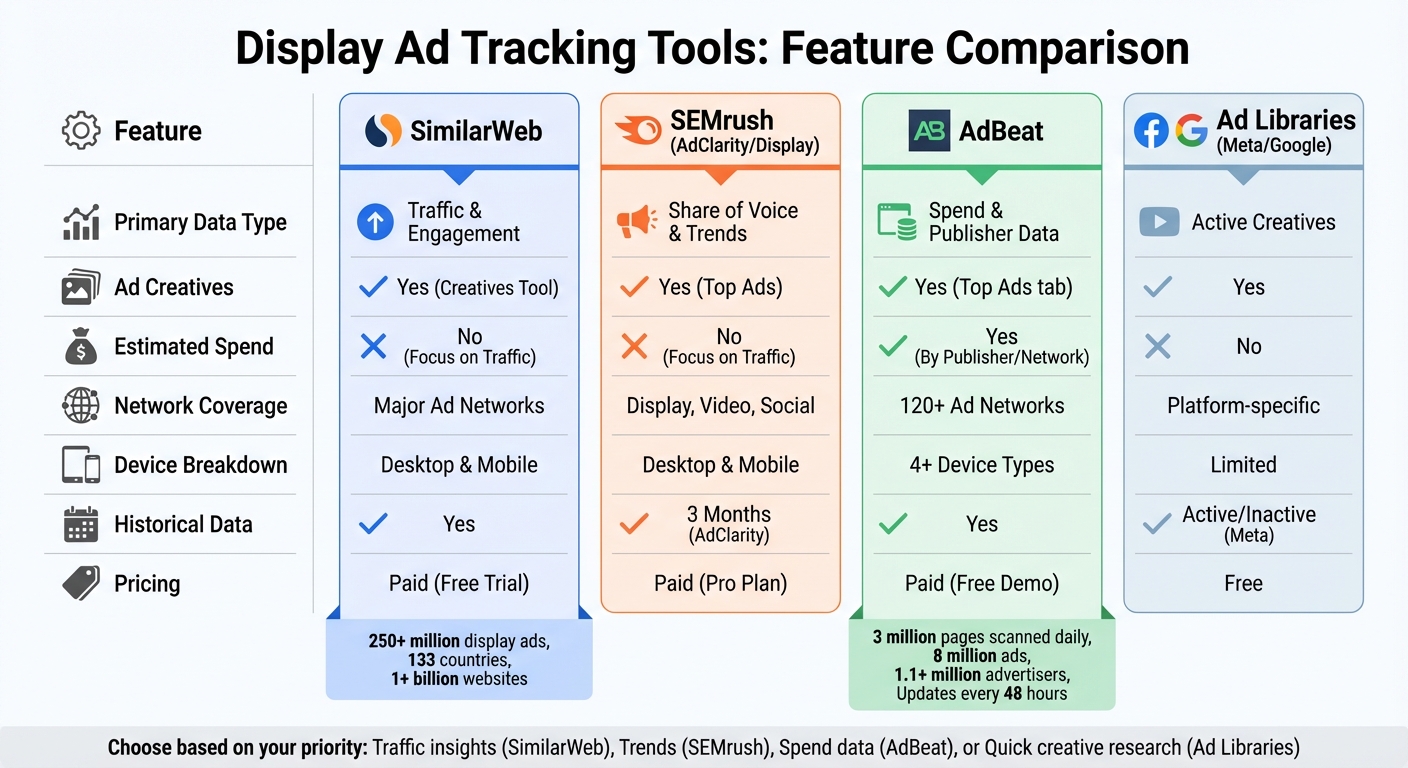
Display Ad Tracking Tools Comparison: Features, Pricing, and Data Coverage
Feature Comparison Table
When choosing a tool for display ad tracking, it’s important to weigh their core features against your specific goals. Whether you’re focused on traffic insights, creative performance, or ad spend estimates, each platform brings something different to the table.
For traffic and engagement metrics, SimilarWeb is a standout. It provides data like bounce rates, average visit duration, and pages per visit – essential for evaluating post-click performance and whether ads are driving meaningful conversions. SEMrush, through its Display Ads dashboard, emphasizes trending URLs and device breakdowns, helping you understand whether competitors are focusing on mobile or desktop traffic. Meanwhile, AdBeat shines with detailed publisher insights and ad spend estimates, updating its data every 48 hours – much faster than tools that may take up to 10 days.
Free tools like Google, Meta, and TikTok Ad Libraries offer a glimpse into active creatives and landing pages but lack insights into traffic volumes or spending. These are great for quick creative inspiration but fall short when it comes to strategic analysis.
| Feature | SimilarWeb | SEMrush (AdClarity/Display) | AdBeat | Ad Libraries (Meta/Google) |
|---|---|---|---|---|
| Primary Data Type | Traffic & Engagement | Share of Voice & Trends | Spend & Publisher Data | Active Creatives |
| Ad Creatives | Yes (Creatives Tool) | Yes (Top Ads) | Yes (Top Ads tab) | Yes |
| Estimated Spend | No (Focus on Traffic) | No (Focus on Traffic) | Yes (By Publisher/Network) | No |
| Network Coverage | Major Ad Networks | Display, Video, Social | 120+ Ad Networks | Platform-specific |
| Device Breakdown | Desktop & Mobile | Desktop & Mobile | 4+ Device Types | Limited |
| Historical Data | Yes | 3 Months (AdClarity) | Yes | Active/Inactive (Meta) |
| Pricing | Paid (Free Trial) | Paid (Pro Plan) | Paid (Free Demo) | Free |
For those who need daily updates, SimilarWeb offers a straightforward interface to monitor traffic trends and geographic data. On the other hand, AdBeat processes billions of data points weekly, offering unparalleled detail for those who want to trace an ad’s journey through DSPs and SSPs.
Ultimately, the right tool depends on your priorities. Use this comparison to pinpoint the platform that aligns best with your needs for competitor display ad tracking.
sbb-itb-2ec70df
How Growth-onomics Can Support Your Marketing Strategy
Building on the competitor tracking techniques mentioned earlier, Growth-onomics takes your strategy to the next level with automated, data-powered insights.
Custom Data-Driven Strategies
Growth-onomics transforms competitor ad data into clear, actionable insights. By automating tracking, the agency monitors over 100 million creatives from 80,000+ companies, saving marketers more than 20 hours per month, compared to the usual 65 hours spent on manual tracking.
They also analyze device-specific traffic trends, identifying patterns like mobile user spikes on weekends. This allows for optimizing landing pages to perform better on the most active devices. For instance, they can determine which offers resonate more – whether it’s "Free Inspections" or "Same-Day Service" – and time campaigns accordingly for maximum impact.
Beyond this, Growth-onomics aligns display ads with email creatives and landing pages, providing a complete view of the post-click funnel. This ensures your campaigns stay consistent across every interaction, from the first click to the final conversion.
These automated insights don’t just save time – they lay the groundwork for strategies that deliver results.
Proven Experience with Case Studies
Growth-onomics taps into billions of weekly data points across 120+ ad networks to craft Custom Competitor Analysis Presentations. These presentations reveal the best ad placements and strategies to boost your ROI. By identifying the publishers and ad networks your competitors rely on, Growth-onomics uncovers new placement opportunities and more cost-effective media buying options.
Their data-driven approach ensures that every dollar of your display ad budget is spent wisely, maximizing its potential to drive results.
Conclusion and Key Takeaways
Review of Key Steps
Start by pinpointing your direct competitors using Google Ads Auction Insights. Then, take advantage of free ad libraries to explore their active creatives, ad formats, and launch timelines.
For deeper insights, consider using paid tools. Platforms like SEMrush can show traffic distribution and landing page performance, while AdBeat provides spend estimates and publisher placement details. You can also trigger retargeting ads by visiting competitor websites – this allows you to observe their funnel strategies and how they engage potential customers.
"When you analyze competitor ads, you’re essentially getting a free education on what’s working in your industry." – Austin LeClear, Grow My Ads
These steps provide a solid foundation for refining your own advertising strategy.
Next Steps for Your Business
Create a swipe file of competitor ads and landing pages to track how their messaging evolves over time. Use this information to develop stronger counter-offers. For instance, if a competitor promotes discounts, you could stand out by adding perks like free services or extended warranties. Keep an eye on ad libraries to identify seasonal campaigns early, so you can plan timely promotions.
If managing this process manually feels overwhelming, consider tools like Growth-onomics. They can automate competitor tracking and provide tailored analysis, helping you identify high-performing ad placements and make the most of your advertising budget.
FAQs
What are some free ways to analyze competitor display ads?
To get a closer look at competitor display ads without spending a dime, tools like Google Ads Transparency Center and Meta Ad Library are your go-to resources. These platforms allow you to browse both active and past ads from your competitors, offering a peek into their creative designs, messaging approaches, and targeting strategies.
Simply search for your competitors’ brand names within these tools to uncover the kinds of ads they’re running, the visuals they’re using, and the platforms they’re focusing on. By keeping tabs on these ads regularly, you can pick up on emerging trends, learn what’s working for them, and fine-tune your own advertising game plan.
Why is it important to analyze competitor landing pages?
Studying competitor landing pages can offer a wealth of insights to strengthen your marketing approach. By examining their messaging, design elements, and overall user experience, you can pinpoint what resonates with their audience. Then, you can adapt those successful elements to elevate your own landing pages.
On top of that, diving into your competitors’ keyword strategies and SEO techniques can refine your content and improve your visibility in search results. This analysis not only uncovers ways to differentiate your brand but also helps fine-tune your landing pages for higher engagement and better conversion rates.
How does Growth-onomics help track competitor display ads automatically?
Growth-onomics takes the guesswork out of competitor ad tracking by using cutting-edge tools like Google Ads Transparency Center, Meta Ad Library, and Adbeat. These platforms allow them to monitor active ads in real time, providing insights into ad content, placements, and performance metrics. This efficient process ensures businesses can keep a close eye on competitors without wasting time or resources.
By relying on data-driven strategies, Growth-onomics delivers insights that help you make smarter decisions. Whether it’s fine-tuning your campaigns or identifying new opportunities, their approach ensures your marketing efforts hit the mark.
