


Tracking marketing budgets in real time is essential for managing ad spend effectively. With 80% of ads now purchased programmatically, daily fluctuations in spending can lead to wasted budgets if not monitored closely. Real-time tracking tools provide live spend monitoring, budget pacing, automated alerts, and seamless integrations with platforms like Google Ads, Meta, and TikTok. These tools help avoid manual spreadsheet errors, save time, and improve budget allocation, ensuring resources are directed toward high-performing campaigns.
Here are 10 tools that stand out for real-time marketing budget tracking:
- ClickUp: Integrates budget tracking into project management workflows with dashboards and alerts.
- Planful: Offers detailed financial planning with real-time tracking across campaigns and channels.
- Uptempo: Focuses on enterprise-level marketing operations with granular insights and GL integration.
- HubSpot Marketing Hub: Syncs ad spend data automatically for campaign-level budget insights.
- Zoho Marketing Plus: Provides a centralized budget board with AI-powered alerts.
- Float: Tracks cash flow and forecasts spending with live updates from accounting tools.
- Kantata: Combines project-level tracking with financial system integrations like Salesforce and QuickBooks.
- Scoro: Connects time tracking and expenses directly to budgets for real-time comparisons.
- QuickBooks Online: Automates expense tracking and provides detailed "Budgets vs. Actuals" reports.
- Wrike: Centralizes expense tracking with customizable dashboards and automation.
Quick Comparison
| Tool | Real-Time Tracking | Primary Use | Key Integrations | USD Support & Fiscal Tools |
|---|---|---|---|---|
| ClickUp | Dashboards updated daily | Project management with budgets | Slack, Salesforce, Google Drive | Full USD support, fiscal calendar setup |
| Planful | Near real-time data sync | Financial planning | ERP systems, SQL databases | USD reporting, fiscal templates |
| Uptempo | GL-integrated tracking | Enterprise marketing operations | ERP, finance systems, ad platforms | 99.5% budget accuracy |
| HubSpot Marketing Hub | Real-time campaign metrics | Marketing automation | Native CRM, 1,500+ apps | USD defaults, fiscal reporting |
| Zoho Marketing Plus | Real-time updates | Unified marketing workspace | Zoho ecosystem, Google Ads | USD conversions, custom fiscal dates |
| Float | Live cash flow tracking | Cash flow forecasting | Xero, QuickBooks, FreeAgent | USD default, U.S. bank integration |
| Kantata | Daily project-level tracking | Professional services automation | Salesforce, QuickBooks | USD billing, project fiscal tracking |
| Scoro | Real-time project budgets | Work management with financials | Stripe, PayPal, QuickBooks | Multi-currency, custom fiscal periods |
| QuickBooks Online | Real-time accounting updates | Small business accounting | PayPal, Shopify, Square | USD accounting, U.S. tax alignment |
| Wrike | Daily expense tracking | Project management with budgets | 400+ apps, 50+ marketing channels | USD tracking, fiscal calendar setup |
These tools cater to various needs, from small businesses to large enterprises, helping teams optimize ad spend, avoid waste, and align marketing efforts with financial goals.
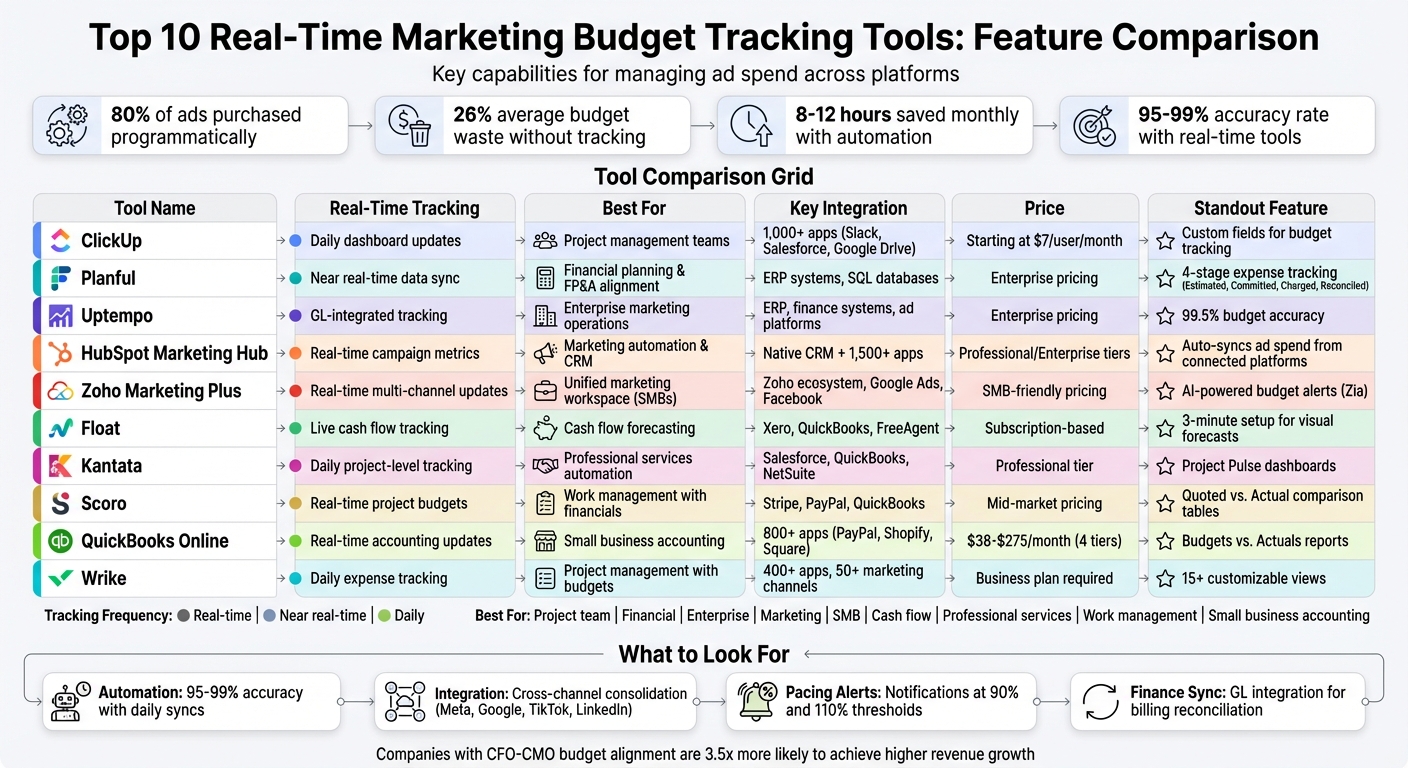
Real-Time Marketing Budget Tracking Tools Comparison Chart
Budget Pacing Masterclass for Marketers
What to Look for in Real-Time Budget Tracking Tools
Not all budget tracking tools are created equal, especially when it comes to real-time capabilities. For starters, a reliable real-time budget tracking tool should automatically pull data at least once a day. This ensures an accuracy rate of 95–99%, saving marketing teams anywhere from 8 to 12 hours each month on manual updates. Automation like this forms the backbone of effective cross-channel integration.
Cross-channel integration is crucial for consolidating spend data from platforms like Meta, Google Ads, TikTok, and LinkedIn into one easy-to-use dashboard. By doing this, you eliminate discrepancies caused by differences in attribution windows, time zones, or currency formats. Look for tools that normalize currencies to USD and use the MM/DD/YYYY date format to maintain consistency.
Beyond automation and integration, advanced pacing features are a game-changer. These tools track actual versus planned spending, calculate daily targets, and even account for seasonal trends. On top of that, they can send alerts through Slack or email if spending veers too far off course – say, exceeding 110% or dropping below 90% of the budget plan.
Another key feature to consider is how deeply the tool integrates with finance systems. The best tools sync platform spend with actual charges, helping reconcile billing delays or promotional credits. This level of integration ensures that the numbers you’re working with are accurate and actionable, giving your team the ability to adapt quickly as circumstances change.
1. ClickUp
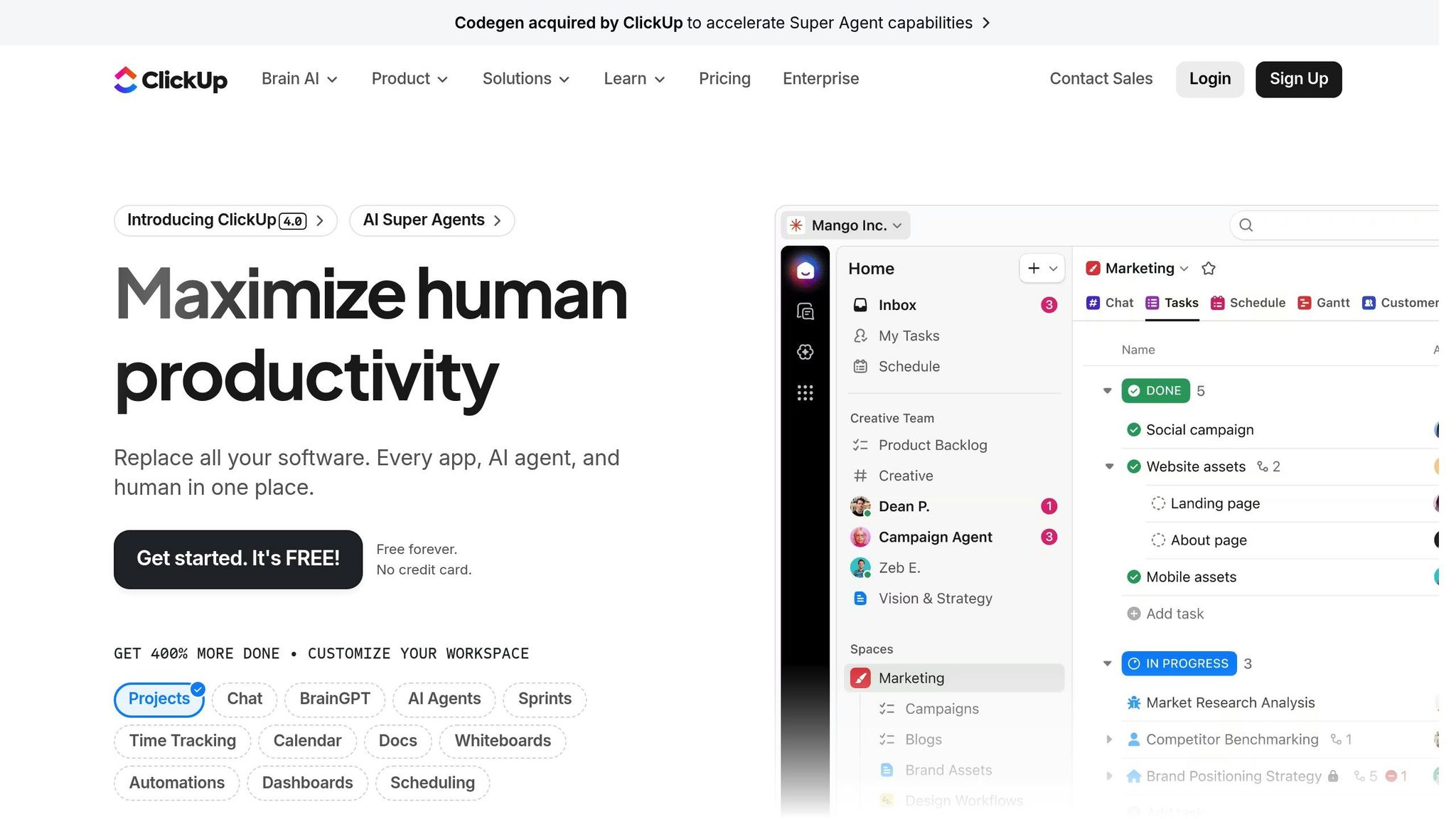
ClickUp is a project management platform that helps track marketing budgets through its Custom Fields feature. While not specifically designed for financial management, this tool allows you to monitor metrics like "Budget Allocated", "Amount Spent", and "Remaining Budget" directly at the task level. This makes it easy to keep tabs on individual campaign spending without bouncing between multiple tools. It’s a flexible way to bring budget tracking into your workflow.
Real-Time or Near-Real-Time Budget Tracking
ClickUp’s dashboards offer real-time visuals like bar and pie charts to compare planned budgets with actual spending. Widgets can track burn rates and estimate ROI, while automations send alerts via Slack or email if spending limits are exceeded. The ClickUp Goals feature links spending targets to active tasks, automatically updating progress as team members log expenses. However, the platform does have its limits – it doesn’t handle micro-budget adjustments during live campaigns, so for that level of detail, you’ll need to consult ad platform reports directly.
Integration with Ad Platforms and Finance Tools
ClickUp’s paid plans (starting at $7 per user/month) include unlimited integrations, making it possible to connect your marketing and finance tools seamlessly. Shared workflows can be created using Lists, Folders, and Custom Fields, ensuring both teams are on the same page. For instance, you could establish a folder like "Marketing Q3 Budget" where finance handles spend approvals and marketing tracks daily campaign expenses. A great example of its efficiency comes from STANLEY Security, which used ClickUp’s customizable reporting tools in 2025 to reduce report-building time by over 50%, allowing them to focus more on forecasting and strategic planning.
Support for USD Reporting and Fiscal Calendar Customization
ClickUp’s Custom Fields make it easy to track budgets in USD, and its flexible organizational structure lets you align budgets with your fiscal calendar. You can organize finances into folders or lists tied to specific quarters or years. Pre-built templates like the "Marketing Budget Template" or "Event Budget Template" provide a quick starting point, which you can tailor to fit your fiscal calendar needs.
Scenario Planning and Forecasting Capabilities
ClickUp also includes tools for modeling budget scenarios before they’re finalized. Its AI add-on, ClickUp Brain, available for $7 per user/month, can pull relevant budget data and generate campaign briefs with tailored spend projections. This makes it easier for marketing teams to explore different financial scenarios and refine their plans before launching campaigns. Up next, we’ll dive into another tool with its own real-time tracking features.
2. Planful

Planful is a financial planning platform tailored for marketing and finance teams, offering a unified view of budget performance. Unlike general project management tools, it focuses on tracking expenses through four key stages – Estimated, Committed, Charged, and Reconciled – to provide real-time insights into promised or invoiced amounts. This structure lays the groundwork for its powerful tracking capabilities.
Real-Time Budget Tracking
Planful provides detailed visibility into spending across goals, campaigns, channels, regions, and team members. It even breaks down campaign expenses by time periods, helping teams understand monthly burn rates. By centralizing data, the platform ensures everyone works from a single source of truth, enabling quick adjustments when needed. Christine Kelly, Team Lead for Marketing Operations, shared:
Planful has increased efficiency in forecasting a complex budget every month. Now budget managers can easily forecast based on real-time data.
Seamless Integrations with Ad Platforms and Finance Tools
Planful integrates directly with platforms like Google Ads, LinkedIn Ads, and Facebook Ads, pulling performance data into its budgeting workflow. On the financial side, it connects with tools like Salesforce CRM, purchase order systems, and ERPs, automating the matching of costs to GL codes and PO numbers. This automation eliminates tedious spreadsheet tasks, streamlining budget reconciliation and centralizing both spending and performance metrics.
USD Reporting and Fiscal Calendar Flexibility
The platform fully supports USD reporting and allows businesses to customize fiscal calendars to align with their financial year. Annual budgets can be set up with resources allocated across various segments, and monthly locking features prevent accidental changes after a period closes. For U.S. businesses with international operations, Planful also manages multi-currency handling and automated currency conversions.
Scenario Planning and Forecasting Tools
Planful goes beyond basic tracking with advanced predictive budgeting tools. Its scenario planning features allow teams to adjust campaign strategies and reallocate budgets based on performance data. Baseline snapshots can be created to compare original forecasts with actual results, helping identify trends and make mid-cycle corrections. Additionally, the AI-powered "Analyst Assistant" provides actionable insights to guide decisions. Huyn Kim, Senior Vice President of Marketing at Vensure Employer Solutions, highlighted its impact:
[Planful] gives us peace of mind knowing we can make quick adjustments and understand exactly where our money is being spent and the outcomes of that spend.
3. Uptempo
Uptempo is a powerful marketing planning platform designed for enterprise use, seamlessly connecting marketing operations with finance. By integrating directly with ERP/EPM systems and procurement software, it automates the reconciliation of planned, committed, and actual spending, creating a single, unified system of record. This eliminates the headaches of version-control issues and reporting delays caused by manual spreadsheets, while also enabling quick responses to budget adjustments in real time.
Real-Time Budget Tracking
Uptempo’s unified record system takes budget management to the next level by offering detailed, real-time tracking. The platform provides granular insights into spending across regions, brands, and teams. Its configurable hierarchies allow marketers to reallocate funds mid-campaign to focus on higher-ROI activities. For example, Charles Schwab used this feature to identify a 10% variance in spending through real-time reporting. As the company noted:
"We can show progress and results in real-time. When the CMO wants to know how much of the media team’s money is committed, a report can be generated quickly in Uptempo."
Other companies have seen similar benefits: Cisco achieved 99.5% marketing budget accuracy, GitLab reduced budget variances to just 4%, and IKEA saved over 120,000 hours by eliminating manual spreadsheet use.
Integration with Ad Platforms and Finance Tools
Uptempo integrates seamlessly with ERPs, purchasing tools, CRMs, and ad platforms, ensuring that budgets and performance data remain perfectly aligned. Paul Ambraz, Vice President of Marketing and Communications at IBM, emphasized the value of this integration:
"Being able to tie the spend to the audiences and the performance for every activity is huge. It’s something we’ve never been able to do."
In addition, Cisco was able to reduce its budget approval time to just 48 hours and cut agency fees by 25% after adopting Uptempo.
Support for USD Reporting and Fiscal Calendar Customization
Uptempo adapts to your business’s specific fiscal calendar and reporting currency, such as USD, based on your financial systems. It also provides the capability to track campaigns that span fiscal years within a unified calendar, making it easier to manage the complexities of enterprise planning cycles. This customization lays the groundwork for precise scenario planning, which will be explored in the next section.
Scenario Planning and Forecasting Capabilities
With its integration of OptiMine, Uptempo provides always-on marketing mix modeling (MMM) and predictive tools to forecast campaign performance. Teams can experiment with different spending scenarios and shift budgets mid-campaign to maximize performance on the best-performing channels. Andrea Benson, VP of Global Marketing Operations & Demand at CyberArk, shared her experience:
"Uptempo allows us to manage our global marketing budget from the top level strategic intentions down to the individual tactical line items, from a single collaborative system."
4. HubSpot Marketing Hub
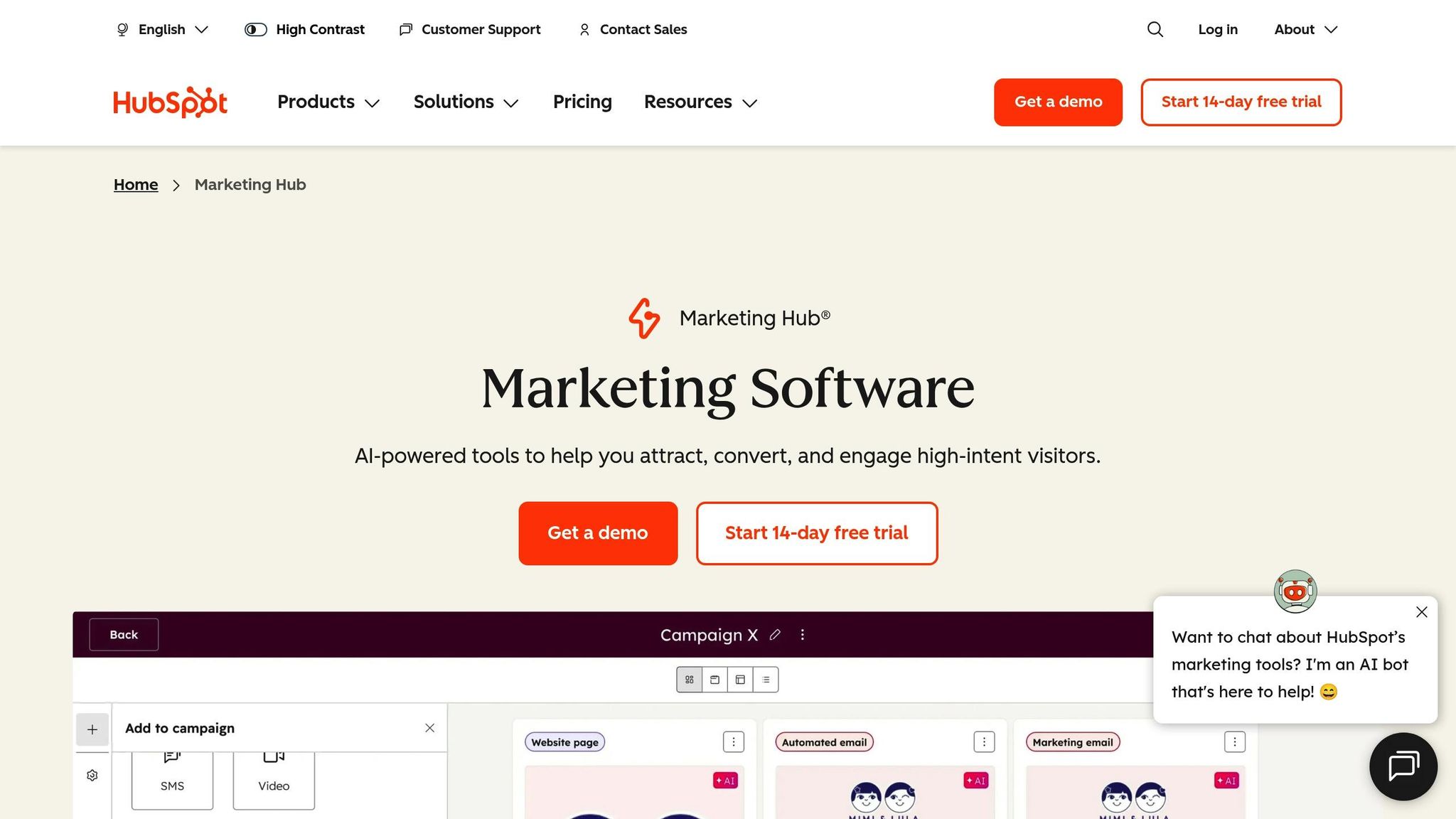
HubSpot Marketing Hub makes campaign budgeting easier by auto-syncing budget and spend data from connected ad campaigns. Each campaign page highlights three key real-time metrics – Budget Total, Spend Total, and Remaining Budget – offering a quick financial overview at a glance.
Real-Time Budget Tracking
The platform keeps tabs on your ad spend automatically when linked to integrated ad accounts. It also allows manual entries for non-digital expenses, updating the remaining budget as expenses are logged. You can add detailed expense entries, and the system calculates the remaining budget for you, ensuring everything stays accurate and up to date.
Integration with Ad Platforms
HubSpot’s direct connections with major ad platforms simplify the flow of spend data into the system. Once ad campaigns are linked to a HubSpot campaign, budget and spend details sync directly to the Budget tab. The platform also leverages UTM parameters and tracking templates to link contacts with specific ads.
Shadrack Wanjohi, a writer at HubSpot, shares his experience:
I track these metrics using HubSpot’s campaign budget management system, which helps me monitor performance across channels while maintaining a clear view of our overall marketing spend distribution.
This integration ties everything together, making campaign management more streamlined and efficient.
Support for USD Reporting and Currency Management
For businesses running international campaigns, HubSpot simplifies things by automatically converting ad spend into your selected currency, such as USD. You can set a default currency at the account level to maintain consistent reporting. These advanced budget tracking tools are included with Marketing Hub Professional and Enterprise subscriptions.
5. Zoho Marketing Plus
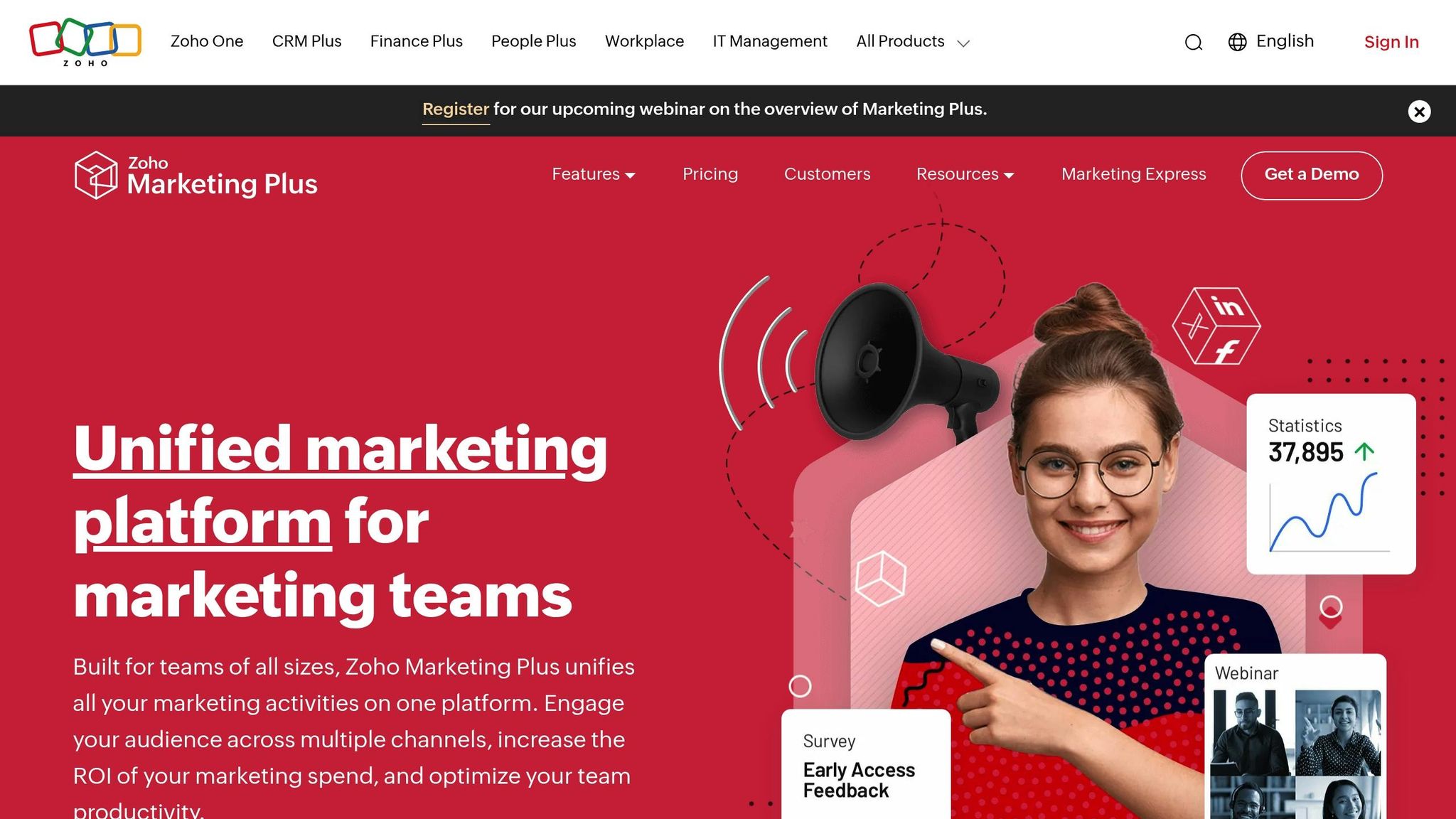
Zoho Marketing Plus offers a Budget Board designed to streamline planning, logging, and tracking of spending across campaigns, regions, and brands. With its multi-level budgeting capabilities, you can allocate funds at both the brand level – broken down into annual, quarterly, or monthly intervals – and the project level for specific initiatives like product launches. This setup ensures precise and real-time tracking of expenditures.
Real-Time Budget Tracking
The Budget Board provides a clear overview of expenses through visual charts that compare budgeted amounts with actual spending, making it easier to spot variances immediately. Zia, the platform’s AI assistant, enhances this functionality by identifying anomalies or deviations in trends and sending alerts for potential budget overruns or performance concerns. You can also apply filters to monitor expenses in greater detail.
Integration with Ad Platforms and Finance Tools
Zoho Marketing Plus seamlessly integrates with major ad platforms like Google Ads, Facebook, Instagram, LinkedIn, and YouTube, enabling you to track essential performance metrics. It also connects with Zoho CRM to calculate marketing ROI and compare sales data with campaign outcomes. For financial reconciliation, the platform links with Zoho Books and QuickBooks. Additionally, it supports importing data from cloud storage services such as Amazon Redshift, Microsoft Azure, and Google Cloud, as well as from Excel and CSV files.
USD Reporting and Fiscal Calendar Customization
The platform simplifies fiscal planning by supporting USD ($) as the default currency and allowing annual, quarterly, or monthly budget intervals. Fiscal schedules can be customized through Zoho Books, ensuring that budget planning, expense tracking, and financial reporting align with your organization’s fiscal calendar. For added convenience, summarized expense lists can be exported in CSV or XLSX formats, making audits and compliance checks more manageable.
6. Float
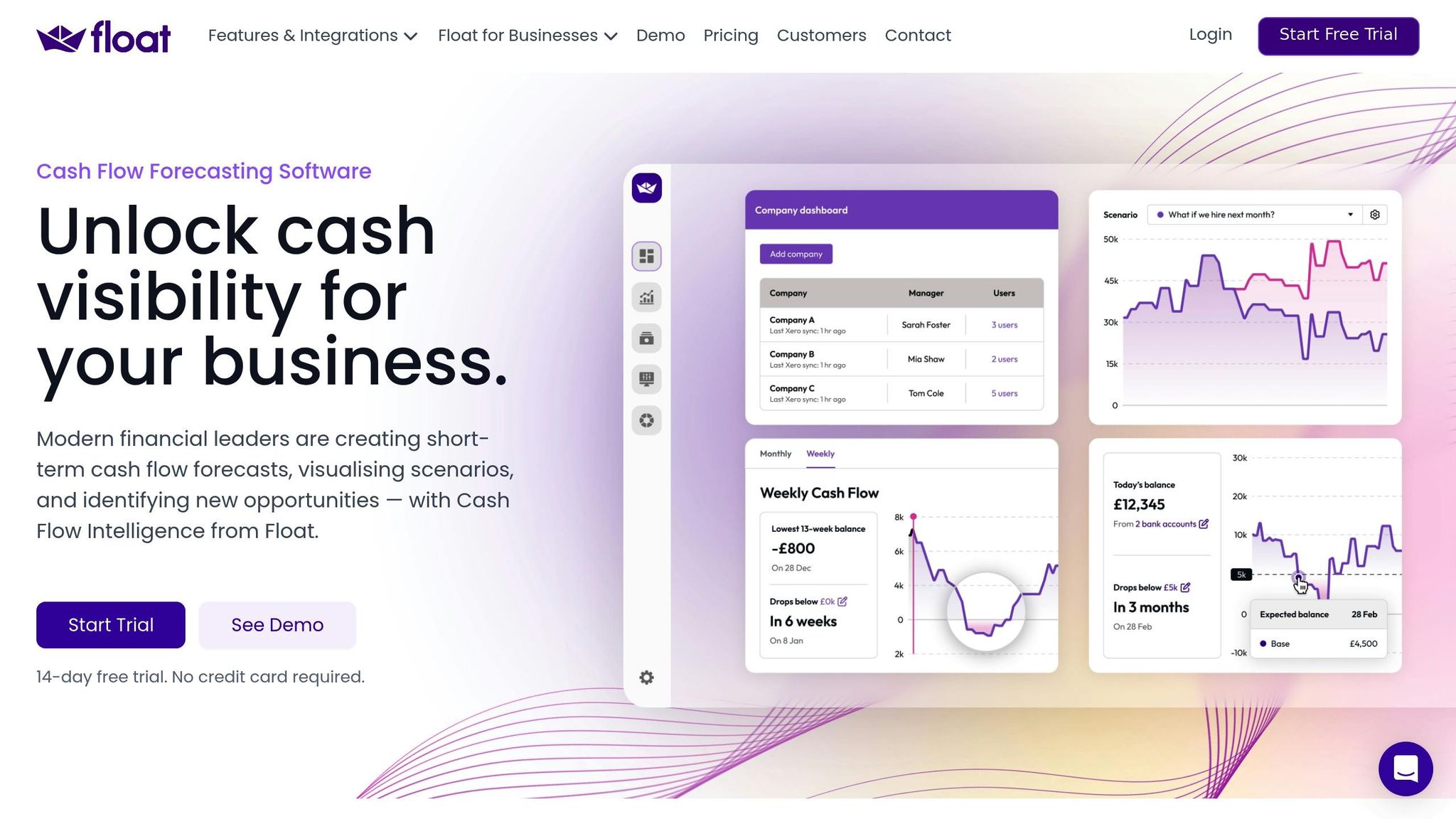
Float integrates seamlessly with popular accounting software like Xero, QuickBooks Online, and FreeAgent, giving you a live snapshot of your cash flow and budget. Instead of relying on outdated spreadsheets, Float pulls daily data from these tools, ensuring you’re always working with up-to-date financial information. This live connection makes it easy to track your marketing expenses with precision and in real time.
Real-Time Budget Tracking
Float keeps an eye on your incoming and outgoing transactions, including bills and invoices, and compares actual figures to your forecasts. Its visual dashboards provide an instant view of your current and projected cash position. You can toggle between daily, weekly, or monthly views, depending on whether you need a detailed breakdown or a high-level summary.
"Float allows us to view our cash flow in real-time. It is probably the most valuable tool we have for running our business." – Ryan Plester, Owner & Principal Consultant, White Room Automation
Integration with Finance Tools
Float’s integration with your accounting software is non-intrusive and secure. It uses a read-only connection to pull data, ensuring your original financial records remain untouched. The setup process is quick and user-friendly – you can connect your accounting software and generate your first visual forecast in about three minutes.
Scenario Planning and Forecasting Capabilities
Float goes beyond tracking current finances by offering powerful "what-if" scenario planning. You can simulate the financial impact of decisions like increasing marketing spend, hiring new team members, or launching new projects. This feature equips you to make informed, data-backed choices.
"Float’s a crucial gate for any major decision. Without Float we’d just be stabbing in the dark." – Matt Scaysbrook, Founder, WeTeachCRO
sbb-itb-2ec70df
7. Kantata
Kantata offers a powerful way to keep tabs on your marketing budgets with its Project Pulse dashboards, which provide real-time financial insights. These dashboards instantly compare actual costs against planned budgets, making it easy to see if you’re staying on track. Plus, the platform calculates budget burn rates, giving you a clear picture of how quickly your marketing dollars are being spent in relation to project milestones.
Real-Time Budget Tracking
Kantata keeps you in the loop with real-time monitoring of time-based costs and direct expenses. This means you always have an up-to-date view of your marketing spend. For those already using Salesforce, Kantata SX is built directly on the platform, allowing for a seamless connection between your CRM and budget tracking.
Integration with Finance Tools
Kantata Connect takes things further by integrating effortlessly with top financial systems like NetSuite, Sage Intacct, Microsoft Dynamics 365, QuickBooks Online, and Xero. It also tracks ad spend and campaign budgets through CRM integrations with tools like Salesforce and HubSpot, or through custom API connections. These integrations pull performance data straight into your dashboards, ensuring all your financial information is in one place.
USD Reporting and Fiscal Calendar Customization
With its Insights BI tool, Kantata simplifies reporting by using advanced date functions to match your organization’s fiscal calendar. This allows for period-to-date tracking, so you can easily align your marketing spend with your financial reporting periods. This flexibility ensures your budget reports are tailored to your business needs and helps you make quick adjustments when necessary.
8. Scoro
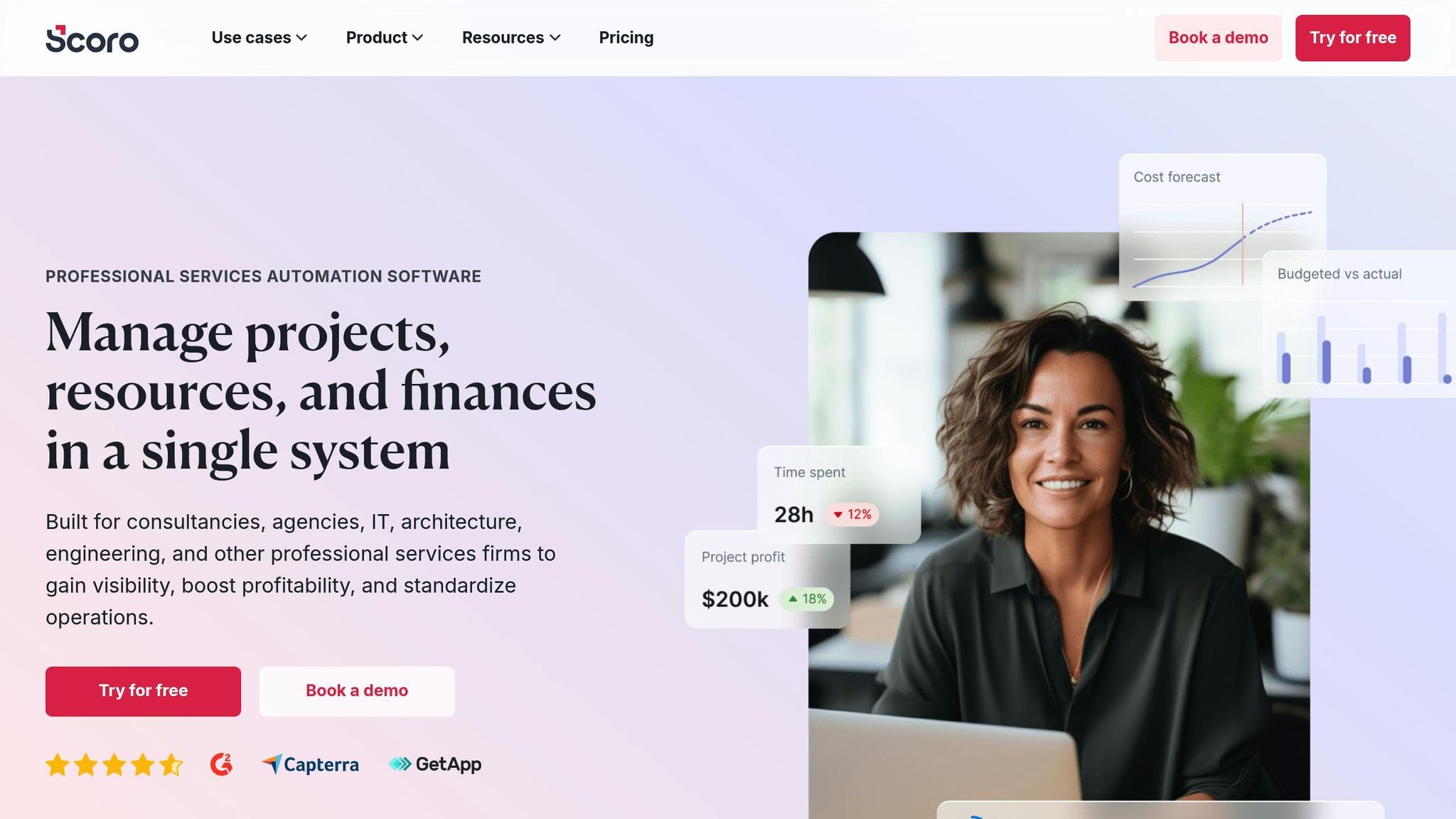
Scoro simplifies managing marketing budgets by connecting activities, time tracking, and external costs directly to budget lines. This integration lets you compare planned and actual spending in real time using automated dashboards. These dashboards provide a clear view of your budget burn rate, highlighting areas of overspending or unused funds at a glance.
Let’s dive into how Scoro’s tracking, integration, and forecasting tools can provide actionable insights.
Real-Time Budget Tracking
Scoro’s "Quoted vs. Actual" table offers a detailed, real-time comparison of labor costs, bills, and expenses against initial estimates. Meanwhile, the "Budget health" chart forecasts future costs and profits based on your current spending patterns. What’s unique about Scoro’s approach is its cautious forecasting method. It ensures projections never dip below your budgeted figures until all work is completed, protecting you from overly optimistic expectations that could throw off your financial planning.
"The fundamental reason for cost overruns often comes down to teams lacking clarity on their pricing model mechanics." – Marcel Petitpas, Founder and CEO, Parakeeto
Integration with Finance Tools
Scoro’s built-in purchase order (PO) system allows you to set vendor spending limits and seamlessly convert POs into bills, integrating external costs into your project budgets with a single click. For added flexibility, Scoro supports API and OAuth2 connections, enabling custom integrations with third-party tools. Using automation platforms like Latenode, you can connect Scoro to over 1,000 other tools. This means you can automate tasks like updating project statuses based on triggers from ad platforms or finance systems. For example, the agency WC+A adopted Scoro to eliminate guesswork in project quotes. By leveraging Scoro’s time-tracking features and historical data, they were able to create more accurate proposals and consistently meet their margin goals.
Scenario Planning and Forecasting Capabilities
Scoro’s forecasting tools take both internal labor costs and external spending into account to help you model different budget scenarios. The "Standard Quotes" feature allows you to build templates for recurring campaigns, ensuring operational costs like meetings and project management aren’t overlooked. Additionally, you can share live Gantt charts with stakeholders via unique access links, giving them a real-time view of how scope changes or delays affect your marketing budget and timelines. This transparency helps keep everyone aligned and informed.
9. QuickBooks Online
QuickBooks Online streamlines financial management by automatically importing and organizing expenses from bank accounts, credit cards, PayPal, and Square in near real time. This means your marketing expenses are logged as they happen, giving you up-to-date insights.
The platform’s "Accounting Agent" and Intuit Assist use AI to classify transactions and reconcile books. QuickBooks reports that 74% of users say Intuit Assist helps them better understand their financial health. For marketing teams, this means less time spent on tedious data entry and more time analyzing spending patterns.
Real-Time Budget Tracking
The "Budgets vs. Actuals" report offers real-time comparisons of your marketing expenses against planned budgets. You can break this down further by "Class" or "Location" to track spending across campaigns, departments, or regions. For example, you could assign a "Class" to channels like Social Media, SEO, or Traditional Ads to monitor which areas are staying on track or exceeding budget.
QuickBooks’ mobile app also makes expense tracking easier. Snap a photo of a receipt, and the app will automatically extract details like the date, vendor, and amount. It then matches the information to existing transactions or creates a new one. Laura Adekoya, owner of Fleurs et Sel, shared:
Forecasting has been really helpful. It’ll show me trends – last quarter’s or last year’s sales. Just being able to see the graphs and the charts has been really helpful.
Integration with Ad Platforms and Financial Tools
QuickBooks integrates with over 800 third-party apps, centralizing your financial data in one place. It works directly with Mailchimp for marketing automation and connects to ad platforms like Google Ads through Zapier. You can even automate offline conversions by sending QuickBooks payment data back to Google Ads, making it easier to measure the ROI of your ad spend.
For advanced users, the platform’s Spreadsheet Sync feature allows seamless data sharing between QuickBooks and Excel. This is especially useful for marketers needing custom calculations or detailed visualizations beyond what standard reports offer.
Tailored Fiscal Calendars and USD Support
For U.S.-based businesses, QuickBooks allows you to adjust your fiscal calendar by selecting the "First month of financial year" in the Advanced settings. This customization ensures your budget tracking aligns with your business cycle instead of defaulting to a January–December calendar. While the platform supports multiple currencies in the Essentials, Plus, and Advanced plans, most U.S. teams primarily operate in USD.
You can also download a P&L budget template to Excel, input your data, and re-import it to ensure everything maps correctly to QuickBooks accounts. This flexibility makes it easier to handle more detailed budgeting needs.
Scenario Planning and Forecasting Features
The Advanced plan ($275/month) includes a Finance Agent that evaluates your progress toward KPIs and offers scenario planning tools. Using historical data, it models various budget scenarios, helping you understand how adjustments in ad spend or campaign performance could impact your results.
Maria I., a freelancer, noted:
Accounting is easier. You can generate reports real-time. You can add different payment options for your clients. Automate the invoicing and bill payments.
The forecasting tools in the Advanced plan use past data to predict future spending trends, helping businesses make informed budget adjustments.
| Feature | Simple Start | Essentials | Plus | Advanced |
|---|---|---|---|---|
| Budgeting | No | No | Yes | Yes |
| Forecasting | No | No | No | Yes |
| Finance Agent (AI) | No | No | No | Yes |
| Spreadsheet Sync | No | No | No | Yes |
| Max Users | 1 | 3 | 5 | 25 |
| Monthly Price | $38 | $75 | $115 | $275 |
QuickBooks Online holds a 4.0/5 rating on G2 based on 2,967 reviews and is recognized as the #1 accounting software for small businesses. New customers can often take advantage of a 50% discount for the first three months across all plans.
With its powerful features and integrations, QuickBooks Online stands out as a valuable tool for managing marketing budgets in real time, complementing other leading platforms in the market.
10. Wrike
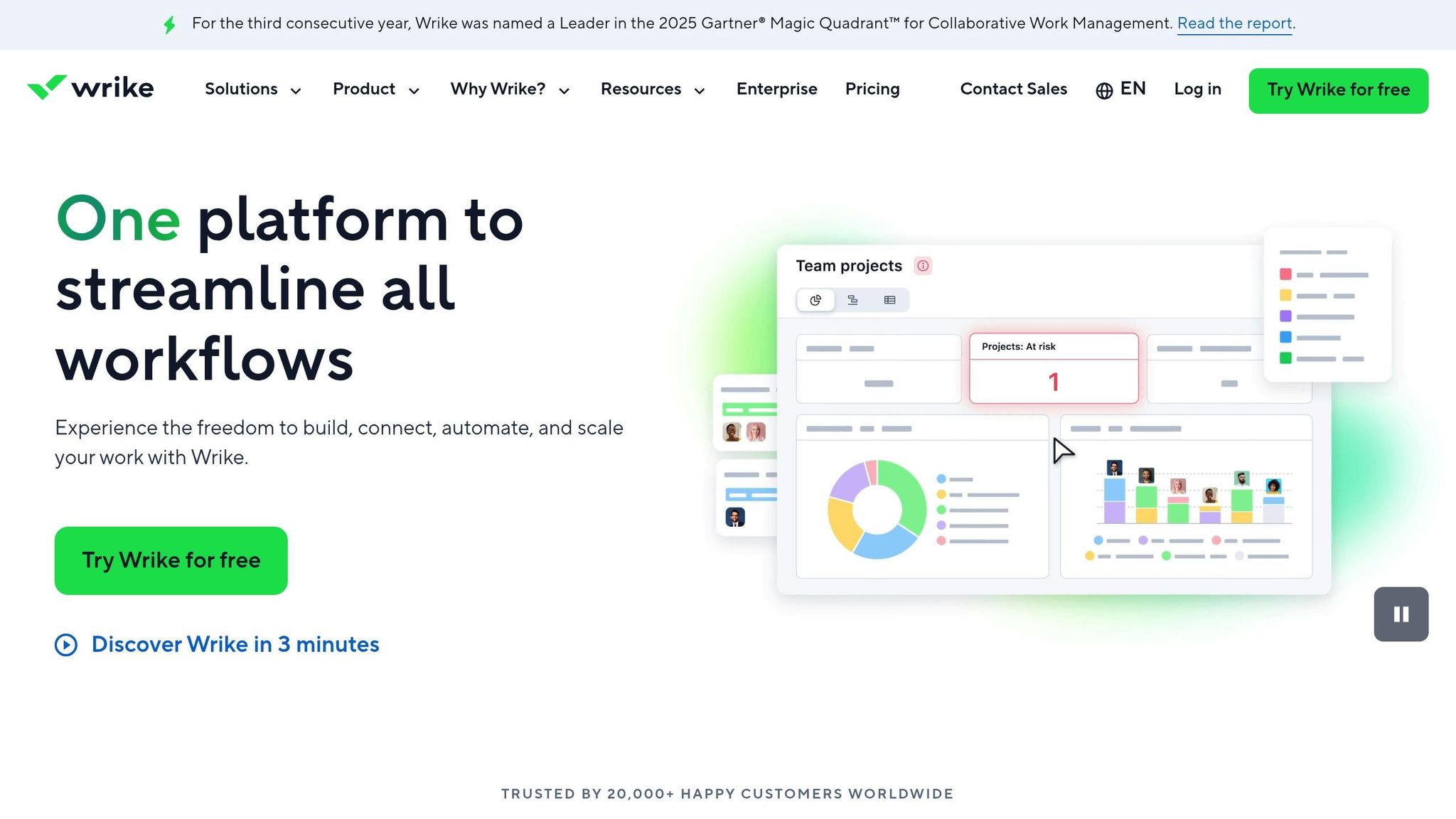
Wrike blends project management with budget tracking into a single platform, simplifying how marketing teams keep tabs on their spending. Thanks to its Monthly Budget Tracker template, teams can centralize expense tracking by using custom request forms to log details like amount, date, category, and description. This eliminates the hassle of scattered manual tracking, creating a streamlined system for tracking and approvals.
Real-Time Budget Tracking
Wrike’s Monthly Budget Tracker gives you a clear view of your expenses, helping you analyze spending habits. With over 15 customizable views – like Gantt charts, Kanban boards, and tables – you can keep an eye on costs in the way that works best for your team. The color-coded calendar view is especially handy for identifying spending spikes or unusual trends across categories.
For example, Umpqua Bank adopted Wrike to enhance their internal reporting and improve visibility into vendor management and financial data. Wrike’s automated request management system simplifies the process by capturing financial requirements and routing them for stakeholder approvals – all within the platform – cutting down on delays caused by approval bottlenecks.
Integration with Ad Platforms and Financial Tools
Wrike connects with over 400 apps, including CRM systems and file storage tools, while offering built-in time tracking and advanced reporting to streamline financial oversight. For marketing teams, Wrike aggregates data from more than 50 digital marketing channels into one dashboard, making ROI tracking much simpler. Wrike explains:
Accelerate digital marketing ROI using Wrike’s marketing project management software to gain insights on over 50 channels in one dashboard.
The platform’s proofing tool supports over 30 file formats, including video and web content, making creative and financial approvals more efficient. To access features like the Monthly Budget Tracker template, custom fields, and automation, you’ll need at least a Wrike Business plan.
Tool Comparison Table
The table below provides a breakdown of each tool’s real-time tracking capabilities, primary use case, key integrations, and features tailored for U.S.-based users.
| Tool | Real-Time Capability | Primary Use Case | Key Integrations | USD Support & Fiscal Features |
|---|---|---|---|---|
| ClickUp | Updates dashboards daily | Project management with budget tracking | 1,000+ apps, including Slack, Google Drive, Salesforce | Full USD support with customizable fiscal year settings |
| Planful | Near real-time with automated sync | Financial planning and FP&A alignment | ERP systems, Excel, SQL databases | Native USD currency and U.S. fiscal calendar templates |
| Uptempo | Near real-time with GL integration | Enterprise marketing operations and strategic planning | ERP, finance systems, marketing platforms | 99.5% budget accuracy with direct GL actuals integration |
| HubSpot Marketing Hub | Real-time campaign metrics updates | All-in-one marketing automation and reporting | Native CRM and 1,500+ app integrations | Includes USD defaults and fiscal reporting |
| Zoho Marketing Plus | Real-time updates across channels | Unified marketing workspace for SMBs | Zoho ecosystem, Google Ads, Facebook, email platforms | USD currency conversion and customizable date ranges |
| Float | Real-time cash flow forecasting | Cash flow and budget forecasting | Xero, QuickBooks, FreeAgent | USD as default currency and U.S. bank integrations |
| Kantata | Daily project-level tracking | Professional services automation (PSA) | Salesforce, QuickBooks, financial tools | USD billing support with project-based fiscal tracking |
| Scoro | Real-time project and financial tracking | Work management with financial oversight | Xero, QuickBooks, Stripe, PayPal | Multi-currency support with USD default and custom fiscal periods |
| QuickBooks Online | Real-time accounting updates | Small business accounting and expense tracking | 750+ apps, including PayPal, Shopify, Square | Native USD accounting and U.S. tax year alignment |
| Wrike | Daily updates via custom dashboards | Project management with budget oversight | 400+ apps, including 50+ marketing channels | USD expense tracking and customizable fiscal calendars |
This table highlights the key differences in how each tool handles real-time tracking, integration depth, and fiscal customization. While some platforms excel in project management and budget tracking, others focus on enterprise-level financial alignment or cash flow forecasting.
For businesses managing complex budgets, unified data platforms stand out. These tools automate the entire data pipeline – extracting, cleaning, and normalizing spend data from multiple sources. This feature is invaluable for companies managing over $10,000 per month across multiple platforms. Enterprise-focused tools like Uptempo and Planful go a step further, linking marketing spend directly to General Ledger actuals. This alignment between CFOs and CMOs can significantly impact performance – companies with such alignment are 3.5 times more likely to achieve higher revenue growth.
When selecting a tool, consider how often you need data updates. For example, Jepto retrieves PPC campaign data hourly, while platforms like HubSpot and Zoho typically refresh daily. For enterprise teams, near real-time alerts can help catch budget inefficiencies early – especially important given that marketers waste an average of 26% of their budgets on underperforming channels.
All tools in this comparison support USD, but for global campaigns on platforms like TikTok or LinkedIn, automated currency conversion becomes essential. Additionally, fiscal calendar customization ensures reporting aligns with U.S. tax years and quarterly business reviews, a standard feature across most platforms.
How Growth-onomics Uses Real-Time Budget Tracking in Performance Marketing
At Growth-onomics, real-time budget tracking is the backbone of their performance marketing strategy. The agency pulls spend data from Meta, Google, TikTok, and LinkedIn into a single, unified dashboard. This eliminates the hassle of juggling separate platform metrics and provides a clear, centralized view of how spending aligns with performance outcomes and incremental lift. The goal? To replace guesswork with data-backed decisions.
Using this dashboard, the team employs automated pacing projections to keep campaigns on course. For example, if a campaign is on track to exceed 110% of its budget based on current daily spending, the team quickly adjusts bids or reallocates funds. On the flip side, if spending falls below 90%, they seize the moment by boosting investment in high-performing channels. These mid-campaign adjustments ensure resources are spent wisely – preventing overspending while capitalizing on opportunities before they slip away.
Seasonality is another area where real-time tracking shines. Instead of evenly dividing budgets across months, Growth-onomics shifts more funds to periods of high demand, like Black Friday or the January fitness rush. Quieter times are reserved for testing new creative ideas. This strategy ensures clients can make the most of peak sales windows without burning through budgets too early.
The real-time dashboards also bridge the gap between marketing and finance teams. By linking campaign spending directly to general ledger data, Growth-onomics reduces invoice disputes and builds trust with clients. This transparency is key to securing future budget increases. In fact, companies where CFOs and CMOs align on spending visibility are 3.5 times more likely to achieve higher revenue growth. Growth-onomics relies on this alignment daily, delivering clear, data-driven reports that keep everyone on the same page.
Conclusion
As highlighted in the tool comparisons above, real-time tracking tools can revolutionize your marketing strategy. Without them, marketers risk wasting up to 26% of their budgets and misallocating another 20% due to poor oversight. By replacing outdated manual tracking methods with automated data syncs, pacing alerts, and centralized dashboards, these tools help cut waste and improve efficiency.
Choosing the right tool depends on your unique needs. For smaller budgets – like managing a single platform with under $10,000 in monthly spend – manual tracking might still work. But when you’re managing multiple platforms, automation becomes a game-changer. It can save up to 12 hours each month and improve accuracy to an impressive 95–99%. Features to prioritize include hourly data updates for more precise optimization, currency conversion for international campaigns, and seamless integrations with your current tech stack.
The benefits extend beyond just saving time. Companies where CFOs and CMOs align on budget visibility are 3.5 times more likely to see higher revenue growth. A unified dashboard for both marketing and finance teams transforms budget discussions from reactive to strategic. As Christopher Van Mossevelde, Head of Content at Funnel, aptly states:
"If you skip ad spend tracking, you’re not managing a budget; you’re gambling with it".
Take a moment to reflect on your current challenges: Are you spending hours manually copying data between platforms? Missing crucial overspend alerts? Struggling to justify your budget to finance teams? The tools we’ve reviewed – from ClickUp’s simple setup to Uptempo’s enterprise-level precision – are designed to address these pain points. Find the one that fits your needs and turn budget tracking into a daily advantage rather than a recurring headache.
FAQs
How do real-time budget tracking tools work with platforms like Google Ads and TikTok?
Real-time budget tracking tools work by connecting directly to APIs from platforms like Google Ads and TikTok. This connection allows them to automatically pull key metrics such as spend, clicks, impressions, and cost-per-action into a single, easy-to-read dashboard. The data refreshes multiple times a day, so you don’t have to manually input numbers or constantly log in to each ad platform.
For Google Ads, many tools offer smooth integration, featuring live spend tracking, pacing updates, and even automated budget adjustments. TikTok integrations, while varying slightly, typically leverage TikTok’s Marketing API to fetch daily performance metrics and keep dashboards updated in real time. For those looking to set up these integrations, reviewing the specific documentation for each platform is a smart move.
What key features should I look for in a real-time marketing budget tracking tool?
When selecting a tool to track your real-time marketing budget, focus on features that give you instant updates. This ensures you can keep tabs on every dollar spent without waiting for delayed reports. It’s also crucial to choose a tool that integrates smoothly with platforms like Google Ads, Meta, and your financial systems, streamlining data collection and cutting out the need for manual entries.
Consider tools with customizable dashboards that let you analyze spending by channel, campaign, or audience. Features like forecasting tools are also valuable, helping you plan future budgets using live data. Plus, automated alerts can be a game-changer by notifying you of overspending or unmet targets, so you can adjust quickly.
Opt for a cloud-based, easy-to-use platform that allows your team to access real-time insights from any device. This kind of accessibility promotes faster, more collaborative decisions. With these features in place, you’ll not only stay on top of your budget but also refine your marketing strategies more effectively.
How does real-time budget tracking help align marketing and finance teams?
Real-time budget tracking serves as a single, always-updated source of truth for marketing and finance teams alike. Gone are the days of juggling outdated spreadsheets – both teams can now access live, accurate data to make smarter decisions. For marketing, this means gaining clarity on campaign performance and swiftly reallocating funds to boost results. Finance, on the other hand, can keep a close eye on spending and ensure it aligns with forecasts as it happens.
This steady stream of reliable data helps bridge the gap between the two teams. With everyone working from the same numbers, finance can confidently oversee compliance and spending, while marketing gains a clear understanding of financial boundaries. Together, they can plan more strategically, adapt budgets quickly, and zero in on driving the best ROI for the organization.
