

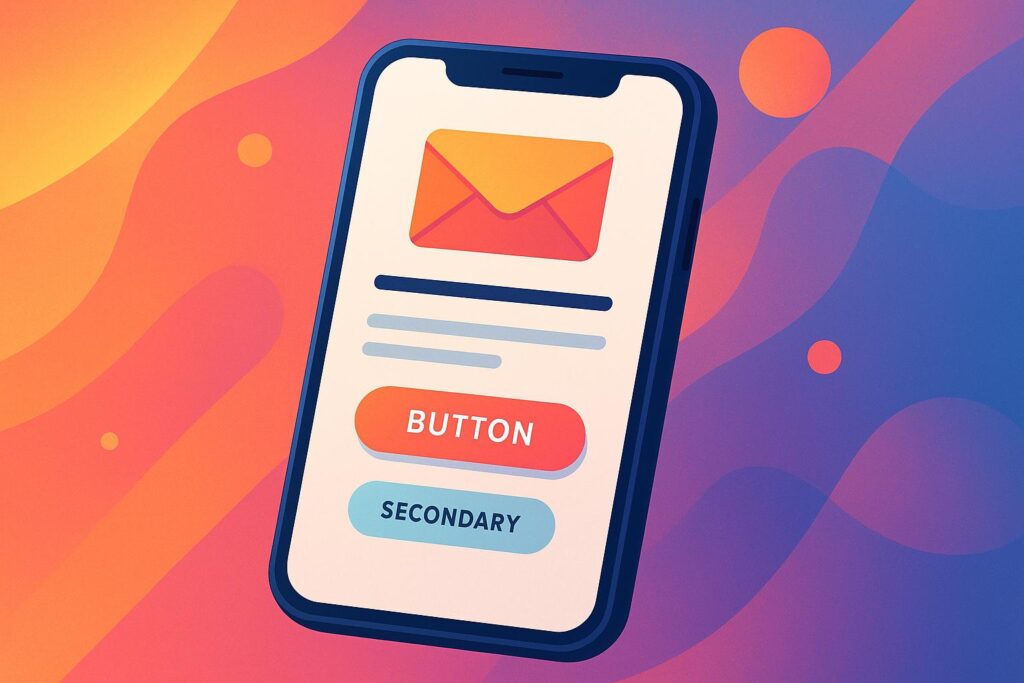
Optimizing emails for mobile is no longer optional – it’s a necessity to drive results. Mobile users interact with emails differently, often multitasking and relying on quick, easy-to-navigate designs. Here’s what you need to know:
- Mobile-first design: Use single-column layouts, larger fonts, and clear CTAs that are easy to tap.
- Understand user behavior: Mobile users scan quickly, so place key information at the top and keep content concise.
- Speed matters: Compress images and optimize loading times to avoid losing attention.
- Test and refine: Check emails across devices and use A/B testing to improve performance.
To succeed, focus on simplicity, readability, and accessibility. Make every element – from subject lines to CTAs – mobile-friendly to keep users engaged and drive conversions.
7 Rules to Design High Converting Responsive Emails
How Mobile Users Read Emails and Set Conversion Goals
Mobile users interact with emails differently than desktop users. They’re often multitasking or pressed for time, which makes understanding their behavior essential for crafting emails that drive conversions on mobile devices.
What Mobile Users Need and the Challenges They Face
Mobile readers face unique limitations that influence how they engage with emails. Typically, they scan messages quickly, deciding in seconds whether to engage or move on. This means every element of your email must grab attention immediately.
Thumb navigation is another key factor. Most mobile users rely on their thumbs to interact with their screens, so elements placed in the center or lower part of the screen are easiest to reach. Avoid putting critical content or buttons near the edges where they’re harder to access. This insight is especially important when designing call-to-action buttons and structuring content.
The smaller screen size also means users scroll quickly, which increases the risk of important details being missed. And if your email loads slowly – especially if it’s packed with images – you risk losing their attention altogether.
Since mobile users often check emails while on the go, your content must be easy to digest at a glance. Keeping these constraints in mind helps you set achievable and realistic conversion goals for mobile campaigns.
Setting Conversion Goals for Mobile
With these insights, you can create conversion goals that align with how mobile users behave. On mobile, the conversion process is often fragmented – users might start an action on their phone but finish it later on another device. This makes it essential to design streamlined, mobile-friendly paths to conversion.
Focusing on micro-conversions can be particularly effective. Actions like opening an email, clicking a link, following on social media, or downloading content are easier for mobile users to complete and can pave the way for larger conversions down the line.
Simplifying the process is crucial. For example, if your goal is to get newsletter sign-ups, let users subscribe with just an email address instead of filling out lengthy forms. In e-commerce, features like one-click purchasing or an easy checkout process can reduce friction and improve conversion rates.
Time-sensitive offers also work well for mobile users. Since they check emails throughout the day, promotions like flash sales or limited-time discounts can create urgency – provided the steps to complete the action are quick and straightforward.
Location-based goals leverage the unique capabilities of mobile devices. Encouraging actions like visiting a store, attending a local event, or redeeming a location-specific offer can drive immediate engagement, especially when paired with features like maps or directions.
Stick to one primary conversion goal per email. With limited screen space and shorter attention spans, a clear and singular call-to-action is far more effective than overwhelming users with multiple choices.
Finally, consider using progressive profiling to gather customer data over time. Instead of asking for extensive information upfront, collect small bits of data in stages. This approach respects users’ time while gradually building a more complete customer profile. By aligning your conversion goals with mobile habits, you can create a smoother experience that boosts engagement and usability.
Creating Mobile-Responsive Email Templates
Designing emails that work seamlessly across mobile devices takes thoughtful planning. A well-crafted template doesn’t just look appealing – it encourages action. The right foundation ensures your emails are optimized for mobile conversions.
Responsive Layouts and Best Practices
Stick to a single-column layout for mobile emails. While desktop emails can handle multiple columns, mobile screens are better suited to a stacked design. This eliminates horizontal scrolling and ensures all content is visible without extra effort.
When structuring your layout, focus on the hierarchy of your content. Place the most important elements – like your header, main message, and call-to-action (CTA) – at the top. Mobile users often skim emails quickly, so make sure the key information is immediately noticeable.
Spacing is another critical factor. Add generous padding around clickable areas and maintain clear separation between text blocks. This avoids a cluttered appearance and makes it easier for users to interact with touchscreens.
Arrange elements in a logical order to maintain a smooth flow. For example, place images above their related text. If you have multiple CTAs, stack them vertically instead of positioning them side-by-side for better usability.
Keep the email width narrow and use percentage-based widths for elements. This approach ensures your design adjusts smoothly to different screen sizes.
Selecting and Customizing Mobile-Responsive Templates
After establishing a responsive layout, choose templates designed for mobile-friendly interactions. Many email marketing platforms offer pre-built responsive templates, often equipped with media queries – CSS rules that adjust styling based on screen size.
Look for templates that include features like single-column layouts, large touch-friendly buttons, and minimal use of complex graphics. Avoid templates with intricate designs, multiple columns, or small clickable elements, as they can make mobile navigation frustrating.
When customizing a template, test it on actual devices to identify issues like improperly resized images, small text, or hard-to-tap buttons. Adjust one element at a time and test your changes across various devices to fine-tune the email’s performance.
Pay attention to color contrast and font sizes. Mobile readability can be affected by ambient lighting, such as bright outdoor conditions. Even if your template looks polished on a desktop, you may need to increase contrast and adjust fonts so headers and body text remain easy to read on smaller screens.
Ensure clickable elements are large and spaced out enough to be tapped easily. Optimize images by reducing file sizes for faster loading and set fallback background colors for cases where images fail to load immediately.
Finally, test your customized template across different email clients like Gmail, Apple Mail, and Outlook. Each client may render responsive designs differently. Regular testing and tweaking will help you create emails that drive better engagement and conversions on mobile.
Improving Visual Elements and Readability
Visual elements can make or break mobile email engagement. Unreadable text or slow-loading images often lead to quick deletions. By focusing on mobile-first design principles, you can create visually balanced emails that turn casual readers into active participants.
Text and Font Size Standards
Reading on a mobile screen is different from a desktop experience, so the text needs to be larger and more accessible. For body text, aim for a minimum of 14 pixels – this ensures users can read without zooming. Headlines should stand out with sizes between 18 and 22 pixels, creating a clear visual hierarchy that guides readers through your content.
Line spacing is just as important. Use a line height of 1.4 to 1.6 for body text to avoid a cramped look. This extra space makes scanning easier, especially for users reading on the go or in less-than-ideal lighting conditions.
Stick to sans-serif fonts like Arial, Helvetica, or system fonts such as San Francisco. These fonts display consistently across devices and email clients, making them a reliable choice for mobile emails.
Break up large text blocks into smaller, digestible chunks. Mobile users scroll vertically, so keeping paragraphs short helps maintain their attention. Use bold text sparingly to highlight important points, but avoid overusing it – too much emphasis can dilute its impact.
Color contrast is another key factor. Your text should have a contrast ratio of at least 4.5:1 against the background for easy readability. For example, dark gray text (#333333) on a white background (#FFFFFF) is easier on the eyes than pure black, while still offering excellent clarity.
Image Optimization for Mobile
Images can elevate the visual appeal of your emails, but they must be optimized for mobile to avoid performance issues. Compress images to under 100KB each to ensure fast loading without sacrificing quality. Slow-loading images often lead to abandoned emails.
Choose the right formats for your visuals: JPEG for photos and PNG for graphics with text or logos. These formats strike a good balance between quality and file size. Keep image dimensions at no wider than 600 pixels to ensure they display correctly on all mobile devices.
Don’t overlook alt text – it’s essential for accessibility and functionality. Many email clients block images by default, so descriptive alt text ensures your message gets through. Include clear, concise descriptions that explain the purpose of each image.
For smoother loading, consider progressive loading techniques. Use background colors that match your brand as placeholders for images. This way, even if images take a moment to load, your email design remains visually cohesive.
When resizing images, rely on CSS rather than HTML attributes. CSS gives you better control over how images adapt to different screen sizes, preventing issues like pixelation or distortion.
Balancing Visuals and Text
Striking the right balance between visuals and text is essential. A good rule of thumb is to aim for a 60/40 ratio of text to images. Too many images can overwhelm small screens and slow down load times, while too much text can feel like a wall of information that users are likely to skip.
Always place your most important message in text format rather than embedding it in an image. This ensures that even if images are blocked, your key information is still visible. Plus, text content is accessible to screen readers, making your emails more inclusive.
Use images to complement your message, not replace it. Product photos, infographics, or branded visuals should support the text, adding context or enhancing the overall design.
Remember to embrace white space. Generous margins around text and images prevent your email from looking cluttered and make touch interactions easier for users. White space also helps focus attention on individual elements, improving overall readability.
Finally, align your content with natural scanning patterns. Mobile users often scan emails in a Z-pattern or straight down the center. Place key visuals – like product images or important stats – along these paths to maximize their impact.
Before sending, always test your email at actual mobile size. What looks perfect on a desktop preview might feel cramped or unbalanced on a smaller screen. Adjust as needed to ensure your content is optimized for your mobile audience.
sbb-itb-2ec70df
Improving Interactivity and Navigation for Mobile
Mobile users approach emails differently than those on desktops. They’re often multitasking, navigating with one hand, and making quick decisions about whether to engage or move on. To boost mobile conversions, it’s essential to tailor your email’s interactive elements to align with these behaviors. Here’s how to make your emails more mobile-friendly.
Creating Thumb-Friendly CTAs
When designing for mobile, focus on making calls-to-action (CTAs) easy to tap. According to Apple’s Human Interface Guidelines, touch targets should be at least 44×44 pixels. Since most people hold their phones with one hand, position CTAs where thumbs naturally rest – toward the center or bottom of the screen. Avoid placing buttons in the upper corners, as this forces users to stretch or switch hands, which can create unnecessary friction.
To minimize accidental taps, surround CTAs with 10–15 pixels of white space. This also helps the buttons stand out visually. Use strong color contrast to ensure your CTAs are immediately noticeable against the background.
Keep your CTA text short and action-oriented. Instead of vague phrases like "Click Here", go for specific, engaging language such as "Shop Now", "Get 20% Off", or "Download Guide." If your email includes multiple CTAs, stack them vertically to avoid side-by-side placement, which can be difficult to navigate on smaller screens.
Organizing Content for Mobile Readers
Beyond thumb-friendly CTAs, organizing your email content effectively is crucial for mobile users. Most mobile readers scan emails rather than reading every word, so it’s important to grab their attention quickly. Place key elements – such as your headline, main offer, or primary CTA – within the first 250–300 pixels of the email.
Break up your content into 2–3 sentence paragraphs to improve readability. Long blocks of text can feel overwhelming on small screens. Each paragraph should focus on one idea, keeping the content easy to digest. Use bullet points sparingly to highlight key benefits, and apply bold text selectively to draw attention to critical details.
Stick to a single-column layout for mobile emails. This eliminates the need for horizontal scrolling and creates a natural, top-to-bottom reading flow. Multi-column designs can feel cramped and are harder to navigate on smaller screens.
Finally, always test your email on an actual mobile device. This ensures that your layout is intuitive and that key elements are easy to access in real-world conditions. Testing helps you spot any issues that could disrupt the user experience, allowing you to fine-tune your design for maximum impact.
Testing, Analyzing, and Improving Mobile Performance
When it comes to mobile email campaigns, testing and analyzing performance are crucial. By understanding how your emails perform across devices, you can make improvements that ensure a seamless experience for your audience.
Cross-Device Testing
HTML and CSS can behave differently depending on the platform, which means your email design might not look the same everywhere. To avoid surprises, test your emails on the most popular email clients and devices your audience uses. This includes a variety of iOS and Android models. Keep an eye out for common problems like images not loading, call-to-action buttons that can’t be clicked, or text that’s hard to read.
Testing on multiple devices also helps identify issues like slow loading times or broken links. These insights are essential for guiding further analysis and adjustments.
Tracking Mobile-Specific Metrics
Mobile-specific metrics can reveal how well your campaigns are working on smaller screens. For instance, high mobile open rates suggest that your audience is frequently checking emails on the go. But if click-through rates on mobile are lagging, it might mean your design needs adjustments to work better on smaller screens.
Tracking conversion rates by device type can show where users drop off in the process. Meanwhile, metrics like time spent reading and scroll depth can help you fine-tune your layout and content. If engagement is low or unsubscribe rates are higher on mobile compared to desktop, it could be a sign that your email needs a simpler, more mobile-friendly design.
A/B Testing for Mobile Optimization
After gathering data, use A/B testing to refine your mobile email strategy. This method allows you to test changes and see what resonates most with your audience.
For example, experiment with subject line lengths, as mobile devices show fewer characters. Test different designs for call-to-action buttons, tweaking their size, color, text, and placement to see which version drives more clicks. Try out various layout options, such as single-column designs or simplified multi-column formats, and test the balance between images and text.
Run these tests over a period that captures a variety of user behaviors, like different times of day or days of the week. Make sure your sample size is large enough to draw meaningful conclusions before implementing changes.
Finally, document your findings to build a go-to resource for mobile optimization. As mobile email trends shift, regular testing will ensure your campaigns stay effective and adaptable.
Using Data-Driven Insights with Growth-onomics
Once you’ve tested your mobile emails, the next step is turning that performance data into meaningful changes. This is where Growth-onomics steps in, offering expertise in maximizing mobile email conversion rates through strategies rooted in data and customer journey mapping.
Growth-onomics specializes in improving mobile email conversions with data-backed CRO (conversion rate optimization) strategies. Their approach, which includes analyzing user behavior and conversion funnels, has been shown to boost conversions by as much as 80%. This is especially impactful for mobile email campaigns, where even minor design tweaks can lead to significant improvements.
Take, for instance, a SaaS startup that saw its trial-to-paid conversion rate jump from 12% to 45%. By mapping the customer journey and implementing automated emails, personalized messaging, and retargeting, the company not only increased trial conversions but also cut onboarding time by 30%.
Growth-onomics employs a variety of tactics to enhance mobile email performance:
- Automated email sequences: Ensures messages land in inboxes at the most effective times.
- Personalized messaging: Tailors content to match user behavior and preferences.
- Dynamic remarketing ads: Makes emails more relevant to individual recipients.
To keep campaigns performing at their peak, Growth-onomics conducts monthly CRO audits. These audits dive deep into market trends and shifts in customer behavior, offering practical recommendations for improving areas like homepage design, navigation flow, and the overall conversion funnel.
Another key insight from Growth-onomics is that 98% of site visitors typically don’t make a purchase on their first visit. This makes mobile email optimization essential, as emails act as a critical touchpoint for nurturing leads and encouraging them to convert over time.
For businesses looking to leverage their expertise, Growth-onomics offers tiered support options:
- Starter Monthly Audit ($999): Includes a detailed CRO analysis and a 30-minute support call.
- Advanced Monthly Audit ($1,599): Provides deeper insights and recommendations.
- Full Site Audit ($1,900 one-time fee): Delivers a comprehensive analysis with follow-up support.
Whether you’re looking for small adjustments or a full-scale overhaul, Growth-onomics provides the tools and insights to make your mobile email campaigns more effective.
Conclusion: Key Points for Mobile Email Optimization
Optimizing emails for mobile devices is no longer optional – it’s a must if you want to drive conversions. Success hinges on understanding how mobile users interact with their devices and tailoring your email designs to fit their habits and constraints.
Start with the basics: responsive design and readability. Your emails should adjust seamlessly to any screen size while keeping text easy to read and navigate. Use larger fonts, compress images for faster loading, and create layouts that work just as well on a small phone screen as on a desktop. These foundational elements set the stage for everything else, from how you structure your content to where you position your call-to-action (CTA) buttons.
Interactivity also plays a pivotal role. Design thumb-friendly CTAs that are easy to tap, break your content into concise, digestible sections, and ensure navigation is smooth for users who are often scrolling with one hand. Keep in mind that mobile users are frequently multitasking, so your email should guide them effortlessly toward the action you want them to take.
After refining these interactive elements, make testing your best friend. A/B testing different components – like subject lines, button sizes, or placements – provides valuable insights into what works best. Regularly analyzing this data ensures your emails are always improving.
From there, tap into data-driven strategies to fine-tune your campaigns. Automated email sequences, personalized messages, and performance audits based on real user data are key to staying ahead in a mobile-first world. These strategies, when paired with continuous testing, help you adapt and grow.
While the mobile email landscape will keep changing, a few things remain constant: focus on user experience, test relentlessly, and let data guide your decisions. Combine responsive design with smart strategies and ongoing refinement, and your mobile email campaigns will become a powerful tool for driving conversions and growing your business.
FAQs
What should I focus on when creating mobile-friendly email designs?
To design emails that work well on mobile devices, focus on responsive layouts that adjust effortlessly to smaller screens. Stick to a single-column structure with a width of 600–640 pixels to keep the content easy to read. Include tap-friendly buttons (at least 46px by 46px), clear and concise calls-to-action, and plenty of white space to make navigation simple.
Make sure images are optimized for quick loading, choose fonts that are easy to read on small screens (at least 14px for body text), and test your emails across various devices to ensure they display correctly. These tweaks can significantly enhance the user experience and boost mobile engagement.
What’s the best way to use A/B testing to boost mobile email conversions?
To boost mobile email conversions through A/B testing, start by zeroing in on one variable at a time – whether it’s the subject line, call-to-action button, or overall email layout. This approach makes it easier to figure out what’s actually driving engagement. Before kicking off your test, define clear goals and form a hypothesis, like aiming to improve click-through rates or increase conversions.
Ensure your tests are tailored for mobile by optimizing for smaller screens and focusing on elements that appear above the fold. Use a sample size large enough to produce reliable data, and take the time to analyze the results carefully. This data will help you fine-tune your strategy and improve future campaigns. When done right, A/B testing can be a game-changer for creating emails that resonate with mobile users and deliver better results.
What mistakes should I avoid when optimizing emails for mobile devices?
When crafting emails for mobile users, it’s easy to make mistakes that can hurt both user experience and engagement. Here are some pitfalls to watch out for:
- Ignoring responsive design: Emails that don’t adjust to fit various screen sizes often end up with clunky layouts and hard-to-read text.
- Overloading with large images: Oversized image files not only slow down load times but also risk frustrating recipients, leading to higher bounce rates.
- Tiny or hard-to-click buttons: Make sure buttons are big enough for easy tapping and spaced out to prevent accidental clicks.
Always take the time to test your emails on different devices and email clients. Spotting and fixing layout or formatting issues beforehand ensures a smoother experience for your audience – and that can make a big difference in engagement and conversions.
