


Want better email campaign results? Real-time tracking tools can help you monitor opens, clicks, bounces, and unsubscribes instantly. This makes it easier to improve performance, protect sender reputation, and boost ROI. In 2026, advanced platforms offer features like AI-powered insights, mobile integration, and cross-channel dashboards. Here’s a quick guide to the top tools:
- GMass: Works in Gmail, filters false opens, integrates with Google Sheets, and starts at $25/month.
- Right Inbox: Gmail extension with basic tracking, CRM sync, and a free plan for 10 emails/month.
- Mixmax: AI-driven email scheduling, Slack alerts, and Salesforce integration starting at $9/month.
- Snov.io: Focuses on sales campaigns with email verification and real-time notifications from $33/month.
- HubSpot Sales Hub: Combines CRM with tracking and mobile app support, starting at $45/month.
Quick Comparison
| Tool | Real-Time Tracking | Starting Price | Compatibility | Mobile App |
|---|---|---|---|---|
| GMass | Yes | $25/month | Gmail only | No |
| Right Inbox | Yes | $7.95/month | Gmail only | No |
| Mixmax | Yes | $9/month | Gmail, integrations | Partial |
| Snov.io | Yes | $33/month | Gmail only | No |
| HubSpot Sales Hub | Yes | $45/month | Gmail & Outlook | Yes |
Choose a tool based on your budget, email volume, and integration needs. Advanced analytics and AI features can help you refine campaigns and achieve better results.
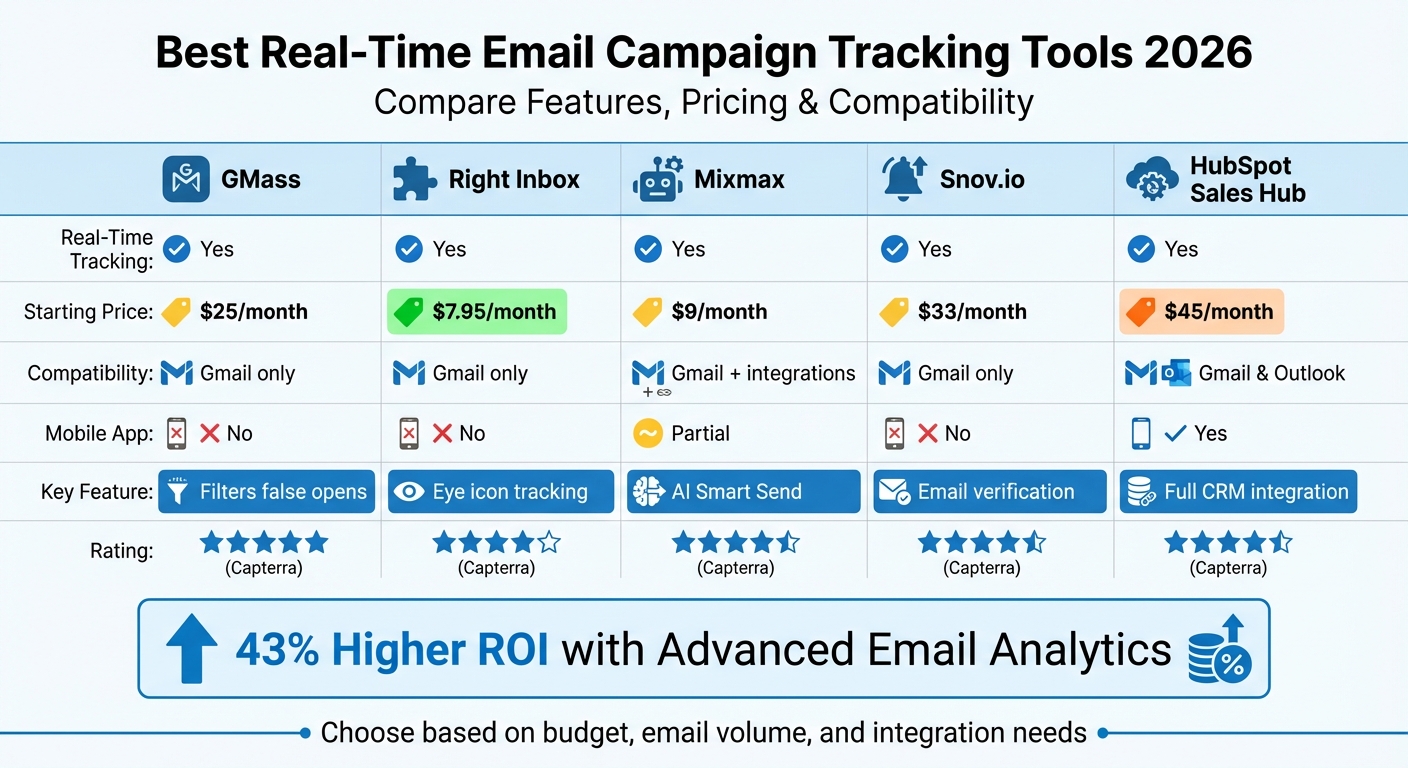
Real-Time Email Tracking Tools Comparison 2026: Features and Pricing
7 Best Email Tracking Software Tools 2024 (For Sales & Marketing Teams)
Best Tools for Real-Time Email Campaign Tracking in 2026
If you’re looking to stay on top of your email campaigns in real time, these tools for 2026 offer some of the most effective ways to track engagement. Each one brings its own strengths, catering to a variety of business needs and budgets.
GMass
GMass operates directly within Gmail, making it a great fit for Google Workspace users. It tracks email opens, clicks, and replies while automatically personalizing emails by detecting first names. One standout feature is its ability to filter out false opens caused by Apple Mail Privacy Protection, addressing a major challenge in email tracking since Apple’s privacy updates.
It integrates with Google Sheets for mail merges and provides detailed reports right inside Gmail. Plus, its automation tools trigger follow-ups based on recipient activity, like opens or clicks. Trusted by employees at companies like Google, Twitter, and LinkedIn, GMass has become a go-to tool for many.
- Pricing: Starts at $25/month for the Standard plan, $35/month for Premium, and $55/month for Professional. Team plans begin at $145/month for five users.
- Ratings: 4.8/5 on Capterra and 4.7/5 on G2.
Right Inbox
Right Inbox is a Chrome extension that enhances Gmail with real-time tracking. It features an eye icon that lets you see who opened your email and when, giving you instant feedback on engagement.
In addition to basic tracking, it offers link tracking, automated follow-ups, and CRM sync to log email activity into your existing system. With over 250,000 professionals using it, Right Inbox is a simple yet powerful tool.
- Pricing: Free for up to 10 tracked emails per month. Paid plans start at $7.95/month for unlimited tracking.
- Ratings: 4.3/5 on Capterra and 4.8/5 on G2.
Mixmax
Mixmax offers a Live Feed that streams real-time engagement metrics – like opens, clicks, and downloads – right to your inbox. Its "Smart Send" feature uses AI to deliver emails when recipients are most likely to engage.
The platform integrates seamlessly with Gmail, Outlook, Salesforce, HubSpot, Slack, and LinkedIn. For example, teams can set up Slack alerts or automate Salesforce tasks based on email engagement. Hostfully credits Mixmax with boosting their pipeline generation by 576% year-over-year through its tracking and automation tools.
"Mixmax helped our sales and business development teams increase pipeline generation by 576% year over year." – Federico Dominquez, Sales Operations Director, Hostfully
- Pricing: Free for up to 20 tracked emails per month. Paid plans range from $9–$12/month for the Starter plan, $24/month for SMB, and $49/month for Growth.
- Ratings: 4.5/5 on Capterra and 4.6/5 on G2.
Snov.io
Snov.io focuses on sales-driven campaigns, offering instant desktop notifications when recipients engage with your emails. It also includes an email verification tool to reduce bounce rates, ensuring you’re sending to valid addresses – a crucial feature for maintaining sender reputation.
The platform keeps a detailed history of all email interactions, combining real-time engagement tracking with deliverability protection.
- Pricing: Starts at $33/month for the Starter plan, $83/month for the M plan, and $158/month for the L plan, which includes A/B testing.
- Ratings: 4.6/5 on Capterra and 4.5/5 on G2.
HubSpot Sales Hub
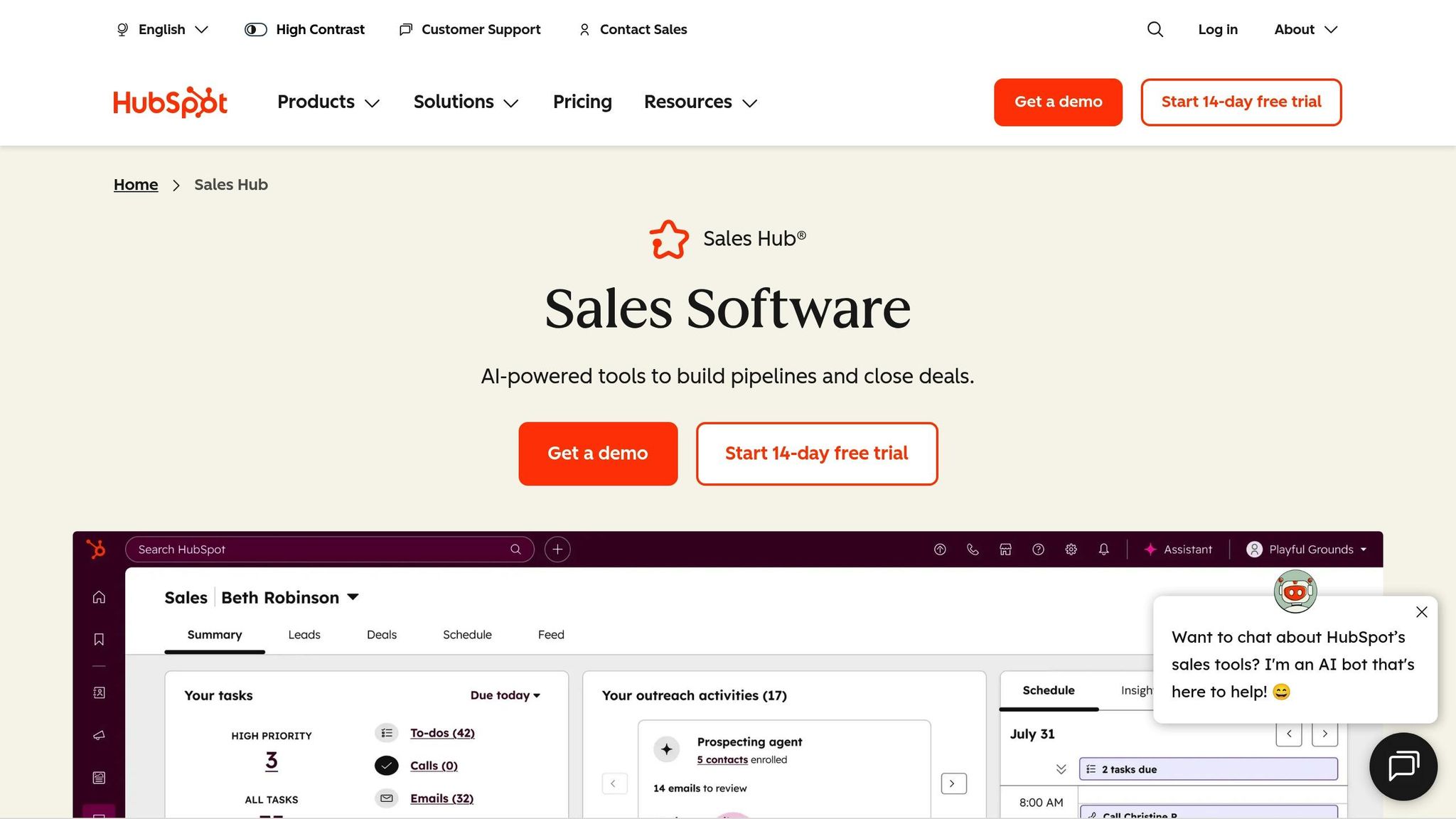
HubSpot Sales Hub integrates email tracking directly into its CRM, offering a complete engagement history for each contact. Real-time alerts notify you when leads interact with your emails, and team templates ensure consistent messaging.
While emails sent from mobile browsers or smartphone clients only log in the CRM without open or click tracking, the platform excels in its ability to tie email activity to your sales pipeline.
- Pricing: Free CRM tier includes 200 tracking notifications per month. Paid plans start at $45/month for two users (Starter) and $450/month for five users (Professional).
- Ratings: 4.5/5 on Capterra and 4.4/5 on G2.
Tool Comparison
When choosing a tool for real-time email tracking, it’s essential to consider factors like platform compatibility, mobile tracking capabilities, and pricing. For instance, HubSpot Sales Hub stands out by supporting both Gmail and Outlook while offering mobile tracking. In contrast, Snov.io is limited to Gmail and lacks mobile app support. Additionally, automated tests reveal that Snov.io has a deliverability score of just 3.9/10, which could lead to more emails landing in spam folders.
To make it easier to compare these tools, here’s a quick summary:
Comparison Table
| Tool | Real-Time Tracking | Starting Price | Compatibility | Mobile App |
|---|---|---|---|---|
| GMass | Yes | $25/month | Gmail only | No |
| Right Inbox | Yes | $7.95/month | Gmail only | No |
| Mixmax | Yes | $9/month | Primarily Gmail | See details |
| Snov.io | Yes | $33/month | Gmail only | No |
| HubSpot Sales Hub | Yes | $45/month | Gmail & Outlook | Yes |
The importance of selecting the right tool can’t be overstated. Companies leveraging advanced email analytics report a 43% higher ROI, emphasizing how critical it is to choose a solution that aligns with your workflow and provides actionable insights from real engagement data.
sbb-itb-2ec70df
How to Choose the Right Tool
Selecting the right tool involves weighing factors like team size, budget, platform compatibility, and the metrics you need to track. Start by auditing your current tech stack. List out key tools like your CRM (e.g., Salesforce or HubSpot), e-commerce platform (such as Shopify or WooCommerce), and analytics tools (like Google Analytics). This step ensures the new tool integrates seamlessly with your existing systems. Without proper integrations, you might find yourself manually transferring data, which can disrupt the efficiency of real-time tracking. This audit becomes the foundation for assessing how well each tool performs in real-time scenarios.
Accuracy in tracking should be a top priority. Look for tools that combine pixel tracking with unique link identifiers to maintain precision, even when dealing with privacy-focused email clients. Advanced metrics go beyond basic opens and clicks. Depending on your needs, you might want to track data like read time, document views, or email forwarding. Some enterprise platforms now monitor over 40 real-time metrics, including engagement trends across different subscriber segments. Focusing on these technical capabilities ensures the tool can meet your specific requirements, especially for high-volume outreach.
When scaling up your outreach efforts, additional features become essential. Tools with domain warm-up services and deliverability monitoring are particularly valuable. These platforms often conduct over 100 internal checks across 30 key sending areas to maximize deliverability and keep your emails out of spam folders.
Christopher Peek, Digital Marketing Director at The Moret Group, shared that using an integrated platform significantly streamlined his reporting process.
Lastly, take advantage of free trials to test critical features. Ensure notification delays are minimal and that alerts can be customized to focus on meaningful actions. For example, you’ll want notifications for key events – like a first-time open or a high-value link click – rather than being bombarded with alerts as your campaign scales. Reliable, well-timed notifications can make all the difference in managing timely follow-ups and campaign success.
Conclusion
Email tracking in 2026 has grown into something far more sophisticated than just monitoring open and click rates. Today’s tools provide advanced insights like click maps, heatmaps, and AI-driven conversational analytics to help you figure out what truly connects with your audience. They also filter out noise from bots and security scanners, ensuring the data reflects genuine human engagement. These capabilities enable marketers to create campaigns that are sharper and more responsive.
When selecting an email tracking tool, make sure it aligns with your business objectives and delivers reliable data. Why? Because brands leveraging advanced email analytics see a 43% higher ROI compared to those that don’t. For example, Connor Snell from Altos shared how his team used engagement data to adjust a client’s email strategy, leading to a 35% jump in open rates.
Integration is another key factor. Your tool should connect effortlessly with your existing CRM – whether it’s Salesforce or HubSpot – and work alongside platforms like Google Analytics and Slack. This seamless connectivity ensures all your data is in one place, ready for immediate action. Plus, many platforms offer free tiers or trials, so you can explore their features before making a financial commitment.
As email tracking continues to evolve, the industry is shifting toward privacy-focused tracking and AI-powered analytics. Tools are now designed to handle challenges like Apple’s Mail Privacy Protection while still maintaining data accuracy. AI tools even let you ask questions in plain language, saving you from sifting through spreadsheets. Whether you’re managing high-volume transactional emails or targeted campaigns, choosing a tool that matches your scale and technical needs can significantly improve your results and ROI.
FAQs
What features should I prioritize in a real-time email tracking tool?
When selecting a real-time email tracking tool, focus on features that help you gather actionable insights and simplify your workflow. Start with live open and click tracking, which allows you to see engagement as it happens. Tools offering detailed analytics – like heatmaps, device usage stats, and bot filtering – can give you a clearer picture of subscriber behavior, helping you refine your campaigns.
Make sure the tool integrates seamlessly with CRM systems and marketing platforms. This ensures smooth data syncing, lead scoring, and automated follow-ups. Look for built-in automation features such as drip campaigns, A/B testing, and trigger-based responses to save time and boost efficiency. And don’t overlook the importance of privacy and compliance measures – you’ll want a tool that keeps data secure and aligns with regulations like GDPR and CCPA.
For a more holistic strategy, consider partnering with a data-driven agency like Growth-onomics. They can help you weave these tools into a larger plan focused on driving measurable growth for your business.
How is AI transforming real-time email campaign tracking in 2026?
AI is transforming the way email campaigns are tracked, going far beyond traditional metrics like open and click rates. By analyzing historical data, real-time user behavior, and demographic details, AI can predict which subscribers are most likely to engage or make a purchase. It also fine-tunes send times, tracks revenue generated by individual emails, and delivers instant insights to help marketers enhance campaign performance.
With AI-powered dashboards, marketers can spot underperforming content quickly, make real-time adjustments, and craft highly personalized campaigns that drive stronger engagement. For agencies like Growth-onomics, these tools offer smarter audience segmentation, dynamic heatmap tracking, and real-time analytics – empowering businesses to achieve better ROI and develop more effective email strategies.
Why is it important for email tracking tools to work with different platforms?
Platform compatibility is key for ensuring email tracking tools work seamlessly with widely-used email clients like Gmail and Outlook. It also enables integration with CRMs and other critical systems, allowing for real-time data collection, smoother automation, and a centralized view of your campaign’s performance.
Using a compatible tool means fewer disruptions, precise analytics, and more efficient workflows – all of which save time and help improve the success of your campaigns.
