


The most expensive audience in B2B advertising costs somewhere north of 10 dollars a click, and most enterprise SaaS teams build it wrong on the first attempt.
The error is almost always the same.
Someone opens Campaign Manager, selects job titles matching the buyer persona, adds company sizes above 1,000 employees, layers on 3 industries and 2 seniority filters, and watches the audience estimate fall to 4,200 people.
It feels precise. It is actually a targeting setup that will spend 3 months learning almost nothing, because there is not enough volume for LinkedIn’s delivery to optimize and not enough scale for any result to be statistically meaningful.
Enterprise deals make this worse rather than better. The buying committee for a 6-figure contract runs to 6 or more people across security, finance, IT, and the business unit, most of whom hold titles nobody put on the persona document.
Targeting the champion alone reaches one voice in a room where several others can say no.
These are 8 targeting setups that work for enterprise SaaS, when each one applies, and what it costs to run. They are ordered roughly from broadest to most surgical, because the sequencing counts more than any individual setup and most accounts should be running 2 or 3 simultaneously rather than searching for the single correct one.
Why Enterprise Targeting Breaks Differently
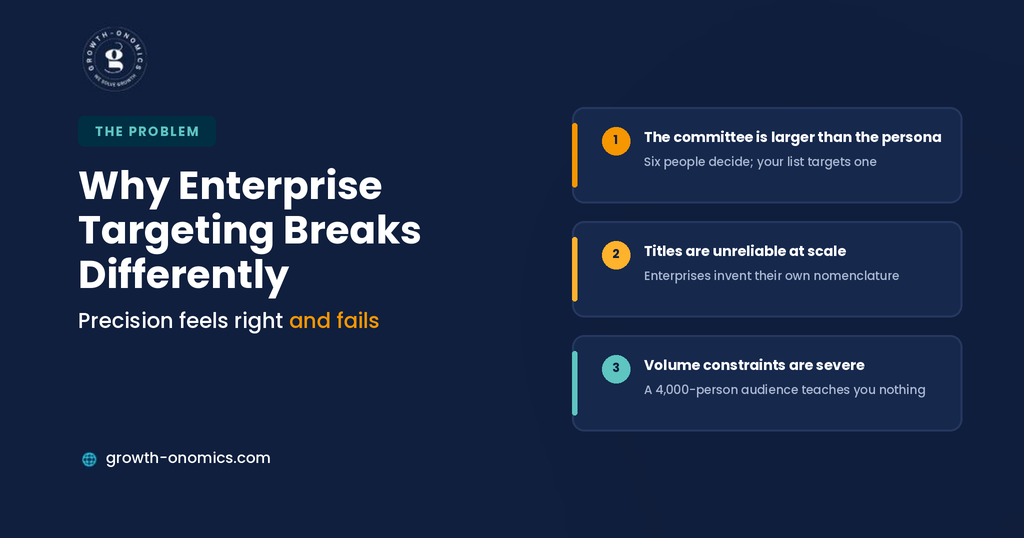
3 characteristics of enterprise deals invalidate the targeting instincts that work everywhere else.
The committee is larger than the persona. A platform purchase touches the economic buyer, the technical evaluator, security review, procurement, and the end users who will complain if it goes badly. Reaching only the person whose title matches your ICP document means reaching one input into a decision made by six.
Titles are unreliable at scale. Enterprise organizations use internal nomenclature that bears little resemblance to standardized titles. The person who truly owns your category might be a Director of Business Technology, a Head of Platform, or a VP of Operational Excellence, and no title list captures all 3.
Volume constraints are severe. LinkedIn requires a minimum audience size to run a campaign, and delivery algorithms need meaningful volume above that floor to optimize. An audience of a few thousand people in a category where click costs run high will produce a handful of clicks a week; too few to learn from, too few to conclude anything from.
The practical consequence is counterintuitive. In enterprise, broader targeting with tighter account control usually outperforms narrow persona targeting, because the account list does the qualification and the creative does the filtering.
That reframing is worth holding onto through the rest of this article. Every setup below is really a decision about where qualification happens; in the audience definition, in the account list, in the creative, or in the conversion signal you send back to the platform. Programs fail when qualification is attempted entirely in the first of those.
Quick Comparison
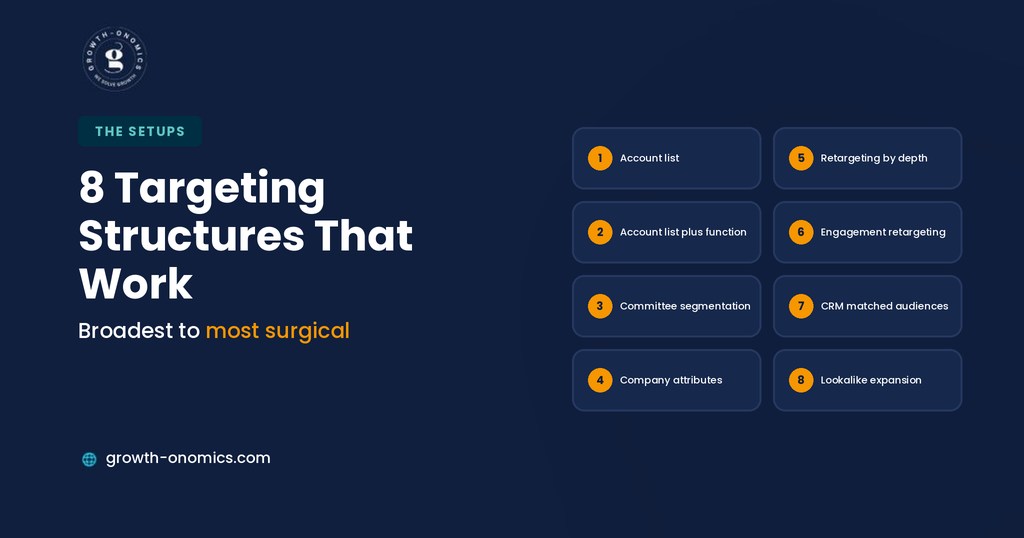
| # | Setup | Best For | Typical Audience Size |
| 1 | Account list | Defined target account programs | Large, account-bounded |
| 2 | Account list plus function | ABM with role relevance | Medium |
| 3 | Buying committee segmentation | Complex multi-stakeholder deals | Several medium segments |
| 4 | Company attributes | Building the account list | Large |
| 5 | Website retargeting by depth | Warm evaluation-stage accounts | Small to medium |
| 6 | Engagement retargeting | Nurturing video and form viewers | Small |
| 7 | CRM matched audiences | Pipeline acceleration and expansion | Small, high value |
| 8 | Lookalike and expansion | Scaling a proven segment | Large |
1. Account List Targeting
The setup: Upload a list of target companies and advertise to everyone at those accounts, without title or seniority filters.
When It Works
When you have a defined target account list and enterprise sales motion. This is the foundation of most ABM programs, and its strength is that account selection does the qualification work rather than title guessing.
Why Broad Beats Narrow Here
Reaching everyone at a target account means reaching the people whose titles you would never have guessed, including the internal champion who first raises your name in a meeting. In enterprise, awareness across an organization is worth more than precision within it.
What It Costs
Audience sizes stay workable because the account list bounds them, and match rates for well-maintained lists are generally strong. The constraint is list quality: subsidiaries, acquisitions, and inconsistent legal names are the usual causes of poor matching.
The Common Mistake
Uploading a list of a few dozen accounts and expecting delivery. Small account lists produce audiences too small to run, and most programs need several hundred accounts before the setup functions at all. If your target list is genuinely short, LinkedIn advertising is the wrong instrument and direct outreach is a better use of the same budget.
2. Account List Plus Job Function
The setup: The account list, filtered by job function and seniority rather than specific titles.
When It Works
When your category genuinely does not concern most of an organization and you want relevance without title fragility. Function-and-seniority filtering is far more robust than title lists, because it survives the naming variation that breaks title targeting.
Why Function Beats Title
Function categories absorb the variation enterprise organizations create. Targeting the Information Technology function at Director level and above captures the Head of Platform, the VP of Infrastructure, and the Director of Business Technology without you having to anticipate any of them.
What It Costs
Meaningfully smaller audiences than pure account targeting, which raises the volume risk. Watch the estimate carefully and loosen the seniority filter before you loosen the account list.
The Common Mistake
Adding a title list on top of function and seniority, which narrows the audience without improving relevance and reintroduces exactly the fragility function targeting was meant to solve.
3. Buying Committee Segmentation
The setup: Several parallel campaigns against the same account list, each targeting a different function with creative addressing that function’s concerns.
When It Works
Complex deals where different stakeholders have genuinely different objections. Security wants compliance answers, finance wants total cost of ownership, the business unit wants time to value, and IT wants integration detail. One message cannot serve all four.
Why It Outperforms Single-Message Campaigns
Enterprise deals stall on the objection nobody addressed. Running a security-focused campaign against security leadership at the same accounts your champion campaign is reaching means the internal conversation encounters your answer before it becomes a blocker.
What It Costs
More creative production and more campaign management. It is the most resource-intensive setup here, which is why it suits companies with real enterprise ACVs rather than mid-market pricing.
The Common Mistake
Building the segments and running the same creative in all of them. The segmentation is only valuable if the message differs, and Growth-onomics maps message to committee role at the planning stage for that reason; the targeting structure is downstream of the messaging decision rather than the other way around.
4. Company Attribute Targeting
The setup: Company size, industry, growth rate, and technology signals rather than a named account list.
When It Works
When you do not yet have a target account list, or when you want to discover accounts that fit your profile but were not on it. Useful for building the list that setups one through 3 will eventually use.
Why It Belongs Early
Most companies write their account list from existing customers and obvious prospects, which encodes yesterday’s assumptions. Attribute targeting surfaces the accounts matching your profile that nobody thought to add.
What It Costs
Large audiences and correspondingly loose qualification. Expect a higher cost per opportunity than account-bounded setups, and treat it as prospecting rather than pipeline generation.
The Common Mistake
Treating company size as a proxy for fit. A 5,000-person manufacturer and a 5,000-person software company are entirely different buyers, and headcount alone qualifies neither.
5. Website Retargeting by Page Depth
The setup: Retargeting site visitors segmented by which pages they viewed, rather than all traffic together.
When It Works
Always, provided the segmentation is real. Someone who read a pricing page or a comparison page is in evaluation; someone who read one blog post is not, and treating them identically wastes the budget on the second group.
Why Depth Is Critical Rather Than Recency
In enterprise cycles measured in months, a pricing page visit from 6 weeks ago is a stronger signal than a blog visit from yesterday. Segment on what they looked at first, then on when.
What It Costs
Small audiences, which is the constraint. Sites without meaningful traffic will struggle to build retargeting segments large enough to deliver, and combining page-depth segments is often necessary.
The Common Mistake
One retargeting audience covering all site visitors. It produces cheap impressions against people who read a definition once and forgot you existed, and the blended cost per click looks excellent while none of it reaches an evaluation.
6. Engagement Retargeting
The setup: Retargeting people who watched a video, opened a lead form, or engaged with your company page.
When It Works
As a second touch after an awareness campaign, particularly for complex products where a video explains what a banner cannot. Video viewers who watched most of an explainer are a genuinely warm audience.
Why It Suits Enterprise
It reaches people who showed interest without requiring them to identify themselves, which helps when enterprise buyers spend months researching anonymously before any form fill.
What It Costs
Very small audiences unless you have run substantial awareness spend first. This setup has a prerequisite, and running it too early produces campaigns that cannot deliver.
The Common Mistake
Retargeting anyone who viewed 3 seconds of a video. Segment by completion depth, because a three-second view is a scroll rather than a signal.
7. Matched Audiences From CRM Segments
The setup: Uploading contact lists from your CRM: open opportunities, stalled deals, churned customers, expansion targets as targeting segments.
When It Works
For pipeline acceleration rather than generation. Advertising to contacts at accounts with open opportunities keeps you present during a long evaluation and reaches committee members your rep has never spoken to.
Why It Is Underused
Most teams treat LinkedIn as a top-of-funnel channel and never point it at existing pipeline, where the audiences are small, the ACVs are known, and the cost of influencing one deal is trivially justified.
What It Costs
Very small audiences with high value per person. Judge these campaigns on deal velocity and win rate rather than cost per lead, which is a meaningless metric here.
The Common Mistake
Uploading a static list once. Pipeline changes weekly, so the segment needs a refresh cadence or it decays into advertising to closed-lost deals.
8. Lookalike and Audience Expansion
The setup: Letting LinkedIn expand beyond your defined audience to similar members, or building lookalikes from a source audience.
When It Works
After a segment has demonstrably produced opportunities and you need scale beyond it. Expansion is a scaling tool, not a discovery tool.
Why Sequencing Matters
Expansion applied to an unproven audience scales whatever was wrong with it. Applied to a segment with a track record of producing opportunities, it finds more of something that works.
What It Costs
Looser qualification and higher cost per opportunity than the source segment, which is the trade you are consciously making for volume.
The Common Mistake
Leaving audience expansion enabled by default on a narrow, carefully built audience. It quietly widens targeting you spent effort narrowing, and most teams do not notice for a quarter.
What Targeting Cannot Fix
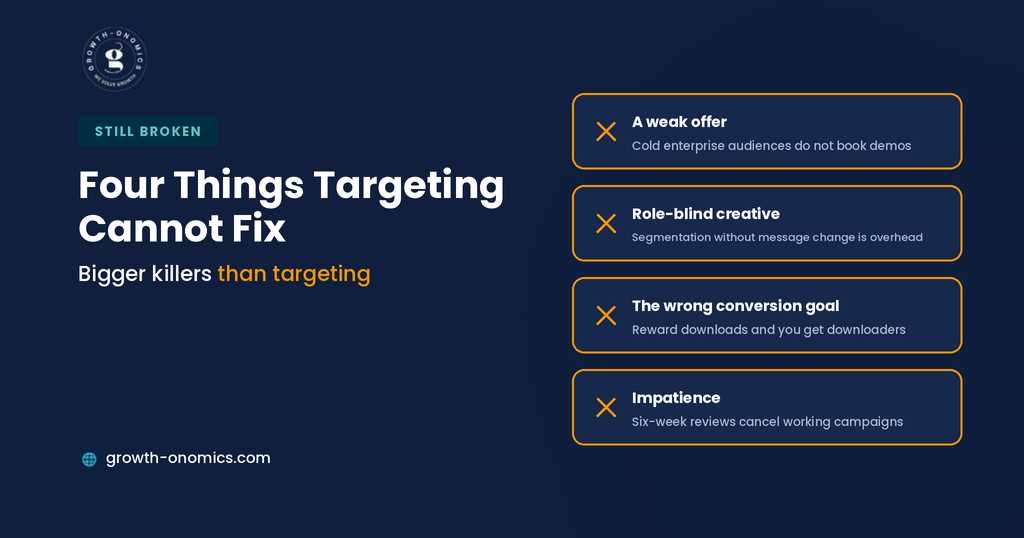
4 constraints persist regardless of how well the setup is built, and each one causes more failed LinkedIn programs than targeting mistakes do.
A weak offer. LinkedIn’s audience is expensive and skeptical. A demo request from a cold enterprise audience converts poorly regardless of targeting precision, which is why the offer usually needs to be a step smaller than instinct suggests.
Creative that ignores the reader’s role. Committee segmentation is worthless if every segment sees the same generic value proposition. The targeting creates the opportunity; the creative determines whether it is used.
Optimizing toward the wrong conversion. Feed the platform a content download and it will find people who download content. Enterprise programs need opportunity and pipeline data flowing back for delivery to optimize toward buyers rather than browsers. Growth-onomics treats this as prerequisite work on LinkedIn for the same reason it does on Google; the targeting sets the ceiling and the conversion signal determines whether you get anywhere near it.
Impatience. Enterprise cycles run months. Judging a LinkedIn program on a 6-week cost per lead will cause you to cancel campaigns before the opportunities they influenced have been created.
Sequencing the Setups
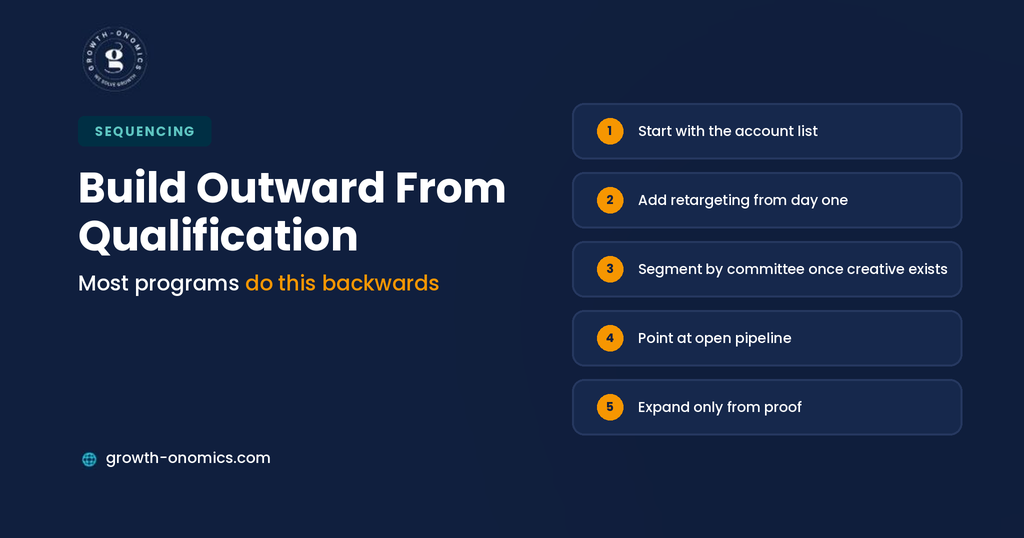
Most accounts should run 2 or 3 of these together, in a deliberate order.
Start with the account list. If a target account list exists, setup one is the foundation. If it does not, use company attribute targeting to build one before spending meaningfully on anything else.
Add retargeting immediately. Page-depth retargeting is the cheapest efficient audience you will have, and it should be running from day one rather than added later.
Layer committee segmentation once creative exists. This setup depends on having distinct messages for distinct roles. Without them it adds management overhead and nothing else.
Point at pipeline once volume justifies it. CRM matched audiences against open opportunities is a small, high-return campaign that most programs add far too late.
Expand last, and only from proof. Audience expansion and lookalikes belong after a segment has produced opportunities, not before.
Run this sequence and the account grows outward from qualification rather than inward from volume, which is the opposite of how most LinkedIn programs are built and the reason most of them plateau.
Conclusion
The instinct that ruins enterprise LinkedIn targeting is precision. Narrowing to exact titles at exact company sizes feels rigorous, produces an audience too small to learn from, and reaches one member of a committee that decides collectively.
What works instead is qualification at the account level and relevance at the creative level. Bound the audience by which companies you want, let the message do the filtering within them, and accept that reaching someone whose title does not match your persona is frequently how a deal starts. The champion who first mentions you internally is rarely the person on your ICP document.
Sequence is as important as setup. Start with accounts, add retargeting immediately, segment by committee once you have messages worth segmenting, point at pipeline earlier than feels natural, and expand only from something proven. Most programs invert this, start broad and unqualified, and spend two quarters learning what an account list would have told them in a week.
If you want your LinkedIn programme built around committee coverage and measured against pipeline rather than lead volume, the Growth-onomics team can structure the targeting and the reporting together.
FAQs
What is the minimum audience size for LinkedIn Ads?
LinkedIn enforces a floor below which a campaign will not run, but the practical minimum is considerably higher than the technical one. An audience at the platform threshold in an expensive category will generate too few clicks weekly for delivery to optimize or for you to draw conclusions. For enterprise SaaS, plan for audiences in the tens of thousands rather than the low thousands, and if account-bounded targeting cannot reach that, add accounts before you loosen role filters; account quality is what you were buying.
Should I target job titles or job functions?
Function and seniority, in almost every enterprise case. Title targeting assumes standardized nomenclature that large organizations do not use, so a title list captures some of your buyers and silently misses others who hold the same responsibility under different names. Function plus seniority absorbs that variation while keeping relevance. Titles have a place in narrow, well-defined roles where the naming genuinely is standard, but layering titles on top of function is the common mistake; it shrinks the audience without improving who is in it.
How do I reach the whole buying committee?
Run parallel campaigns against the same account list, one per function, with creative addressing that function’s specific objection. Security leadership needs compliance and data residency answers, finance needs total cost of ownership, IT needs integration detail, and the business unit needs time to value. This costs more in creative production than a single campaign, which is the real reason most teams skip it. The payoff is that deals stall less often on the objection nobody addressed, because your answer reached that stakeholder before it became a blocker.
Is LinkedIn worth it given the cost per click?
For genuine enterprise ACVs, usually yes, but the metric to judge it on is not cost per click or even cost per lead. A -figure contract value justifies a cost per opportunity that would be indefensible in a self-serve motion, and LinkedIn’s targeting precision at the account and function level is difficult to replicate elsewhere. Where it fails is mid-market products priced too low to absorb the click costs, and programs judged on lead volume, which pushes teams toward cheap content downloads that produce no pipeline.
Should LinkedIn run alongside Google Ads or instead of it?
Alongside, because they capture different moments. Google captures people already searching, which is demand that exists. LinkedIn reaches people at accounts you have chosen, whether or not they are looking, which is demand you are trying to create or accelerate. For enterprise SaaS the useful combination is usually LinkedIn building awareness and reaching committee members search never touches, with Google capturing the branded and high-intent searches that follow. Judging them on the same metric misleads, since LinkedIn’s contribution shows up as influenced pipeline and branded search rather than direct conversions.
How long before a LinkedIn program shows results?
Plan for at least 2 quarters before concluding pipeline, and use leading indicators in the meantime. Enterprise cycles mean opportunities influenced this month appear in the CRM months later, so a six-week review is reading conversion data rather than qualification data. Watch engagement depth, the proportion of engaged accounts matching your target list, and whether target accounts are appearing in your website analytics. Those move within weeks and tell you whether the targeting is working before the pipeline number can.